

Proton Black Friday, until 30 November: 60% off Proton Mail Plus on the 12-month plan, $23.88 for the first 12 months.
After that it renews at $47.88 a year, the regular price. See every Proton Black Friday deal.
Short answer: In the Proton Mail vs Gmail decision, Proton Mail is the better pick if privacy is the reason you are comparing: it shows no ads, is funded by paying subscribers, and stores your mailbox with zero-access encryption so Proton cannot read it. Gmail is the better pick if you want the most free storage, the deepest Google integrations and built-in Gemini features, and you are comfortable with Google processing your mail to run them.
- Pick Proton Mail if you want an inbox with no ads, private messages to other Proton users by default, and a provider whose business does not depend on your data.
- Pick Gmail if you live in Google Docs, Calendar and Android, need 15 GB for free, or rely on Gemini inside your inbox.
- Skip Proton Mail Free if you need a desktop mail client such as Outlook on a free plan; that needs a paid plan.
Proton Mail: Free $0 (up to 1 GB). Mail Plus $4.99/mo monthly or $47.88/yr ($3.99/mo), renews at $47.88/yr. Black Friday offer read November 2, 2026: $23.88 for the first 12 months, then renews at $47.88/yr. Gmail: free with 15 GB shared storage; Google One from €1.99/mo or €19.99/yr; Google Workspace Business Starter €6.80 per user per month (euro prices as Google showed them to a European connection). Prices checked November 3, 2026.
Table of contents
How do Proton Mail and Gmail compare at a glance?
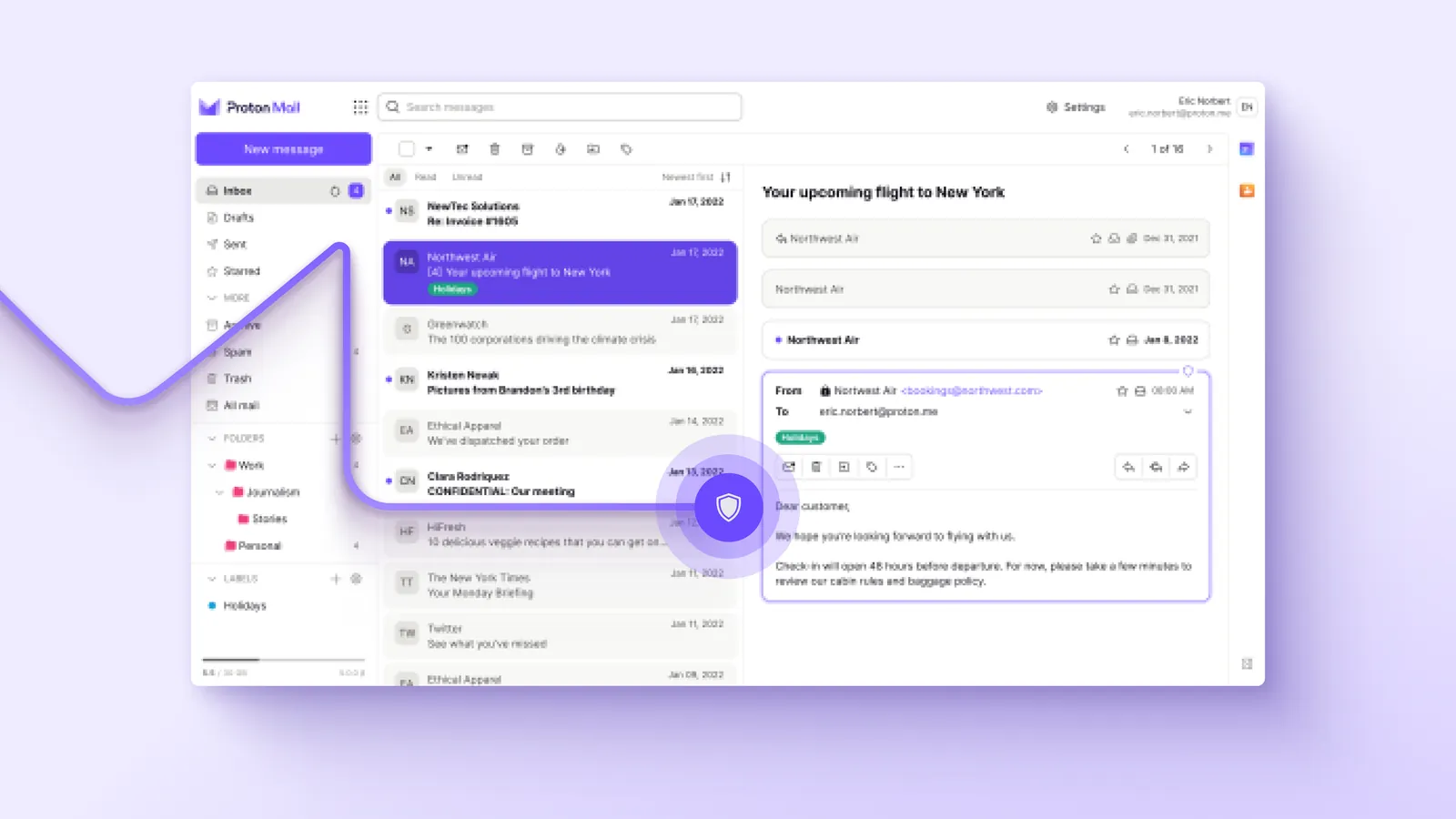
Gmail is the default email account for anyone with a Google account, and Proton Mail is the service most people find when they start asking what Google does with that account. This Proton Mail vs Gmail comparison is about that question: what each company can see, how each one makes money, what each costs, and how much of your daily routine you give up or keep if you switch. It is not a full review of either product. For the deep look at Proton’s service, our Proton Mail review covers every plan and feature.
The two services are built on opposite business models. Proton’s own pricing page says Proton Mail is funded entirely by paying subscribers. Gmail is free for personal use, and Google’s Gmail Help says that when you open Gmail you will see ads. Almost every difference below follows from that. Every figure comes from the two companies’ own pricing, policy and help pages, read on November 3, 2026, except the Black Friday price, which our daily check read on Proton’s landing page on November 2, 2026. Totals and differences are our arithmetic. We describe features from the vendors’ documentation, not from a long personal test, and we say so where it matters.
| Proton Mail | Gmail | |
|---|---|---|
| Company | Proton AG, Geneva, Switzerland | |
| How it is paid for | Paying subscribers | Ads on free accounts; paid storage and Workspace plans |
| Ads in the inbox | No ads on any plan | Yes on free accounts; Workspace lists an ad-free experience |
| Free storage | Up to 1 GB for mail (Drive up to 5 GB) | 15 GB shared across Gmail, Drive and Photos |
| Cheapest paid plan | Mail Plus, $3.99/mo billed yearly ($47.88) | Google One Basic, €19.99/yr for 100 GB |
| Who can read stored mail | Zero-access encryption: not Proton | Standard TLS in transit; extra encryption only on work and school accounts |
| Outlook, Thunderbird, Apple Mail | Paid plans, through IMAP/SMTP (Bridge) | Every account, IMAP always on |
| Built-in AI | Proton Scribe, a paid add-on | Gemini in Gmail on Google AI and Workspace plans |
| Best for | People who want private email without ads | People who want the most free storage and Google integrations |
Who can read your email on each service?
Proton is designed so that it cannot read the mail stored in your inbox, while Gmail is designed so that Google’s systems can work with your mail unless your employer or school adds extra encryption. That is the core of the comparison, and it is worth getting right without exaggerating either side.
How Proton Mail protects messages
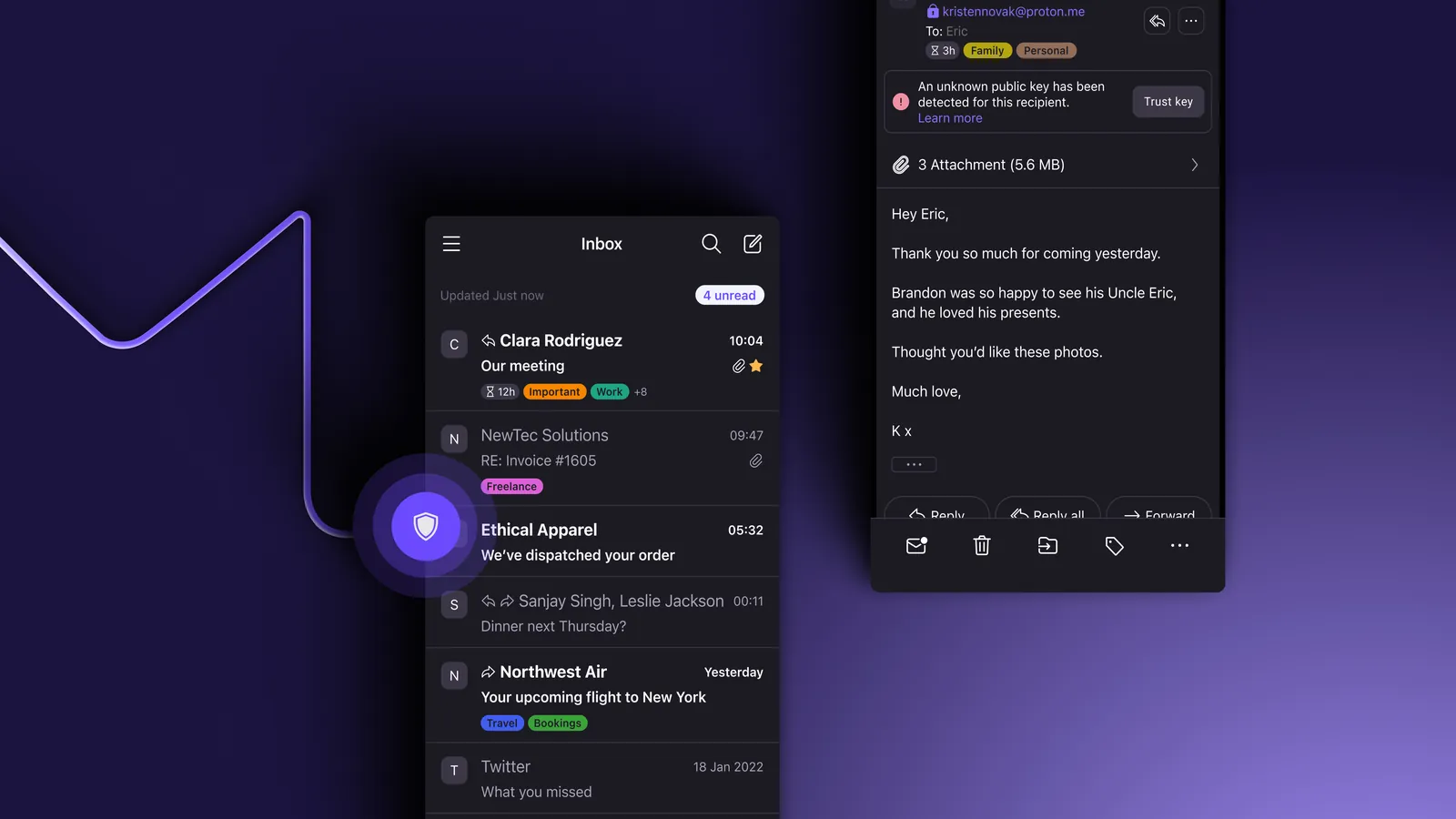
Proton’s support article on how Proton Mail messages are encrypted sets out the details plainly. Every message and attachment in a Proton inbox is stored with zero-access encryption, which Proton says means nobody else can access your emails, not even Proton. Message bodies and attachments are stored with end-to-end encryption, including mail that arrived from a non-Proton address. Between two Proton addresses, messages are end-to-end encrypted in transit as well.
The limits matter just as much. Mail you send from Proton to a Gmail or Outlook address travels with TLS, the same standard transport encryption other providers use, and once it lands in the recipient’s inbox it is not end-to-end encrypted by default, so the recipient’s provider may be able to access it. Proton’s answer is password-protected emails, which every plan includes, including Free. Subject lines are not end-to-end encrypted either; Proton says this keeps it compliant with the OpenPGP standard, and that getting at them would require a court order approved by a Swiss judge.
How Gmail protects messages
Google’s Gmail Help page on how Gmail encrypts your emails says all Gmail messages use TLS automatically, available for all Gmail accounts. That protects mail on its way between servers. Stronger options exist, but Google lists them for work or school accounts only: S/MIME, and client-side encryption, where your organization holds the only copy of the key and, in Google’s words, not even Google can open the message. A personal Gmail account does not get those options.
Gmail also has confidential mode, and it is easy to mistake it for encryption. Google’s help page describes it as a way to set an expiry date, revoke access, disable forwarding, copying, printing and downloading, and require an SMS passcode. The same page warns that recipients can still take screenshots or photos of your emails. It is an access control feature, not a way to keep Google out of the message.
What this means in practice
For mail between you and other Proton users, Proton cannot read it at any point. For mail between you and a Gmail user, Google still holds its copy on the other side, whichever service you use. So the privacy gain from Proton is largest in your own stored mailbox: years of receipts, bank notices, medical letters and travel bookings sitting in an inbox the provider cannot scan. That is also the archive that Google’s AI features are designed to read when you connect them, which leads to the next two questions.
Does Gmail show ads, and does Proton Mail?
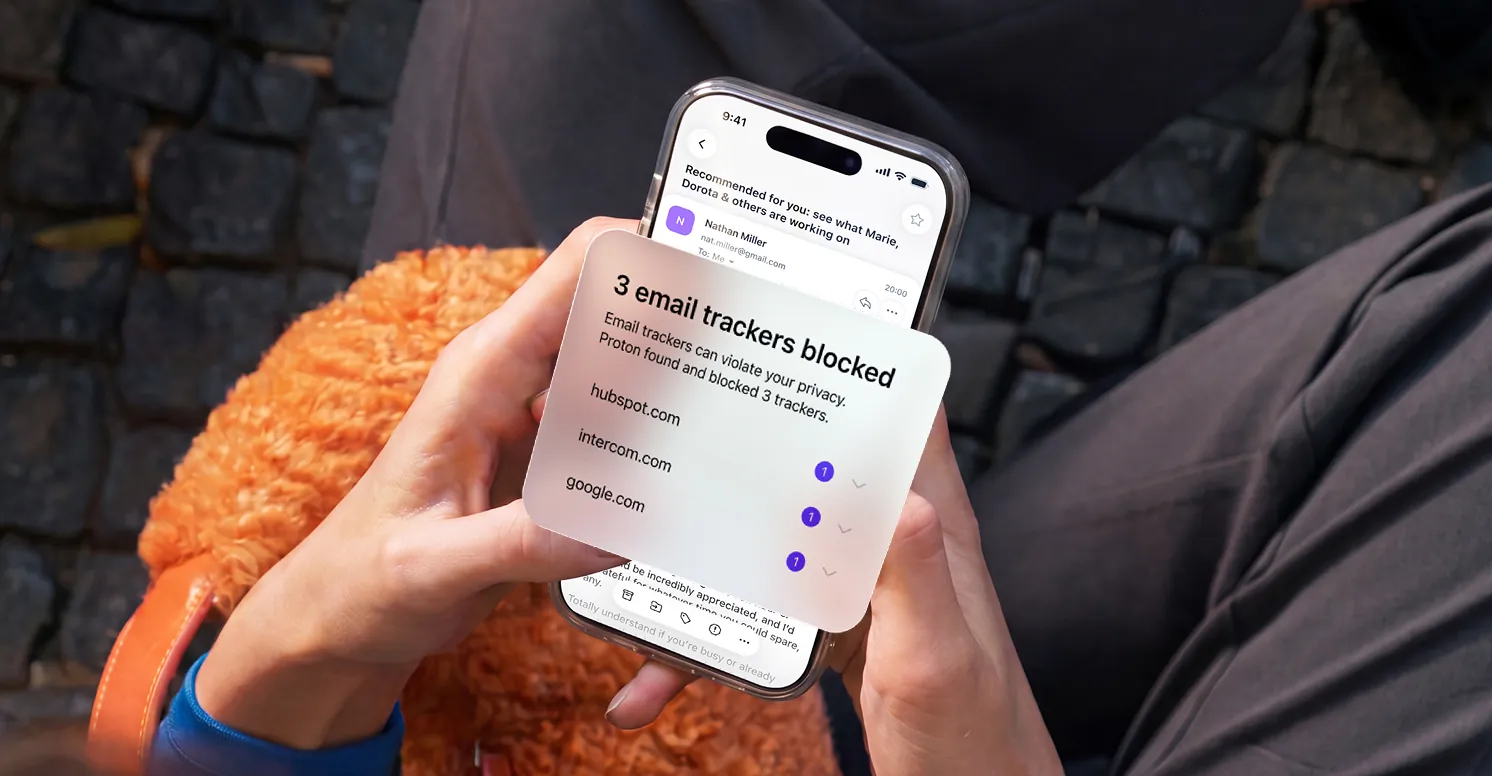
Free Gmail shows ads and Proton Mail does not. Google’s Gmail Help page on how Gmail ads work says that when you open Gmail you will see ads selected to be useful and relevant, chosen automatically and based on your online activity while you are signed in to Google. The same page says Gmail does not scan or read your messages to show you ads, and that Google does not sell your personal information.
You can reduce the targeting but not the ads. Google’s page says you can turn off Ads Personalization in your ad settings, and that if you do, you may still see Gmail ads, but they will not be based on personal data Google has associated with your account. Google’s privacy policy adds that it does not show personalized ads based on sensitive categories such as race, religion, sexual orientation or health.
Paying Google does not automatically change this for a personal account. The Google One plans page lists storage, sharing with up to five others and, on the AI tiers, Gemini features; it does not list an ad-free Gmail. An ad-free email experience appears on the Google Workspace pricing page, as a feature of every Workspace business plan, which is a different product with per-user pricing.
Proton’s model is simpler. Its pricing comparison lists “No ads” as included on every plan, Free included, and its Mail pricing page says the service is funded entirely by paying subscribers. There is no ad setting to manage because there is no ad business attached to the inbox.
What changed in Google’s privacy policy on October 16, 2026?
Google added an exception to its long-standing promise about Gmail and ads, and the exception only applies if you choose to connect your apps. The current Google privacy policy, which shows “Effective October 16, 2026” on policies.google.com, now says Google does not show personalized ads based on your content from Drive, Gmail or Google Photos, “unless you choose to make data from these services available to other Google services that support personalized ads.” The same policy explains that you may allow services such as Search or Gemini Apps to access data from Google Photos and Workspace apps like Gmail and Drive, and gives the example that Search may process some of that data to personalize content, including ads.
In practice this is tied to Google’s Personal Intelligence features. Proton’s blog post on the change, Google can now use your data for ads, summarizes it this way: if you connect Gmail, Drive or Photos to Personal Intelligence, that data can inform ads in Search, and if you have never connected them, nothing changes for you. The post quotes Google telling Ars Technica that connecting your apps is entirely opt-in. Proton also reports that connecting apps has not been made available in the EU, the UK or Switzerland, while noting that the policy is a single global document.
Two practical points follow. First, if you use Gmail and have not connected it to Personal Intelligence, the change does not touch your inbox today. Second, if you have connected it, Proton’s post walks through disconnecting the apps in your Google Account under Data & privacy and Personalization settings, and notes, citing Google’s help page, that disconnecting does not erase what is already saved in your Search Services History. We cover the wording, the settings and what to check in more detail in our guide to how Google can now use Gmail data for ads.
For this comparison, the change is less a scandal than a reminder of how each model works. Gmail’s privacy depends on Google’s policy and on the settings you choose, and policies can be revised, as this one was. Proton’s privacy rests mainly on encryption that stops it reading your stored mail in the first place, which a policy edit alone would not change.
What does each cost, and what do you get for free?
Gmail gives you far more for free, and Proton charges for the features that Google pays for with advertising. The table below lists the plans most people actually choose between. Proton’s prices were read in US dollars on proton.me, where the euro view showed the same figures. Google showed us euro prices from a European connection, so we quote them in euros rather than converting.
| Plan | Price | Storage | What it adds |
|---|---|---|---|
| Proton Free | $0 | Up to 1 GB mail, up to 5 GB Drive | 1 address, 150 messages a day, 3 folders, 3 labels, 1 filter, no ads |
| Proton Mail Plus, monthly | $4.99/mo, renews at $4.99/mo | 15 GB | 10 addresses, 1 custom domain, unlimited folders, IMAP/SMTP, desktop app |
| Proton Mail Plus, 12 months | $47.88/yr ($3.99/mo), renews at $47.88/yr | 15 GB | Same as above, Save $12 against monthly |
| Proton Mail Plus, Black Friday | $23.88 for 12 months ($1.99/mo), renews at $47.88/yr | 15 GB | 60% off the first year (read November 2, 2026) |
| Proton Unlimited, 12 months | $119.88/yr ($9.99/mo), renews at $119.88/yr | 500 GB | Mail plus VPN, Pass, Drive, 3 custom domains |
| Gmail, personal | Free | 15 GB shared with Drive and Photos | Ads; IMAP always on |
| Google One Basic | €1.99/mo or €19.99/yr | 100 GB | Share storage with up to 5 others |
| Google AI Plus | €9.99/mo or €99.99/yr | 2 TB | Gemini in Gmail, more Gemini app access |
| Google Workspace Business Starter | €6.80 per user per month | 30 GB pooled per person | Custom business email, ad-free email, Gemini in Gmail |
Free against free
On storage alone, free Gmail wins easily: 15 GB against up to 1 GB of mail storage on Proton Free, fifteen times as much. Gmail’s 15 GB is shared with Drive and Photos, so a phone that backs up pictures can eat it, but most people still get more room for mail on Gmail. Proton Free is a real account rather than a trial, with no ads, end-to-end encryption and Easy Switch imports, but it is deliberately tight: one address, 150 messages a day, three folders, three labels and one filter. Proton’s desktop app is a 14-day free trial on Free and included on paid plans.
Paying for privacy against paying for space
The cheapest paid tiers buy different things. Google One Basic at €19.99 a year buys 100 GB of storage; the plans page does not list ad removal. Proton Mail Plus at $47.88 a year buys 15 GB, ten addresses, a custom domain, unlimited folders and filters, desktop client support and priority support, without ads. On euro prices, where Proton’s figures are the same, Mail Plus costs €27.89 a year more than Google One Basic for about a seventh of the storage, so it is not a storage deal. It is a privacy and features purchase.
Billing on Proton is straightforward. The pricing page says the yearly plan is billed at $47.88 for the first 12 months, then renews at $47.88 every 12 months, so the regular price does not jump at renewal. Paying monthly costs $4.99 a month, which is $59.88 over a year, $12 more than paying yearly.
The Black Friday offer
Proton’s Black Friday landing page for Mail, which our daily price check read on November 2, 2026, showed Mail Plus at 60% off: $23.88 for the first 12 months, which works out to $1.99 a month, then renewing at $47.88 every 12 months. That renewal price is the number to budget for, because it is what you pay from the second year. Two years on the offer cost $23.88 plus $47.88, or $71.76, against $95.76 at the regular yearly price. Proton’s announcement to affiliates says the sale runs until November 30, 2026. If you have decided Proton fits, check the Mail Plus Black Friday price on Proton’s offer page; the price shown at checkout is the one that counts. Our Proton Black Friday deals guide lists the offers on Proton’s other plans.
Business email
For a custom domain, Google’s route is Workspace. Business Starter is listed at €6.80 per user per month with 30 GB of pooled storage per person, Business Standard at €13.60 with 2 TB, and Business Plus at €21.10 with 5 TB; the page also showed an offer of up to 50% off the first three months for new customers. Proton Mail Plus includes one custom domain for a single person, which suits a freelancer with their own address. A full business team is a separate comparison, and Proton’s business plans are not covered here.
Which is easier to use, and which does more?
Gmail is easier and does more out of the box, mostly because it connects to everything Google makes and Google lets any email client sign in. Proton Mail covers everything a normal inbox needs and adds privacy tools, but some conveniences sit behind its paid plans.
Apps and desktop clients
Both have web and mobile apps. The difference is desktop clients. Google’s help page on adding Gmail to another email client says IMAP access is always turned on for personal accounts since January 2025, and that clients like Outlook, Apple Mail and Thunderbird sign in with Google. Proton includes email client support through IMAP/SMTP on Mail Plus and Unlimited only, through its Bridge app, because the encryption has to be handled on your computer. If you use Outlook or Thunderbird every day, budget for a paid Proton plan. Our guide to setting up Proton Mail Bridge walks through the connection step by step.
Organizing and sending
On paid plans, Proton matches the everyday tools: unlimited folders and labels, custom filters, auto-reply, catch-all addresses, automatic forwarding, scheduled send and snooze, HTML signatures and contact groups, all listed on its comparison table. The free plan’s limits of three folders, three labels and one filter are where Gmail feels far more generous. Attachments are capped at 25 MB on every Proton plan, and Google’s help page lists the same 25 MB limit for personal Gmail accounts, after which Gmail swaps the file for a Drive link.
AI features
Gmail’s AI is built in for paying users: Google One’s AI Plus plan lists Gemini in Gmail, and every Workspace plan lists a Gemini assistant in Gmail. Proton lists its Scribe writing assistant as an add-on with a free trial on paid plans. If AI summaries and drafting inside your inbox are part of how you work, Gmail has the deeper offer, and it is also the part that depends on Google reading your mail.
Privacy tools
Proton adds things Gmail does not offer in the same form: ten hide-my-email aliases even on Free, password-protected emails to anyone, encrypted contact details, Dark Web Monitoring and Emergency Access on Mail Plus, and the Proton Sentinel protection program on Unlimited. These are the reasons to pay for Proton beyond the absence of ads.
Integrations and support
Gmail wins integrations by a wide margin: Google Calendar, Drive, Docs, Meet and Android are all built around the same Google account, and Google’s help pages point other email clients to Sign in with Google. Proton’s own suite, Calendar, Drive, Docs, Pass and VPN, is growing but smaller. On support, Proton lists priority customer support on Mail Plus and dedicated support on Unlimited, while free Gmail users rely on the Gmail Help Center and its community forum; Google’s Workspace pricing page offers paid upgrades to Enhanced Support for business plans.
How hard is it to move from Gmail to Proton Mail?
Moving is easier than most people expect, because Proton’s Easy Switch import assistant is included on every plan, Free included. Proton’s support guide says Easy Switch transfers your emails, calendars and contacts from an external account and encrypts the messages as they arrive. For Gmail specifically, it can also connect your Gmail account to Proton Mail so you can keep sending and receiving from your Gmail address without leaving Proton, and messages between Gmail addresses connected to Proton Mail become end-to-end encrypted.
The realistic plan is gradual. Import your mail, keep the Gmail address forwarding into Proton, and change your address at banks, shops and services over a few weeks as their mails arrive. Do not delete the Google account on day one: it may still be the sign-in for YouTube, Android or apps you bought. Our step by step guide on how to switch from Gmail to Proton Mail with Easy Switch covers the settings screen by screen, and our guide to de-Googling your life covers Drive, Photos, passwords and the rest of the Google account.
The one thing that does not move with you is the ecosystem. Shared Google Docs, calendar invites from colleagues on Workspace and family photo albums stay in Google. Many people end up with a Proton inbox for their private mail and a Google account they keep for the things that need it, which is a sensible middle ground.
Which one fits your situation?
The right answer depends less on features than on what your email is for. These five situations cover most readers.
You want to stop being the product
If the ads and the October policy change are why you are here, Proton Mail is the clear choice. There are no ads on any plan, your stored mail is under zero-access encryption, and the free plan lets you try it without paying. Start with Free and Easy Switch, and upgrade only if you hit the folder, filter or address limits.
You need lots of free storage
Stay with Gmail. Fifteen free gigabytes is hard to match, and Proton Free’s 1 GB of mail storage will not hold a decade of attachments. If you want privacy too, a reasonable split is to keep Gmail for bulky newsletters and shopping mail and use a Proton address for anything personal.
You work in Outlook or Thunderbird every day
Both work, but on Proton only with a paid plan and Bridge. If you are a freelancer with a custom domain, Mail Plus covers the client connection, the domain and ten addresses for $47.88 a year. On Gmail, IMAP is always on, but a custom business domain means Workspace at €6.80 per user per month.
You rely on Gemini and Google Docs
Gmail is the better tool. Gemini in Gmail, shared Docs and Meet links in Calendar are the core of the Google experience, and Proton does not try to copy them all. If you also want privacy, consider keeping your sensitive personal mail on Proton and your collaborative work on Google.
You are cautious and price sensitive
Try Proton Free for a month alongside Gmail. If you like it, the Black Friday offer of $23.88 for the first year, renewing at $47.88, is the cheapest way into Mail Plus this year. If you never hit Free’s limits, you do not need to pay at all.
Common mistakes when choosing
- Expecting Proton to encrypt mail you send to Gmail users end to end without a password-protected email: the copy in their Gmail inbox is still readable by their provider.
- Thinking a Google One subscription removes Gmail ads: the plans page lists storage and AI features, not an ad-free inbox.
- Comparing Proton’s 15 GB with Google One’s 100 GB as if they were the same product: one sells privacy, the other sells space.
- Deleting the Google account before checking which apps and purchases depend on it.
- Judging the Black Friday price without the renewal: budget for $47.88 a year from year two.
Pros and cons of each
Proton Mail
- No ads on any plan, funded by subscribers.
- Zero-access encryption on stored mail; end to end between Proton users.
- Password-protected emails and ten aliases even on Free.
- Easy Switch imports Gmail on every plan and can keep your Gmail address working.
- Regular yearly price renews at the same $47.88.
- Free plan holds up to 1 GB of mail against Gmail’s 15 GB.
- Outlook, Thunderbird and Apple Mail need a paid plan and Bridge.
- Subject lines are not end-to-end encrypted.
- Fewer integrations than Google’s ecosystem.
Gmail
- 15 GB free, shared with Drive and Photos.
- IMAP always on, so any email client works.
- Deep links with Calendar, Docs, Meet and Android.
- Gemini in Gmail on Google AI and Workspace plans.
- Ads in free Gmail, even with personalization turned off.
- Only TLS encryption on personal accounts; stronger options are for work and school.
- Privacy depends on policy and settings, and the policy changed on October 16, 2026.
- Google One plans add storage, not an ad-free inbox.
Frequently asked questions
Is Proton Mail better than Gmail?
For privacy, yes. Proton Mail shows no ads, is funded by subscribers and stores your mail with zero-access encryption so Proton cannot read it. For free storage, integrations and AI features, Gmail is stronger: 15 GB free, IMAP always on and Gemini in Gmail on paid Google plans. Choose by which of those matters more to you.
Does Gmail read my emails for ads?
Google’s Gmail Help says Gmail does not scan or read your messages to show you ads, and that ads are based on your activity while signed in to Google. Since October 16, 2026, its privacy policy adds an exception if you choose to make Gmail, Drive or Photos data available to services that support personalized ads, such as connecting them to Personal Intelligence features.
Do I have to do anything about Google’s October 2026 policy change?
Only if you connected Gmail, Drive or Photos to Google’s Personal Intelligence features. Proton’s blog says nothing changes if you never connected them, and Google described connecting as entirely opt-in. Connecting has reportedly not been made available in the EU, the UK or Switzerland. If you did connect them, you can disconnect them in your Google Account settings.
Is Proton Mail free?
Yes. Proton Free costs $0 and includes one address, up to 1 GB of mail storage, 150 messages a day, end-to-end encryption, ten aliases and Easy Switch imports, with no ads. Mail Plus costs $4.99 a month or $47.88 a year, which renews at $47.88, and adds 15 GB, ten addresses, a custom domain and desktop client support.
Can I keep my Gmail address if I switch to Proton Mail?
Yes. Proton’s Easy Switch can import your Gmail data and connect your Gmail account to Proton Mail, so you can send and receive from your Gmail address without leaving Proton. Many people do this while they update their address at banks and services, then let the Gmail account wind down over time.
Can I use Proton Mail with Outlook or Thunderbird?
Yes, on paid plans. Proton lists email client support through IMAP/SMTP on Mail Plus and Unlimited, using the Bridge app on your computer. Proton Free does not include it, and its desktop app is a 14-day trial on Free. Gmail works with Outlook, Apple Mail and Thunderbird on every account, because IMAP is always on.
Does paying for Google One remove Gmail ads?
The Google One plans page does not list it. Basic, Google AI Plus and Google AI Pro list storage, sharing with up to five others and, on the two AI plans, Gemini features. An ad-free email experience is listed on Google Workspace business plans, which start at €6.80 per user per month for Business Starter in the euro prices we saw.
What does the Proton Mail Black Friday deal cost after the first year?
Our check of Proton’s Black Friday page on November 2, 2026 showed Mail Plus at $23.88 for the first 12 months, then renewing at $47.88 every 12 months, which is Proton’s regular yearly price. Proton’s announcement says the sale runs until November 30, 2026. Check the price at checkout, since offers can change.
Proton Mail vs Gmail: which should you choose?
Choose Proton Mail if you want email that is not paid for by advertising and that its provider cannot read in storage. It costs nothing to start, imports your Gmail with Easy Switch, keeps your old address working while you move, and its paid plan renews at the same $47.88 a year. That is why Proton Mail wins this Proton Mail vs Gmail comparison for anyone who came here because of privacy or ads.
Choose Gmail if free storage, Gemini and the Google ecosystem matter more to you than who can process your mail. Do not choose Proton Free if you need a desktop client or more than a few folders, and do not pay for Google One expecting the ads to go away. If Proton fits, open a free Proton Mail account or take the Mail Plus offer, import your Gmail and run both side by side for a month before you decide what to keep.
8.2 Score
Pros
- No ads on any plan, including Free, because Proton Mail is funded by paying subscribers.
- Stored mail is under zero-access encryption, and mail between Proton users is end to end.
- Easy Switch imports Gmail on every plan and can keep your Gmail address working inside Proton.
- Mail Plus renews at the same $47.88 a year, and the Black Friday offer is $23.88 for the first year.
Cons
- Proton Free holds up to 1 GB of mail, against 15 GB of shared storage on free Gmail.
- Outlook, Thunderbird and Apple Mail need a paid plan and Bridge, while Gmail's IMAP is always on.
- Far fewer integrations than Google Calendar, Docs, Meet and Android.
- Subject lines are not end-to-end encrypted, and mail sent to Gmail users sits readable in their inbox.
Final Verdict
Proton Mail wins for anyone choosing on privacy: no ads on any plan, zero-access encryption on stored mail, and Easy Switch to bring your Gmail along. Gmail stays the better tool for free storage, Gemini and the Google ecosystem, and its IMAP works with any client for free. Start on Proton Free, keep Gmail forwarding, and pay for Mail Plus only when you need desktop clients or more folders.