

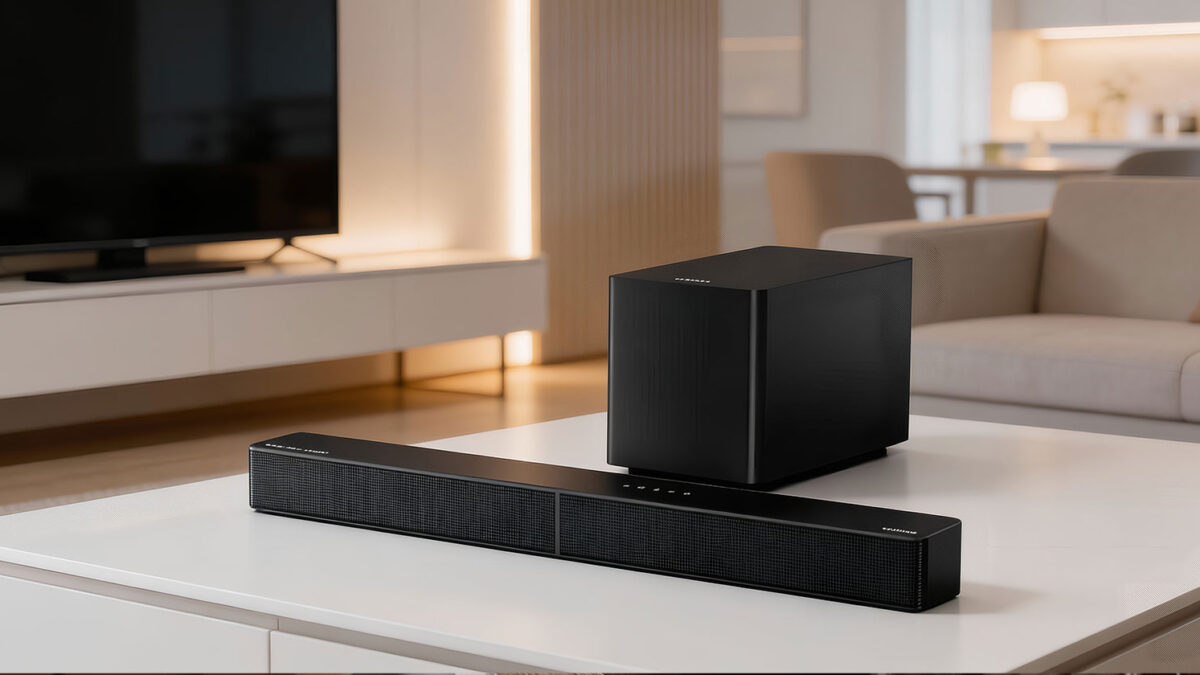
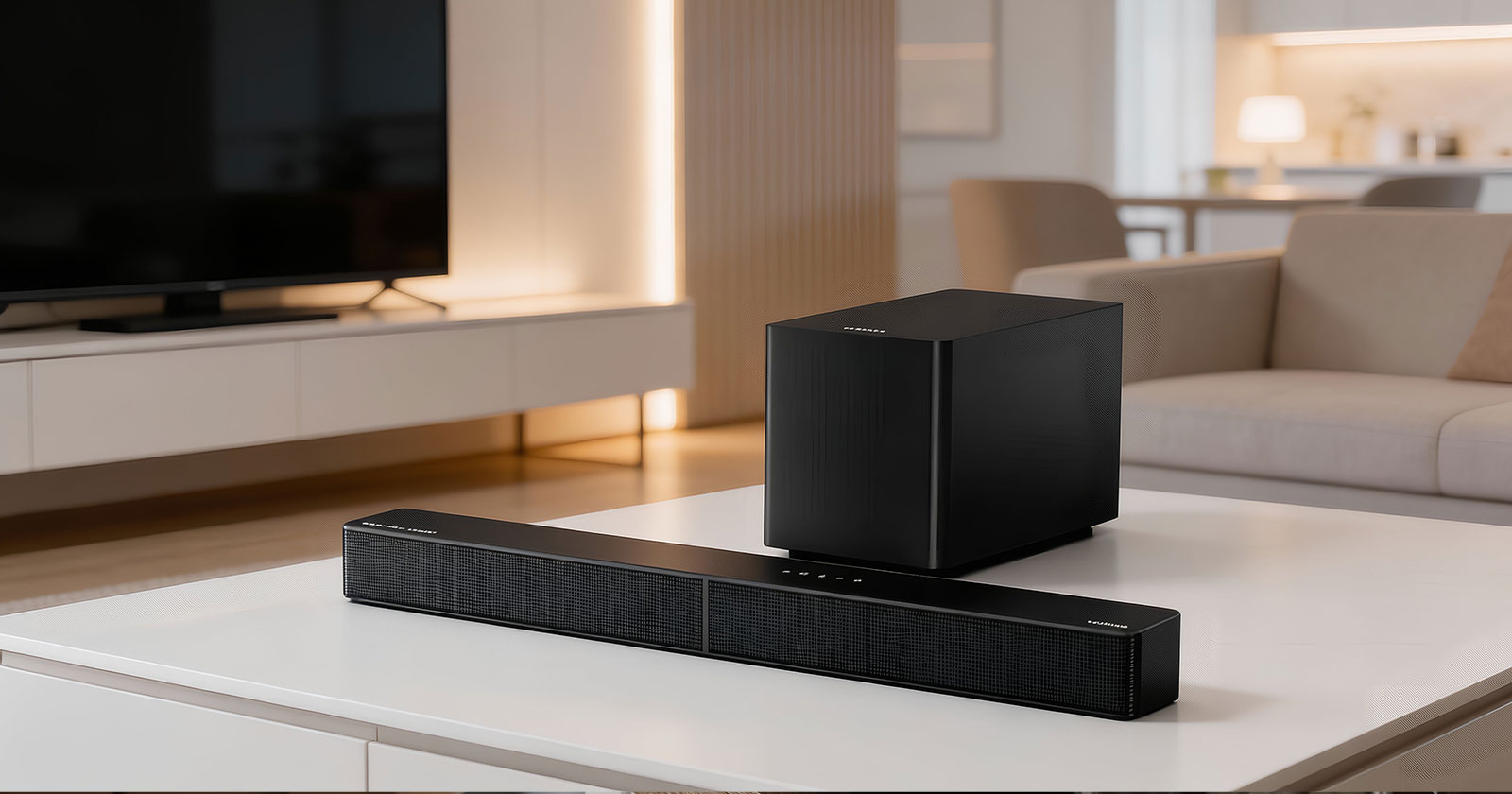
Ultimea Poseidon M60 Boom Review: A Budget 5.1 Dolby Atmos Soundbar That Gets the “Big Stuff” Right
As an Amazon Associate, TruePick earns from qualifying purchases.
If you’re reading this Ultimea Poseidon M60 Boom review, you probably have the same problem most of us do: your TV looks amazing in 4K, but the built-in speakers sound thin, quiet, and weirdly hard to understand, especially when action scenes kick in. A full AV receiver setup is expensive and takes space. Many basic soundbars improve volume but still feel flat. The Poseidon M60 Boom is designed for the buyer who wants the “home theater vibe” without turning their living room into a wiring project. It’s a 5.1-channel Dolby Atmos-capable system with a subwoofer, app control, and a feature list aimed at the two biggest daily wins: clearer dialogue and deeper bass.
Here’s the honest opening verdict: the Poseidon M60 Boom is a strong value if your goal is an easy, punchy upgrade from TV speakers for movies, streaming, and gaming in small-to-medium rooms, especially if you care more about immersion and impact than perfectly precise surround placement. It’s not the right choice if you’re chasing truly discrete rear-channel effects like a system with dedicated rear speakers, or if you need a fully wireless subwoofer with zero cabling. For most people who just want their TV to finally sound “big,” it delivers a lot for the price.
If you want to check current pricing and availability for the Ultimea Poseidon M60 Boom soundbar on Amazon, it’s worth doing early, because this product’s value depends heavily on what it costs this week.
Table of Contents
- What the Poseidon M60 Boom is (and who it’s for)
- Quick specs overview (table)
- Sound performance deep-dive: dialogue, bass, Atmos, surround feel
- Real-world usage scenarios (3 room setups)
- Common buying mistakes (and how to avoid them)
- Setup, connectivity, and app control explained
- Alternatives and buyer guidance
- FAQ
- Final verdict
Ultimea Poseidon M60 Boom review: what it is, what it includes, and the expectations you should have
What you’re actually buying
The Poseidon M60 Boom sits in a category that’s getting more popular every year: “big upgrade, minimal fuss.” Ultimea markets it as a 5.1-channel Dolby Atmos soundbar system with app control, a 10-band EQ, and lots of presets for different content types. On the official product page, Ultimea highlights its multi-driver bar design, triple-core DSP processing power, VoiceMX dialogue enhancement, and BassMX bass tuning aimed at giving you more impact without turning everything into muddy rumble.
Two practical notes matter more than the marketing terms:
- It aims to sound bigger than your TV, fast. The tuning focuses on immediate wins: louder, fuller, clearer speech, and deeper low end.
- “Atmos” here is about immersive presentation, not ceiling speakers. Dolby Atmos support can improve spatial presentation, but you should expect a “virtualized” sense of height and space rather than true overhead channels. If you want to understand what Dolby Atmos is intended to do (in general terms), Dolby’s own explainer is a good reference: Dolby Atmos overview.
Quick specs overview
| Spec | Why it matters |
|---|---|
| Audio channels | 5.1-channel system designed for a wider, more immersive presentation than basic 2.0/2.1 bars. |
| Dolby Atmos support | Improves spatial rendering and “bubble of sound” feel with compatible content (expect virtual height effects). |
| Peak power | Marketed up to 340W peak output, which usually translates into “gets loud enough for most living rooms.” |
| Driver system | Ultimea promotes a multi-driver bar design paired with a subwoofer for fuller range and impact. |
| Dialogue enhancement | VoiceMX is designed to boost vocal clarity (especially helpful for quiet dialogue in noisy scenes). |
| Bass tuning | BassMX aims for deeper, punchier bass with more control than “one-button bass boost.” |
| App + EQ | App control with a 10-band EQ and many presets means you can tune for movies, games, and late-night watching. |
| Connectivity | HDMI eARC, optical, Bluetooth (5.4 is commonly listed), and USB cover most TV setups. |
| Subwoofer connection | Subwoofer uses a physical connection from the soundbar’s SUB OUT (so plan for cable routing). |
Kit contents and the “wires reality”
One reason budget home theater setups disappoint is simple: buyers assume “wireless” means “no wires,” then they get frustrated when there’s still a power cable, a signal cable, or both. The Poseidon M60 Boom uses a SUB OUT connection from the soundbar to the subwoofer, which means you should plan where that cable will run. Ultimea’s own support guide describes connecting the subwoofer by plugging a cable into the soundbar’s “SUB OUT” port and into the subwoofer, then powering the subwoofer separately.
This is not necessarily a negative, it can actually reduce dropouts and pairing quirks, but it does mean your placement flexibility is less than fully wireless subs. If you want “subwoofer anywhere,” you should be looking at systems that explicitly use a wireless sub link (still with power, but no signal cable).
Who should buy it (and who shouldn’t)
- Buy it if you want a strong upgrade from TV speakers with noticeable bass and clearer voices, without spending premium brand money.
- Buy it if you want app control and EQ so you can tune the sound instead of living with one generic profile.
- Buy it if you game and want bigger impact and clearer directional cues than a TV can provide.
- Skip it if you want truly discrete rear-channel surround from separate rear speakers (a kit like Ultimea’s Poseidon D60/D80 style systems can be better for that).
- Skip it if you need a totally cable-light setup (the subwoofer connection is a real-world constraint).
- Skip it if you want audiophile-neutral tuning and perfectly accurate soundstage placement, this category is about fun, not clinical accuracy.
Pros and cons (quick read)
Pros
- Big upgrade in dialogue clarity for typical TV mixes
- Punchy bass that makes movies and games feel more cinematic
- App control with 10-band EQ and many presets is unusually flexible at this price
- Wide connectivity (HDMI eARC + optical + Bluetooth) fits most TVs
Cons
- Subwoofer requires a cable connection (limits placement freedom)
- Atmos height effects are virtualized, not the same as true upfiring/ceiling speakers
- Out-of-the-box sound depends on preset choice; some people will need light tuning
- Not ideal for buyers who want strong, discrete rear surround effects
Sound performance deep-dive: what it sounds like in real rooms, and what the features actually change
Start with the baseline: how much better than TV speakers is it?
Most TV speakers struggle in three areas: (1) dialogue sits too low, (2) bass is mostly missing, and (3) the soundstage feels like it comes from a tiny point under the screen. The Poseidon M60 Boom’s job is to fix all three without complicated setup. In practice, you should expect an immediate increase in perceived fullness and volume headroom. That alone improves enjoyment because the system doesn’t sound strained during action scenes, and you don’t have to ride the volume control constantly.
The key improvement most buyers notice first is speech intelligibility. Ultimea’s VoiceMX is specifically positioned to enhance the vocal range (the official product materials highlight dialogue clarity enhancements), and that maps to a real pain point: streaming mixes often bury dialogue under music and effects. If you watch shows late at night, a dialogue-focused mode can be the difference between “subtitles forever” and “actually comfortable listening.”
Dialogue clarity: VoiceMX is the feature that matters most day-to-day
For many households, bass is fun, but dialogue is what determines whether the system is usable every night. A good dialogue mode usually does two things: it raises the center-vocal region and it controls sudden dynamic spikes that mask voices. The Poseidon M60 Boom leans into this idea. In the real world, this is most helpful in:
- Netflix-style drama mixes where whispers are followed by loud music swells
- YouTube content with inconsistent audio levels
- Sports commentary that gets lost when crowd noise rises
The trade-off is that aggressive dialogue enhancement can make voices sound slightly “forward” or less natural if overdone. The good news is you can usually back it off using presets or EQ. That’s where app control actually becomes useful rather than gimmicky.
Bass performance: what “Boom” should mean (and what it shouldn’t)
A subwoofer is the single biggest reason a soundbar system feels cinematic. Even modest bass extension changes the perception of scale: explosions have weight, music has warmth, and game effects feel physical. Ultimea’s BassMX branding emphasizes controlled impact, deep, punchy bass with less muddiness. The official product page mentions a dedicated sub driver and cabinet design aimed at delivering “deep, punchy bass,” and some retailer descriptions highlight larger excursion and more output capability than ultra-budget systems.
Here’s what to expect if you’re realistic:
- In small-to-medium rooms, you’ll get satisfying impact for action movies and games.
- In apartments, you’ll want to use night mode or lower bass because sub bass travels through walls.
- For music, bass-heavy genres can sound fun, but the best results usually come from a mild EQ rather than maxed bass boost.
One important practical note: because the subwoofer connection is cabled, your ideal sub placement might be limited by where you can route that cable neatly. If you want the “best sub spot” (often near a wall or corner), measure the distance before you buy and plan your layout so it doesn’t become a frustration.
Surround and Atmos: what you’ll feel, what you won’t
“Dolby Atmos” on a soundbar can mean different things. On premium systems, you might have upfiring drivers or separate rears that create more convincing height and surround envelopment. On a compact, budget-friendly bar, Atmos often means the system can decode Atmos content and apply processing to create a wider, more layered sound field. That can still be valuable: effects can feel less stuck to the bar, and the room can feel more filled with sound.
The Poseidon M60 Boom is best approached as “bigger, wider, more immersive than TV speakers,” not “identical to a full discrete speaker system.” If you’re coming from TV speakers or a basic 2.0 bar, you’ll likely be impressed. If you’re coming from a true surround kit with rear speakers, you may notice that rear positioning and wrap-around effects are less precise.
DSP, presets, and the app: why this matters more than people think
Many soundbars include presets that are basically marketing labels and don’t change much. Ultimea leans hard into app-based tuning: a 10-band EQ and a large number of preset profiles are frequently listed in official and retail materials, and the product page emphasizes “smart app control” for personalized listening. For buyers who are not audio nerds, the biggest advantage is simple: you can quickly fix annoyances.
Common annoyances and the fix path:
- Dialogue still not clear: enable a voice/dialogue mode, then slightly reduce bass so voices are not masked.
- Bass too boomy: reduce the lowest band(s) in EQ or switch to a more balanced preset.
- Late-night watching: choose a night mode that compresses dynamics so whispers and explosions are closer in volume.
- Sports commentary: raise midrange slightly and reduce surround intensity if it sounds “hollow.”
The upside is flexibility. The downside is that out-of-box sound is not the whole story, you may want to spend 10 minutes trying two or three presets to find the one that matches your room and your ears. That’s normal and worth doing.
Gaming: why a soundbar can feel like a bigger upgrade than a new controller
Gamers often underestimate audio upgrades because visuals are easier to compare in a store. But in real use, better audio changes how “present” a game feels. A system like this can improve:
- Impact: explosions, engine sounds, and cinematic moments gain weight.
- Spatial cues: footsteps and directional effects can be easier to read than on TV speakers.
- Immersion: the room feels filled with sound, which makes long sessions more engaging.
For gaming setups, HDMI eARC is the cleanest option if your TV supports it, because it simplifies control and typically improves compatibility with modern audio formats. If your TV only has standard ARC or optical, you can still get a strong improvement, just set expectations about format passthrough depending on your TV’s capabilities.
Music over Bluetooth: convenient, not “hi-fi,” but often surprisingly enjoyable
Bluetooth playback is about convenience. With Bluetooth 5.4 commonly listed in product materials, stability and pairing should be straightforward for most phones. The experience you should expect is “good living-room music,” not audiophile detail. Where it tends to perform best is casual listening: background playlists, parties, and “I just want it louder and fuller than my phone speaker.” If you want the best results, choose a music preset and reduce surround enhancement slightly so vocals and instruments remain centered and natural.
Value for money: when the Poseidon M60 Boom is a great buy
The Poseidon M60 Boom is most compelling when it undercuts mainstream brand Atmos soundbars by a wide margin while still offering the features people actually use: a subwoofer for impact, voice enhancement for dialogue, and app EQ for tuning. If it’s priced close to premium-brand models, the calculus changes, because big brands may offer slightly more refined tuning, better HDMI behavior on certain TVs, or stronger resale value.
If you’re trying to decide based on price, the most useful comparison is not “watts.” It’s: “Does this give me the features I need for my room and my habits?” For many buyers, the answer is yes, especially if you’re upgrading from TV speakers and want to keep it simple. If you want to see whether it’s currently sitting in the value sweet spot, you can check the current deal for the Poseidon M60 Boom on Amazon and compare it to similarly featured 5.1/Atmos kits.
Real-world usage scenarios: three room setups (and how to tune them)
Scenario 1: Small apartment living room (2–3 meter viewing distance, neighbors nearby)
This is the best-case scenario for a budget system like this. A small-to-medium room helps bass feel stronger without needing huge output, and surround virtualization can feel more convincing because reflections and boundaries are closer. The goal here is not maximum bass, it’s balanced clarity.
- Recommended mode: Movie or Cinema preset with moderate surround enhancement
- Dialogue: Enable VoiceMX or a dialogue mode if you watch a lot of streaming drama
- Bass: Keep bass at a moderate level; use night mode late to avoid disturbing neighbors
What you’ll love: the sound feels “bigger than the room,” and dialogue becomes easier. What to avoid: max bass boost, which can turn into boominess in small spaces.
Scenario 2: Family TV setup (mixed content: YouTube, kids shows, sports, movies)
In a family setup, the best soundbar is the one that stays consistent and doesn’t require constant fiddling. Here the Poseidon M60 Boom’s presets and app help because different content types have wildly different mixes.
- Recommended approach: Set one “Day” preset (balanced) and one “Movie Night” preset (more surround + bass)
- Speech clarity: Keep VoiceMX moderate so voices stay clear even at low volume
- Control: Use HDMI eARC if possible so volume control is seamless with the TV remote
What you’ll love: you stop fighting with volume levels. What to watch: some aggressive surround modes can make certain low-quality YouTube audio sound artificial, use a cleaner preset for that.
Scenario 3: Console gaming setup (PS5 / Xbox, competitive + cinematic games)
For gaming, you want two different outcomes: (1) cinematic impact for story games, (2) clearer positional cues for competitive play. A good setup uses two presets you can swap quickly.
- Cinematic preset: higher bass + wider surround for single-player games
- Competitive preset: slightly reduced bass, clearer midrange so footsteps and effects stand out
- Connection: HDMI eARC is ideal; optical can work if your TV audio settings are limited
What you’ll love: games feel more immersive and “large.” What to avoid: too much bass in competitive modes, because it can mask subtle cues.
Common buying mistakes (and how to avoid them)
- Mistake: Expecting true rear-speaker surround from a single bar.
Fix: If you want strong rear effects, consider systems with dedicated rear speakers (like certain Poseidon D-series kits) instead of relying on virtualization. - Mistake: Assuming “Atmos” means overhead speakers.
Fix: Treat Atmos support here as improved spatial processing and decoding, not the same as a full multi-speaker Atmos setup. - Mistake: Not planning the subwoofer cable route.
Fix: Measure where the soundbar and sub will sit and plan a clean cable path before ordering. - Mistake: Using one preset for everything.
Fix: Save at least two presets: one for dialogue-heavy content and one for movies/gaming. - Mistake: Overboosting bass to “feel value.”
Fix: Moderate bass usually sounds deeper and cleaner; use EQ to remove boom rather than adding more.
What to check in the first week (so you don’t regret the purchase)
- Confirm your TV’s eARC/ARC behavior: volume control, lip sync, and input switching should be consistent.
- Try at least three presets with your actual content (a movie, a show, and a YouTube video).
- Test dialogue clarity at low volume, this is where VoiceMX should help most.
- Decide whether the subwoofer cable placement works in your room without looking messy.
Setup, connectivity, alternatives, and FAQ: how to buy smart and avoid the wrong system
Setup and connectivity: the simplest “good” configuration
Most problems with soundbars come from connection choices, not the hardware. The Poseidon M60 Boom supports common connection paths: HDMI eARC/ARC, optical, Bluetooth, and USB depending on how you plan to use it.
Best option for most modern TVs: HDMI eARC
Use HDMI eARC if your TV supports it. You get the cleanest control experience (TV remote volume, power synchronization) and typically better format compatibility. If you’ve never used eARC, HDMI.org has the standard background: HDMI eARC overview. In practical terms, eARC usually means fewer headaches and better sound consistency.
Fallback option: Optical
Optical works reliably on older TVs and can still sound great. The trade-off is that TV remotes and format passthrough behavior vary, and some advanced formats may be limited by your TV’s output settings. Still, if you want “plug in and it works,” optical is often the simplest.
Bluetooth for music
Bluetooth is for convenience. Use it when you want quick music playback from a phone. For TV watching, stick to HDMI or optical for better sync and stability.
Subwoofer connection: what it means for placement
Ultimea’s support documentation describes connecting the subwoofer via the soundbar’s SUB OUT port, using a cable connection, then powering the subwoofer. Plan your furniture layout so the cable can run cleanly along a baseboard or behind a console. If you can’t route that cable nicely, it can become the one annoyance you notice every day.
App control and EQ: a practical tuning guide (not audiophile, just useful)
Here’s a simple tuning workflow that works for most people:
- Start with the default Movie/Cinema preset and watch a scene with both dialogue and music.
- If voices are unclear, enable VoiceMX or a dialogue-focused mode.
- If bass is overwhelming, reduce bass slightly before raising volume.
- Save that as your “Movie Night” setup.
- Create a second setup for daytime TV or sports: slightly lower surround, slightly higher midrange.
This takes about 10 minutes and usually beats “leave it on one mode forever.”
Alternatives: what to buy instead (based on what you value)
Alternative 1: Ultimea Poseidon D60 (better if you want more discrete surround separation)
If you care most about rear-channel separation and “sound coming from behind you,” a kit with dedicated rear speakers can outperform a single-bar approach in surround realism. Many reviewers and user discussions compare these families because the D-series systems often prioritize channel separation.
Alternative 2: Ultimea Poseidon D80 (step-up immersion if you want more channels and a bigger room feel)
If your room is larger or you want a stronger “wrap-around” experience, a higher-tier kit like the D80-style systems can provide more immersion and flexibility, at the cost of more components and setup.
Alternative 3: JBL Bar 500 (mainstream brand option if you want a polished plug-and-play experience)
JBL’s Bar series is often a safe pick for buyers who want a polished experience, strong bass, and easy setup, but pricing can be significantly higher depending on region and sales. If the JBL is only slightly more expensive on a deal, it can be worth considering for its refinement.
Alternative 4: Samsung HW-Q600C/Q700-tier (good if you want brand ecosystem and consistent HDMI behavior)
Samsung’s Q-series soundbars can be appealing if you already have a Samsung TV and want predictable integration. Again, the decision usually comes down to price: if it’s much higher, the Poseidon’s value advantage is hard to ignore.
FAQ
Is the Poseidon M60 Boom a true 5.1 system?
It’s marketed as a 5.1-channel system and aims to deliver a wider, more immersive presentation than basic bars. For buyers, the practical question is whether you want discrete rear speakers. If you do, choose a system that includes dedicated rears. If you want a simpler setup with a bigger soundstage than TV speakers, this category makes sense.
Will Dolby Atmos make a noticeable difference?
With compatible content, Atmos decoding and processing can add a more spacious, layered presentation. The difference is usually more obvious in well-mixed movies and some modern streaming titles than in compressed YouTube audio. Expect “more immersion,” not “sound from the ceiling” unless you have hardware designed for true height channels.
Does it work well for dialogue-heavy shows?
Yes, that’s one of its strongest reasons to buy. Voice enhancement features are designed to improve speech intelligibility, especially at lower volume. For many households, this is the most valuable daily feature.
Is the subwoofer wireless?
Plan for a cable connection from the soundbar’s SUB OUT to the subwoofer, plus power. In real-world terms, that means your placement flexibility is more limited than a fully wireless sub link. Measure your room and plan cable routing before ordering.
What’s the best way to connect it to a TV?
Use HDMI eARC if your TV supports it for the most seamless control and compatibility. If not, optical is a reliable fallback. Bluetooth is best reserved for music playback from a phone.
Is it good for PS5 and Xbox?
For most gamers, yes. You’ll get a bigger soundstage, clearer cues than TV speakers, and stronger impact. For competitive play, reduce bass slightly so subtle effects (like footsteps) remain clear.
Do I need to use the app?
You don’t have to, but using the app is how you get the best results quickly. Presets and EQ let you tailor sound to your room and your content, which is especially helpful in budget systems where one “default tuning” won’t fit everyone.
Final verdict: should you buy the Ultimea Poseidon M60 Boom?
The Poseidon M60 Boom makes the most sense for buyers who want a dramatic upgrade from TV speakers without spending premium-brand money. The combination of a subwoofer for real impact, dialogue enhancement for everyday clarity, and app-based EQ/presets for tuning is exactly what a budget home theater system should prioritize. The main limitations are also clear: the subwoofer connection requires cable planning, and Atmos effects are best understood as improved spaciousness rather than true overhead speaker performance.
If your room is small-to-medium and you want movies, shows, and games to sound fuller, louder, and easier to understand, it’s a smart buy, especially when priced aggressively. If you’d like to verify today’s price and stock before you decide, you can check the latest Poseidon M60 Boom listing on Amazon here and compare it against any dedicated-rear alternatives you’re also considering.
8.2 Score
Pros
- Dialogue stays clear at low volume
- Bass adds real movie impact
- App EQ is genuinely useful
- Plenty of TV connection options
- Strong value on sale pricing
Cons
- Subwoofer needs a cable route
- Surround effects aren’t truly rear-discrete
- Some presets can sound artificial on low-quality audio
- Atmos height feels subtle in many rooms
- Needs a short tuning session to shine
Final Verdict
The Poseidon M60 Boom is best for anyone upgrading from TV speakers who wants louder, fuller sound with better dialogue and satisfying bass in a small-to-medium room. It’s not the ideal pick if you demand truly discrete rear surround or a cable-free subwoofer layout, but for movies, streaming, and gaming it delivers a convincingly “bigger” experience at a budget price—especially once you pick the right preset and do light EQ tuning.