



Proton Black Friday, until 30 November: 60% off Proton Pass Plus on the 12-month plan, $23.88 for the first 12 months.
After that it renews at $35.88 a year, the regular price. See every Proton Black Friday deal.
Short answer: In 1Password vs Proton Pass, Proton Pass wins for most people: it has a free plan you can live on, it costs less once 1Password’s first-year discount ends, its apps are open source, and it builds unlimited email aliases into the paid plan instead of sending you to a separate Fastmail account. 1Password wins for people who want its Secret Key design by default, Travel Mode for crossing borders, and a family organizer who can restore a relative’s forgotten password.
- Pick Proton Pass if you want a real free plan, built-in aliases, open-source apps, or six people on one family plan.
- Pick 1Password if you travel with sensitive data, or your family needs one person who can restore everyone’s access.
- Skip 1Password if you will not pay at all: it has a 14-day trial, not a free tier.
Proton Pass Plus: $4.99/mo monthly or $35.88 every 12 months ($2.99/mo), renewing at $35.88/yr; Free plan: yes, unlimited logins on unlimited devices. 1Password Individual: $4.99/mo monthly, or $2.99/mo billed yearly in the first year for new customers ($35.88), renewing at $3.99/mo ($47.88/yr). Prices in US dollars, checked October 11, 2026.
Table of contents
What is the real difference between them?
The real difference is philosophy. 1Password is a paid product built around a two-secret design and a polished, managed experience; Proton Pass is a freemium, open-source password manager built into a wider privacy suite, with email aliases treated as part of the job. Both store logins, passkeys, notes and cards in end-to-end encrypted vaults and autofill them across browsers and devices, so the decision comes down to price over time, how each protects your vault, and a handful of features only one of them has.
| Proton Pass | 1Password | |
|---|---|---|
| Company | Proton AG, Switzerland | AgileBits (Google Play developer name) |
| Free plan | Yes, unlimited logins on unlimited devices | No; 14-day free trial |
| Individual, yearly | $35.88, renews at $35.88 | $35.88 first year for new customers, renews at $47.88 |
| Family plan | 6 people, $59.88/yr | 5 people, $53.88 first year, then $71.88/yr |
| Extra secret beyond your password | Optional extra password for Pass | Secret Key, always on |
| Open-source apps | Yes, according to Proton | Not described as open source on its security page |
| Email aliases | Built in: 10 free, unlimited on Pass Plus | Masked Email through a Fastmail account |
| Travel Mode | Not offered on its plans page | Included with every subscription |
| Emergency planning | Emergency Access with up to five contacts (paid) | Emergency Kit PDF; family organizer recovery |
| Storage listed | 10 GB on Pass Plus | 1 GB per user |
This 1Password vs Proton Pass comparison uses both companies’ pricing pages, security pages and support documentation as read on October 11, 2026. If you are weighing Proton Pass against the open-source budget option instead, our Proton Pass vs Bitwarden comparison covers that match-up; this article stays on the two paid-first experiences.
Which one costs less, this year and at renewal?
In the first year for a new individual customer the two cost exactly the same on yearly billing, $35.88, and from the second year Proton Pass is cheaper by $12 a year. 1Password’s pricing page shows Individual at $2.99 a month billed yearly as a promotion for new customers in their first year, with a regular price of $3.99 a month. Proton shows Pass Plus at $2.99 a month billed at $35.88 every 12 months, which is also the price it renews at.
| Plan | Monthly billing | Yearly, first year | Yearly, renewal |
|---|---|---|---|
| Proton Pass Free | $0 | $0 | $0 |
| Proton Pass Plus | $4.99/mo | $35.88 ($2.99/mo) | $35.88 |
| 1Password Individual | $4.99/mo | $35.88 ($2.99/mo, new customers) | $47.88 ($3.99/mo) |
| Proton Pass Family, 6 people | $6.99/mo | $59.88 ($4.99/mo) | $59.88 |
| 1Password Families, 5 people | $7.99/mo | $53.88 ($4.49/mo, new customers) | $71.88 ($5.99/mo) |
Over three years of yearly billing, one person pays $107.64 for Pass Plus and $131.64 for 1Password Individual, a $24 difference. A family pays $179.64 for Pass Family and $197.64 for 1Password Families, and the Proton plan covers one more person. Monthly billing is identical for individuals at $4.99, so twelve months billed monthly costs $59.88 on either service, and both reward yearly billing with a lower effective price.
1Password’s promotion comes with conditions worth reading: its pricing page says promotional pricing applies to new customers subscribing directly through 1Password.com, for the first year with annual billing, and is not available through Google Play, the Apple App Store or other app stores. Proton’s yearly price has no first-year condition on its plans page, and Proton offers a 30-day money-back guarantee. If price over several years is your deciding factor, check both renewal dates before you commit to either.
Can you use either one without paying?
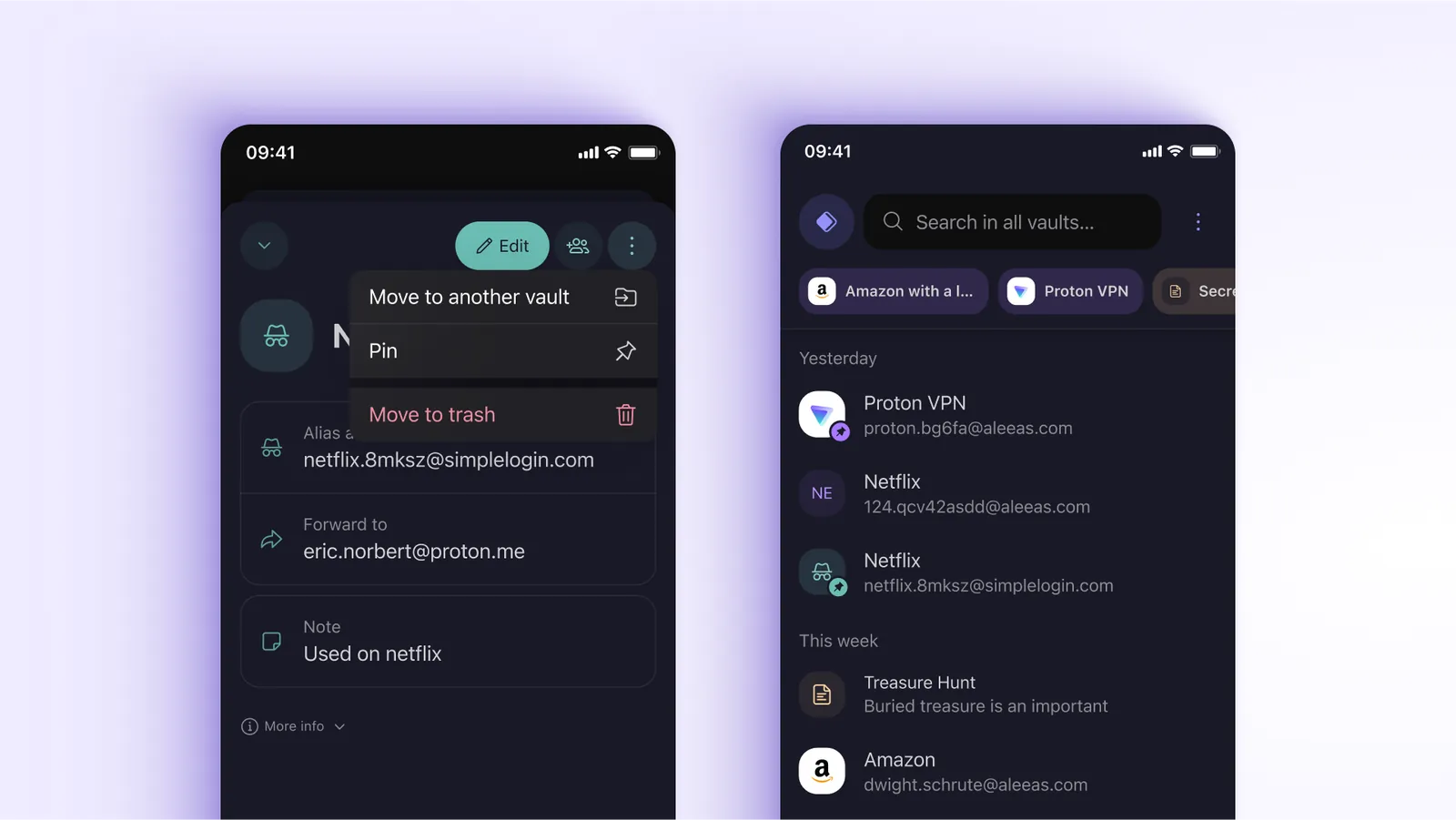
Only Proton Pass. Its free plan includes unlimited logins, notes and credit cards on unlimited devices, browser, mobile and desktop apps, a password generator, alerts for weak and reused passwords, passkeys on all devices, two vaults, sharing a vault with two other people, and 10 hide-my-email aliases. That is enough for many people to use permanently, and it means a partner or parent can join you on a shared vault without a subscription.
1Password’s personal pricing page offers both plans with a free 14-day trial and no credit card required, then a paid subscription. That is a fair way to evaluate the product, but it means 1Password is never the answer for someone who will not pay, or for persuading a reluctant relative to start using a password manager at all.
The free plan also changes how you can switch. With Proton Pass you can import everything, use it for months, and upgrade only if you find yourself wanting unlimited aliases, the built-in authenticator, Dark Web Monitoring or Emergency Access. With 1Password the decision to pay comes after two weeks.
How do they protect a stolen vault?
Both are designed so that a copy of your vault taken from their servers is useless without secrets that only you hold, but they get there differently, and this is the most interesting technical difference between them.
1Password: the Secret Key
1Password combines your account password with a Secret Key to encrypt your data. Its support documentation describes the Secret Key as 34 letters and numbers with 128 bits of entropy, created on your own device and stored on the devices you sign in with and in your Emergency Kit. Because 1Password never has it, the company says someone attempting a brute-force attack on its servers would not be able to decrypt your data. The practical effect is that even a weak account password is not the only thing standing between an attacker and your vault. 1Password’s security page adds that it publishes the results of independent audits and is SOC 2 type 2 certified.
Proton Pass: encryption of every field, plus an optional extra password
Proton’s Pass security page says items are encrypted with 256-bit AES-GCM using a 32-byte random vault key, and that end-to-end encryption covers all fields, including usernames, web addresses and notes, not just the password field. Proton also states that all Proton Pass apps are open source and that Pass has been audited by independent third parties, with the reports public, and backed by a public bug bounty program.
By default, your Proton Account password signs you in to every Proton app. Proton’s support documentation describes an optional extra password for Proton Pass: once set, you need it in addition to your Proton Account password whenever you sign in to Pass. It must be at least eight characters, and Proton warns you cannot access Pass without it. That gives Pass a second secret like 1Password’s, but it is something you choose and remember rather than a long random key generated for you.
Paid Proton plans add Proton Sentinel, which Proton describes as AI systems working with human security analysts around the clock to block malicious logins even when the attacker has the right password. 1Password does not describe an equivalent service on the pages we read; its design puts the weight on the Secret Key instead.
The fair conclusion: 1Password’s Secret Key gives the stronger default protection for someone who picks a weak password and never changes a setting. Proton Pass offers open-source code anyone can inspect, explicit metadata encryption and an optional extra password, which suits people who want to verify claims rather than trust them.
Which handles email aliases better?
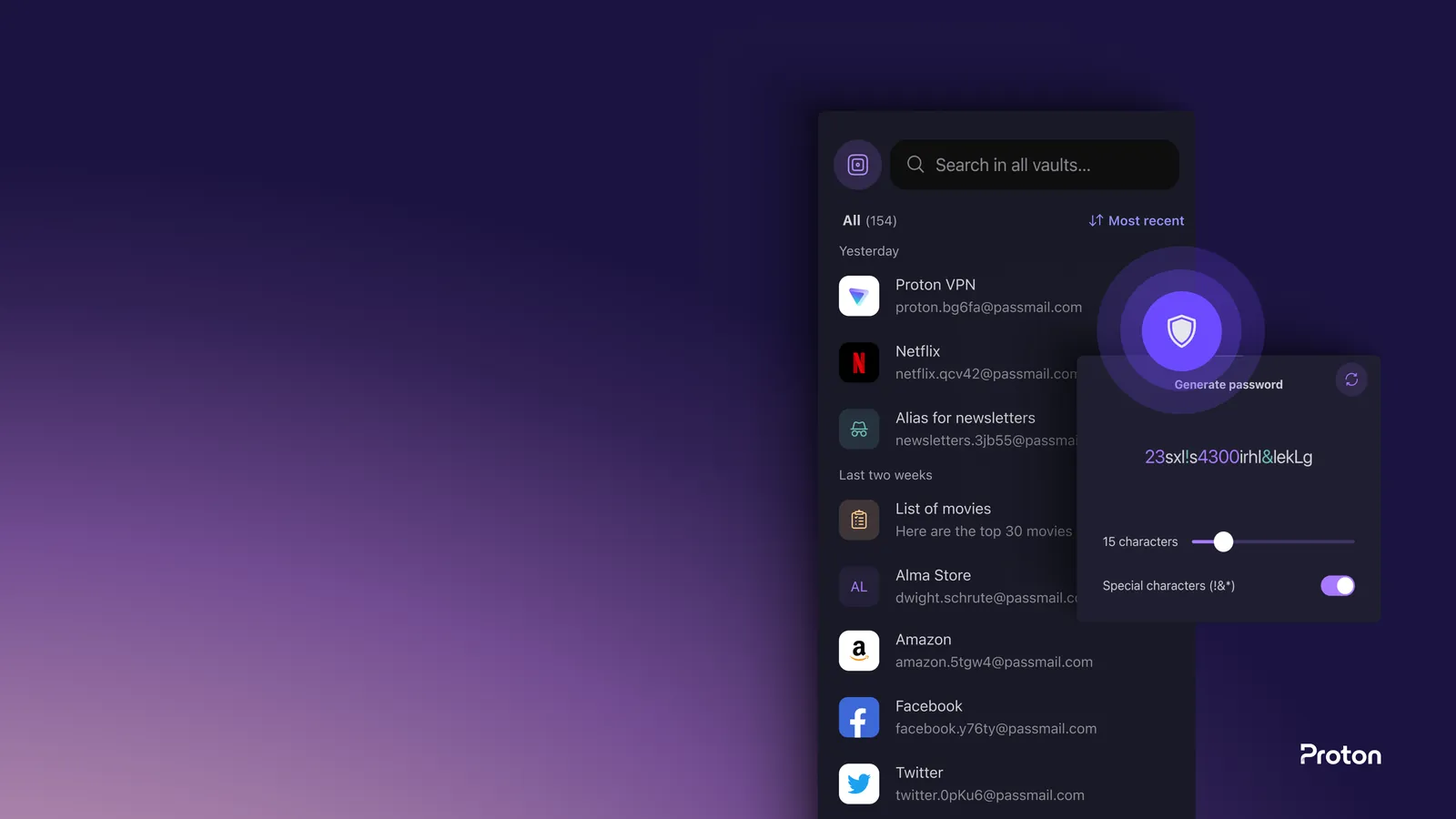
Proton Pass, clearly. A hide-my-email alias is a forwarding address you give a website instead of your real email, so a leak or a spam campaign can be stopped by switching the alias off. Proton Pass creates them while you fill in a sign-up form: 10 on the free plan, and unlimited on Pass Plus, with your own custom domain, additional mailboxes for aliases, and the ability to start an email from an alias.
1Password offers Masked Email through an integration with Fastmail. Its support page explains that each Masked Email is a unique, randomly generated address, and that you need to sign up for a Fastmail account and connect it from the Integrations section of your 1Password account. It works, but it means a second company and a second account to manage, where Proton keeps aliases, mailbox and password manager under one login.
If you already pay for Fastmail and like it, 1Password’s approach costs you nothing extra. If you do not, Proton Pass is the simpler and cheaper way to give every account its own address.
Where does 1Password pull ahead?
1Password has several features that Proton Pass does not match in the same form, and they matter to specific people.
- Travel Mode. According to 1Password’s support pages, Travel Mode removes vaults from your apps and browser extension except those you mark as safe for travel, and it is included with every 1Password subscription. For journalists, lawyers and anyone crossing borders with a work laptop, this is a real reason to choose 1Password.
- Watchtower’s breadth. Watchtower flags compromised websites, vulnerable, reused and weak passwords, unsecured http logins, sites that support two-factor authentication or passkeys you have not set up, and expiring items. Proton’s Pass Monitor covers password health, breached email alerts and missing 2FA, so the gap is narrower than it once was, but 1Password’s list is longer.
- The Emergency Kit. 1Password generates a PDF with your sign-in address, email, Secret Key and a space to write your account password, and suggests keeping a printed copy somewhere safe or giving one to someone you trust, such as a spouse. It is a simple, physical emergency plan.
- Family organizer recovery. In 1Password Families an organizer can restore access for members who forget their account password or cannot find their Secret Key.
- App ratings. Both are well rated on Google Play: on October 11, 2026, Proton Pass showed 4.8 stars from about 60,400 reviews and 1Password 4.6 from about 26,000. Neither number suggests a weak app.
Proton has its own answer to emergencies, Emergency Access, which lets paid users name up to five contacts with Proton Mail addresses who can request access after a wait time from 1 to 30 days. It is a better fit for planning around illness or death than a printed PDF, while 1Password’s organizer recovery is the better fit for everyday forgotten passwords.
Which is better for a family?
For most households Proton Pass Family is the better buy: six people instead of five, $59.88 a year instead of $71.88 after 1Password’s first year, and unlimited aliases for every member. Its shared vaults support view, edit and admin roles, and the admin panel manages who is on the plan. If six seats suit your household, check the Pass Family plan on Proton’s site and compare it with your 1Password renewal notice.
1Password Families is the better pick when one adult will be the household’s help desk. The organizer role lets that person restore access for a relative who forgets a password or loses a Secret Key, and guest accounts give someone temporary access to a single vault. Our guide to the best password manager for families compares both with Bitwarden Families and Proton’s full family bundle.
Pros, cons and who should pick which
Proton Pass
- Pro: a free plan with unlimited logins on unlimited devices and vault sharing with two people.
- Pro: $35.88 a year with no first-year condition; $12 a year cheaper than 1Password Individual at renewal.
- Pro: open-source apps, encryption of every field, Proton Sentinel on paid plans.
- Pro: built-in email aliases, unlimited on Pass Plus, with custom domains.
- Con: no Travel Mode.
- Con: the extra password is optional, so the default sign-in relies on your Proton Account password alone, plus any two-factor authentication you add.
- Con: Emergency Access requires Proton Mail addresses for you and your contact.
1Password
- Pro: the Secret Key protects your vault even if your account password is weak.
- Pro: Travel Mode, Watchtower and the printed Emergency Kit.
- Pro: family organizer can restore members’ access.
- Con: no free plan, only a 14-day trial.
- Con: yearly price rises from $35.88 to $47.88 after the first year for new customers.
- Con: aliases need a separate Fastmail account.
A freelancer on a budget who wants aliases for every client portal and newsletter: Proton Pass, starting free. A consultant who flies internationally with client data: 1Password, for Travel Mode alone. A couple setting up a household: Proton Pass, since the free plan already shares a vault with two other people, and Pass Family covers growth to six.
How hard is it to switch from 1Password?
Switching is straightforward because Proton Pass has a built-in importer for 1Password’s own export format. Proton’s 1Password import guide describes the steps:
- In the 1Password desktop app on macOS, open File, then Export, then your account; on Windows use the menu, then Export. Enter your password and keep the 1PUX format selected, then click Export Data.
- On iOS, open your account icon, then Settings, then Advanced, then Start Export.
- In the Proton Pass browser extension, open the menu, then Settings, then the Import tab, choose 1Password (1pux, 1pif) as the provider, add the file, and click Import.
- Check a few logins, notes and cards, then delete the export file, which contains your data without 1Password’s protection.
Time the move a few weeks before your 1Password renewal date so you do not pay for a year you will not use. If you are also moving off Chrome’s built-in password saver or LastPass, our LastPass alternatives guide covers that export, and our guide on how to de-Google your life covers the bigger picture.
Frequently asked questions
Is Proton Pass as secure as 1Password?
Both use end-to-end encryption and publish independent audits. 1Password adds a Secret Key to every account by default, which protects weak passwords better. Proton Pass encrypts every field including web addresses, has open-source apps, and offers an optional extra password and Proton Sentinel on paid plans.
Which is cheaper, 1Password or Proton Pass?
Proton Pass over time. Both cost $35.88 for a new individual’s first year on yearly billing, but 1Password renews at $47.88 while Pass Plus stays at $35.88. Proton Pass also has a free plan, and Pass Family covers six people for $59.88 against $71.88 for five on 1Password at renewal.
Does 1Password have a free plan?
No. Its personal pricing page offers Individual and Families with a 14-day free trial and no credit card required, then a paid subscription. Proton Pass has a free plan with unlimited logins on unlimited devices, two vaults and 10 email aliases.
Can I import my 1Password vault into Proton Pass?
Yes. Export a 1PUX file from the 1Password desktop app, or start an export from the iOS app, then import it in the Proton Pass browser extension under Settings, Import, choosing 1Password as the provider. Delete the export file afterwards.
Does Proton Pass have something like 1Password’s Travel Mode?
Not on its plans page. You can organise items into separate vaults in Proton Pass, but there is no listed feature that removes chosen vaults from your devices while travelling, which is what 1Password’s Travel Mode does.
Which is better for email aliases?
Proton Pass. Aliases are built in, with 10 free and unlimited on Pass Plus, plus custom domains. 1Password’s Masked Email requires connecting a separate Fastmail account.
1Password vs Proton Pass: the verdict
Our 1Password vs Proton Pass verdict goes to Proton Pass for most people. It matches 1Password’s first-year price and beats it at every renewal, it has a genuine free plan, it covers six people on the family plan instead of five, its apps are open source, and email aliases are part of the product instead of a separate subscription. 1Password remains the better choice for frequent international travellers who want Travel Mode, and for families who need an organizer to restore forgotten passwords.
Who should not pick Proton Pass: anyone who relies on Travel Mode, or who wants a long random Secret Key protecting their vault without changing a single setting. Everyone else can start with Proton Pass on the free plan, import their 1Password export, and decide on Pass Plus before the 1Password renewal arrives.
8.7 Score
Pros
- Free plan with unlimited logins on unlimited devices; 1Password has only a 14-day trial.
- Pass Plus renews at $35.88 a year against $47.88 for 1Password Individual.
- Built-in email aliases, unlimited on Pass Plus, with no second account needed.
- Open-source apps and end-to-end encryption of every field, including web addresses.
Cons
- No Travel Mode, which 1Password includes with every subscription.
- The extra password is optional, while 1Password's Secret Key is always on.
- No family organizer recovery like 1Password's for forgotten passwords.
Final Verdict
Proton Pass beats 1Password for most people: it matches 1Password's first-year price and is $12 a year cheaper at every renewal, it has a real free plan, covers six people on the family plan, and builds aliases in. 1Password is still the better pick for frequent travellers who need Travel Mode and for families who want an organizer able to restore forgotten passwords.