



Proton Black Friday, until 30 November: 75% off Proton VPN Plus on the 24-month plan, $59.76 for the first 24 months.
After that it renews at $83.88 a year, the regular price. See every Proton Black Friday deal.
Short answer: The best VPN for Linux is Proton VPN, because it is one of the few providers with both a full graphical app and an official command-line tool for Linux, an advanced kill switch that blocks traffic even during boot, and port forwarding built into the app, all open source under GPL-3.0.
- Pick Proton VPN if you run Ubuntu, Debian or Fedora on a GNOME desktop and want a GUI, a CLI, port forwarding and a strict kill switch in one package.
- Pick Mullvad if you want a flat price, an account with no email at all, and per-app split tunneling that also works from the terminal.
- Pick NordVPN if you use KDE or a Raspberry Pi and want Meshnet, and you do not need port forwarding.
- Skip Proton’s CLI for headless servers for now: Proton says headless setups are not yet supported.
Proton VPN Plus: $9.99/mo monthly; $53.88 for the first 12 months, then renews at $83.88 a year; $83.76 for the first 24 months, then renews at $83.88 a year. Free plan: yes, 1 device, servers in 10 countries. 30-day money-back guarantee. Protonvpn.com, prices checked October 11, 2026.
Table of contents
What makes a VPN good on Linux?
A good Linux VPN is one that treats Linux as a real platform: a maintained app with the same core features as Windows and macOS, packages for the distributions people actually use, a command-line tool for scripts and servers, and a kill switch that does not leak when NetworkManager reconnects. Many VPN providers still treat Linux as an afterthought, with a stripped-down CLI, a setup guide for manual OpenVPN configuration files, or nothing at all. That is fine for a sysadmin who wants raw WireGuard configs, but frustrating for a desktop user who just wants to click “connect” and get on with their day.
To find the best VPN for Linux, this guide compares three providers that do support Linux properly: Proton VPN, Mullvad and NordVPN. We judged them on six points, using each provider’s own documentation and release notes as read on October 11, 2026:
- A graphical app that does more than connect and disconnect.
- An official CLI, maintained by the provider, for terminals, scripts and remote machines.
- Distribution support: native .deb and .rpm repositories rather than a script that drops binaries into place.
- Kill switch behaviour: does it block traffic only when the tunnel drops, or always until the VPN is up, including during boot?
- Port forwarding and split tunneling, the two features Linux users ask for most, for self-hosting, P2P and keeping local services outside the tunnel.
- Open source code and audits, which matter more to Linux users than to almost anyone else.
We did not run our own speed tests, so nothing below is a benchmark. Where a feature description comes from a provider, we say so. If you are replacing other big-tech services on your Linux machine as well, our guide to how to de-Google your life covers mail, storage and passwords.
How do Proton VPN, Mullvad and NordVPN compare on Linux?
All three have a graphical app and a command-line tool on Linux, but they differ sharply on port forwarding, split tunneling and supported desktops. The table summarises what each provider documents today.
| Linux feature | Proton VPN | Mullvad | NordVPN |
|---|---|---|---|
| Graphical app | Yes, GTK4 app | Yes | Yes, since May 2025 (needs the CLI installed) |
| Official CLI | Yes, stable since April 2026 | Yes, the mullvad command | Yes, the nordvpn command |
| Officially supported distributions | Latest Debian, Ubuntu and Fedora on GNOME; Arch via a community package | Ubuntu 24.04+, Debian 12+, Fedora 42+ | Debian 12+, Ubuntu 22.04+, Linux Mint 21+, Raspberry Pi OS, Fedora 43+ |
| Kill switch | Standard, or advanced (always on, survives reboot) | Always on while connected, plus optional Lockdown mode | Yes, killswitch setting |
| Port forwarding | Yes, on paid plans, P2P servers | No, removed in 2023 | Only with the paid Dedicated Server add-on |
| Split tunneling | Yes in the GUI on Ubuntu, Fedora and Arch (optional on Debian); not yet in the CLI | Yes, per app | Allowlist of ports and subnets, not per app |
| Devices per account | 10 (Plus) | 5 | 10 |
| Free plan | Yes, 1 device | No | No |
The picture that emerges: Proton VPN is the most complete package for a Linux desktop user, Mullvad is the cleanest choice for anonymity and per-app split tunneling, and NordVPN has the broadest distribution and desktop support, including KDE and Raspberry Pi OS, but the most limited networking extras.
What does Proton’s Linux GUI app actually do?
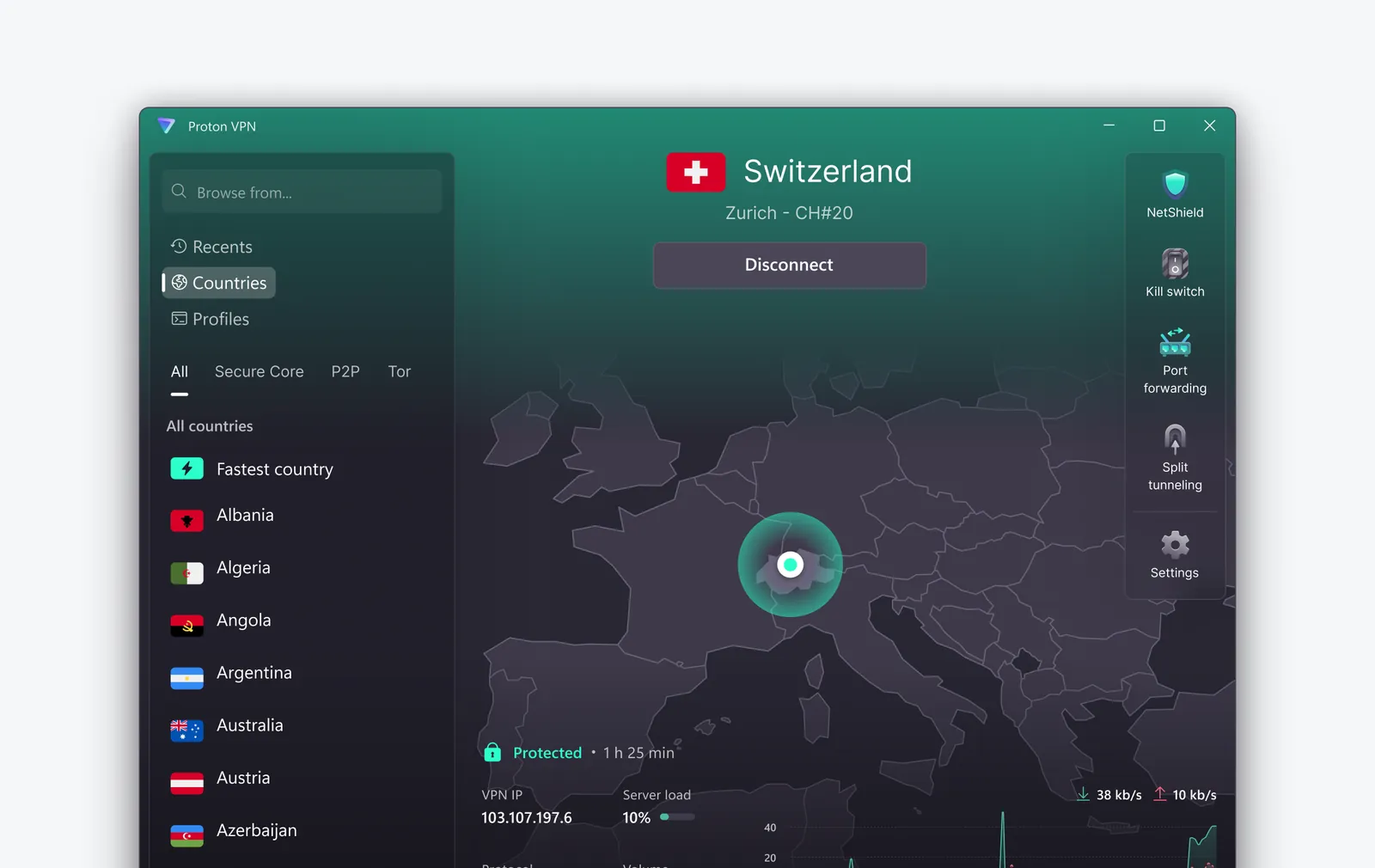
Proton’s Linux app is a full GTK4 desktop application with nearly the same feature set as its Windows and macOS apps. Proton’s Linux setup guide says it offers “a Linux GUI app (with a graphic user interface) and a Linux CLI (command-line tool),” and lists Debian, Ubuntu (also via Snap), Fedora and Arch as platforms. Proton “actively supports the latest versions of Debian, Ubuntu, and Fedora,” running the GNOME desktop environment; the guide says the app should also work on most Debian and Ubuntu based distributions, but those are not officially supported. On Arch, the packages are maintained by a community contributor, and Proton says it is working towards official Arch support. A Flatpak exists too, but Proton notes it is maintained by third parties.
Installation follows the normal Linux pattern. On Debian and Ubuntu you install a small repository package and then run sudo apt install proton-vpn-gnome-desktop; on Fedora the equivalent is sudo dnf install proton-vpn-gnome-desktop, and Proton’s Fedora guide names Fedora 44 as the current supported release. Because the app comes from Proton’s own repository, it updates with the rest of the system. Since version 4.18.2 in September 2026, installing from Proton’s repositories installs both the GUI and the CLI, although Proton notes the two cannot run at the same time.
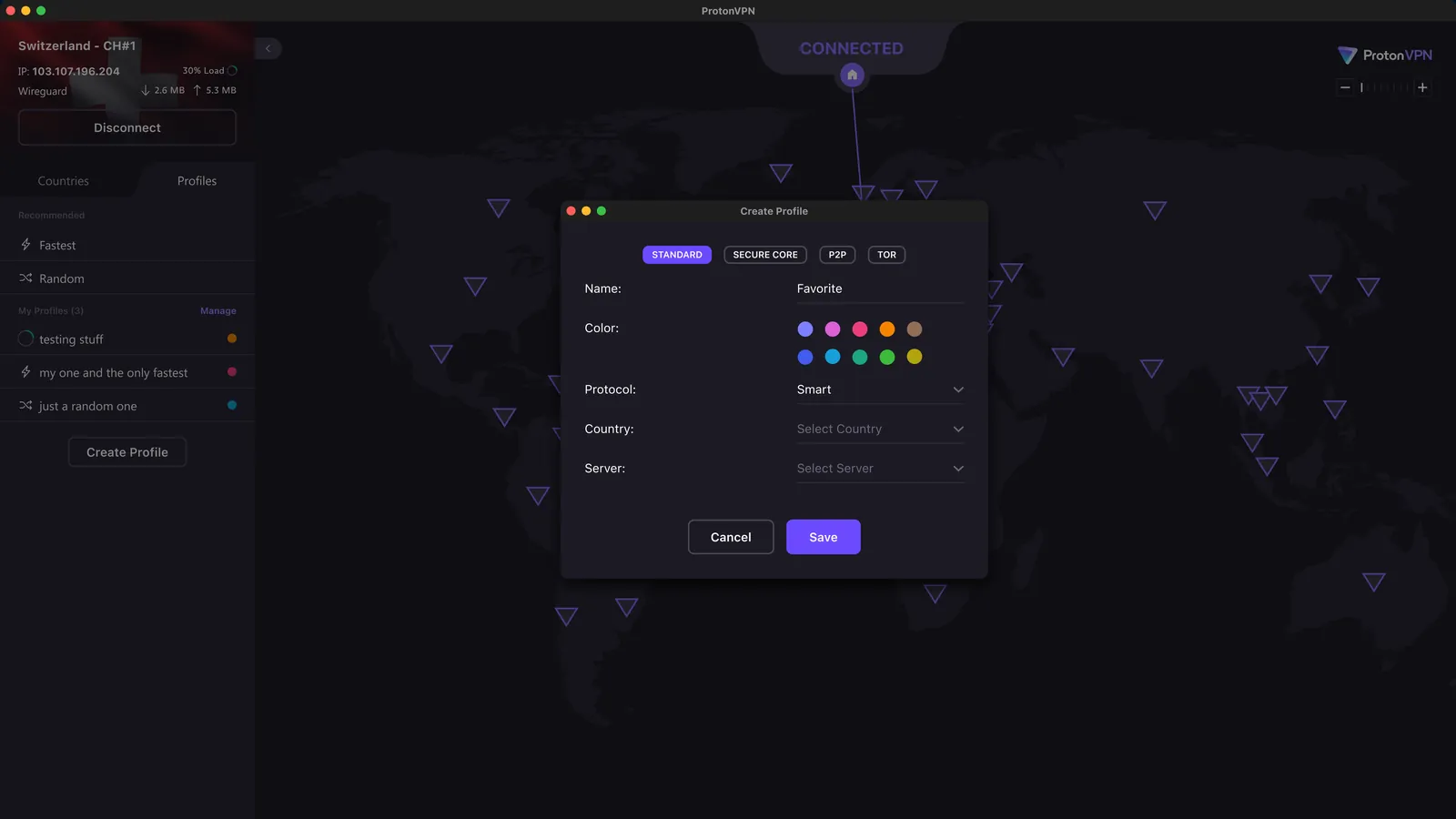
Proton’s Linux GUI guide lists these settings: NetShield ad blocker, kill switch and advanced kill switch, port forwarding, protocol choice, VPN Accelerator, moderate NAT, IPv6 and custom DNS. Proton’s download page adds DNS and IPv6 leak protection and support for WireGuard and OpenVPN. Secure Core, Proton’s double-hop routing, arrived on Linux in version 4.1.0 in 2023, and the August 2026 release 4.18.0 introduced Proton’s own protocols in beta, including its Stealth anti-censorship protocol.
The release history is a good sign of how seriously Proton takes the platform. The current app was introduced in October 2023 as version 4.0.0, gained the advanced kill switch in March 2024, automated port forwarding in February 2025, split tunneling in September 2025, a move to GTK4 in January 2026, and reached version 4.18.6 on October 5, 2026. That is a steady release cadence over three years, not a port that was released once and left alone.
Split tunneling deserves a note. Proton’s split tunneling page says it is available on its official Ubuntu, Fedora and Arch apps and as an optional feature on Debian, with an exclude mode and an include mode. It is not available in the unofficial Flatpak, and the Snap package lacks both split tunneling and Proton’s own protocols. If split tunneling matters to you, install from Proton’s repository rather than from Snap or Flatpak.
Both the GUI and the CLI are published on GitHub under the GPL-3.0 licence, so you can read and build the code yourself. Our roundup of the best open source VPN services goes into what is and is not open source at each provider.
Is there an official Proton VPN command-line tool?
Yes. Proton released a new official Linux CLI in November 2025 and called version 1.0.0, published on April 7, 2026, “the first fully-stable Proton CLI release.” The latest release on Proton’s release notes page is version 1.0.5 from September 28, 2026, which added sign-in with a U2F security key. Version 0.1.5 in January 2026 had already added kill switch, NAT type, NetShield, port forwarding and VPN Accelerator support, so the CLI is not a bare connect and disconnect tool.
The commands are short and scriptable. Proton’s CLI guide documents these:
protonvpn signin [username]andprotonvpn signoutprotonvpn connectfor the fastest server,protonvpn connect --country US,protonvpn connect --city "New York", or a named server such asprotonvpn connect CH#242protonvpn disconnectprotonvpn config listandprotonvpn config set [option] [setting], with options including kill-switch, netshield, port-forwarding, vpn-accelerator, moderate-nat, ipv6 and custom-dns
The CLI has honest limitations, listed in its own GitHub README: it cannot run alongside the GUI app, headless setups are not currently supported, and split tunneling is not yet available. The kill switch documentation for the CLI shows the standard mode and off; we found no documentation of the advanced mode in the CLI, so treat the advanced kill switch as a GUI feature for now. On Arch, the CLI is a separate community package, installed with pacman -S proton-vpn-cli.
In practice this means Proton’s CLI is excellent for a desktop or laptop where you prefer the terminal, or want to script connections, and not yet the right tool for a headless home server. For that, Mullvad’s CLI or a plain WireGuard configuration is the better fit today.
Which Linux VPN has the strictest kill switch?
Proton’s advanced kill switch on Linux is the strictest of the three by documentation, because it blocks traffic even while the machine boots and shuts down. Proton’s kill switch page describes two modes. The standard kill switch “is only activated when your connection drops by accident,” so deliberately disconnecting restores normal internet. The advanced kill switch, available on Windows, the Linux GUI app and in beta on iOS and iPadOS, “only allows internet access when connected to Proton VPN, no exceptions,” and stays active after a restart. Proton’s advanced kill switch page explains how this works on Linux: it creates a dummy network interface and redirects all outgoing traffic there, which is why protection holds during boot and shutdown.
Mullvad takes a similar approach with different names. Its app guide says the kill switch is always on from the moment you click connect until you disconnect, and cannot be turned off. On top of that, Mullvad’s optional Lockdown mode blocks the internet even after you disconnect or quit, so the computer always requires a Mullvad connection to reach the internet; from the terminal it is mullvad lockdown-mode set on. Mullvad’s download page describes its kill switch as tightly integrated with the firewall, without leaks. In practice, Mullvad’s Lockdown mode and Proton’s advanced kill switch are comparable.
NordVPN’s Linux app has a kill switch, enabled with nordvpn set killswitch on, and its install guide mentions an automated kill switch. Its Allowlist rules, though, let matching traffic bypass the VPN and the kill switch, which is useful but worth knowing.
One trade-off applies to Proton and Mullvad alike: Proton says that on most platforms its kill switch is not compatible with split tunneling, and Mullvad says apps excluded through split tunneling keep internet access even with Lockdown mode on. Pick one model per machine: strict lockdown, or flexible split tunneling.
Which Linux VPNs still support port forwarding?
Of these three, only Proton VPN offers port forwarding on its standard plans. Proton’s port forwarding guide says it works on all paid plans on Windows, macOS and Linux, and that you must be connected to a P2P server. In the Linux GUI, you turn it on under Settings, Features, and the app shows the active port; it also writes the port number to a file in your user runtime directory, which makes it easy for a script to pass the port to a torrent client or a self-hosted service. In the CLI, it is a two-stage process: protonvpn config set port-forwarding on, then a manual NAT-PMP step from Proton’s guide. Port forwarding does not work together with moderate NAT, Proton’s NAT type 2 option for gaming.
Mullvad removed port forwarding entirely. Its blog announced on May 29, 2023 that it no longer supports port forwarding and that existing ports would be removed on July 1, 2023, and its pricing FAQ still answers “Do you support port forwarding?” with “No.” NordVPN does not offer it on standard servers or with a Dedicated IP; its support site says port forwarding is available exclusively with the Dedicated Server add-on.
For Linux users who host a game server, run a seedbox for legal torrents such as distribution ISOs, or need inbound connections for any other reason, this is the clearest single difference between the three, and the reason Proton is our pick for Linux. To see which plan includes it, compare Proton VPN’s paid plans; port forwarding is not on the free plan.
What do they cost, and what do they renew at?
Proton VPN Plus costs $3.49 a month on a two-year plan and renews at $83.88 a year, while Mullvad charges the same flat €5 a month on every plan. These are Proton’s US dollar prices on October 11, 2026.
| Proton plan | 1 month | 1 year | 2 years | Renews at |
|---|---|---|---|---|
| Proton Free | $0 | $0 | $0 | Free, 1 device |
| VPN Plus | $9.99 | $53.88 ($4.49/mo) | $83.76 ($3.49/mo) | $83.88 every 12 months |
| Proton Unlimited | $12.99 | $119.88 ($9.99/mo) | $191.76 ($7.99/mo) | $119.88 every 12 months |
Over three years, the two-year VPN Plus plan followed by one renewal comes to $167.64, about $4.66 a month. Mullvad’s pricing page shows €5 a month whether you pay for one month, one year or longer, including VAT, which it says is equivalent to $5.60, and it says its price has not changed since it launched in 2009. Mullvad’s money-back guarantee is 14 days, except for cash payments; Proton’s is 30 days.
NordVPN’s pricing page served us euro prices from Europe, so we do not quote it here in dollars; its pricing does show a lower introductory price followed by a higher renewal, so check the renewal line before you buy. The Proton free plan is also worth a mention for Linux users: it covers one device, with servers in 10 countries picked for you, and lets you test the Linux app and CLI before paying. Our Proton VPN Free vs Plus guide covers the differences in detail.
When are Mullvad or NordVPN the better choice?
Mullvad: the privacy purist’s pick
Mullvad is the better choice if anonymity matters more than features. Its no-logging policy says that when you sign up, it does not ask for a username, password or email address, and generates a random account number instead. Its Linux app is mature: version 2026.5 on the download page, repositories for apt and dnf, and official support for Ubuntu 24.04 and later, Debian 12 and later and Fedora 42 and later, with Linux Mint covered as a Debian based distribution. Arch is listed as unsupported. The mullvad CLI covers login, relay selection, connection status and auto-connect, and Mullvad’s split tunneling works per program on Linux through mullvad-exclude.
Mullvad has had independent checks too: its Linux download page names a security assessment by Leviathan in February 2026 and an app audit by X41 D-Sec in November 2024. The trade-offs are port forwarding, which it removed in 2023, five devices per account rather than ten, and protocol choice: Mullvad removed OpenVPN on January 15, 2026, so it is WireGuard only. Mullvad is owned by its two founders, which our article on independent VPN providers covers.
NordVPN: widest Linux support, fewest extras
NordVPN is the better choice if your Linux machine is not a GNOME desktop. Its install guide lists .deb and .rpm packages for Debian 12 or newer, Ubuntu 22.04 or newer, Linux Mint 21 or newer, Raspberry Pi OS and Fedora 43 or newer, and says it supports both GNOME and KDE. Its Linux GUI arrived in May 2025; the CLI must be installed for it to work, and NordVPN says the GUI has “the majority of the CLI’s functionality.” The CLI supports NordLynx and OpenVPN, Meshnet, post-quantum encryption and obfuscation. NordVPN’s support site says its Linux CLI and GUI are now open source, while its core network and service infrastructure remain proprietary.
NordVPN has repeated no-logs checks: its blog says Deloitte Lithuania carried out a no-logs assurance engagement at the end of 2025, the sixth such engagement, with the report issued on December 12, 2025; NordVPN says users can read the full report by logging in to their account. The limitations on Linux are port forwarding, available only with a Dedicated Server add-on, and split tunneling, which on Linux is an Allowlist of ports and subnets rather than a per-app setting.
Which one fits your Linux setup?
Ubuntu or Fedora laptop, GNOME, everyday use. Proton VPN. Install from Proton’s repository, use the GUI day to day, turn on the advanced kill switch, and use split tunneling for anything that should stay local, such as a printer or NAS. You also get the CLI for scripts.
Self-hosting or legal P2P on a desktop. Proton VPN, because it is the only one of the three with port forwarding on a standard plan. The forwarded port file makes automation straightforward.
Headless home server or Raspberry Pi. Not Proton’s CLI yet, since Proton says headless setups are not currently supported. Mullvad’s CLI is the cleaner fit on a supported distribution, and NordVPN explicitly supports Raspberry Pi OS.
KDE Plasma desktop. NordVPN states KDE support. Proton’s official support is for GNOME; its app may work elsewhere, but that is not something Proton promises.
Maximum anonymity, minimum account data. Mullvad: no email, a random account number and a flat price. Proton asks for an account, although it also has a free plan and five annual no-logs audits behind it.
For most people who sit down at a Linux desktop and want something that works like it does on Windows, though, the best VPN for Linux remains Proton VPN.
Frequently asked questions
Does Proton VPN have a Linux GUI?
Yes. Proton offers a full GTK4 graphical app for Linux, officially supported on the latest Debian, Ubuntu and Fedora releases running GNOME, plus a community package for Arch. It includes NetShield, kill switch and advanced kill switch, port forwarding, split tunneling, VPN Accelerator and protocol selection.
Is the Proton VPN Linux CLI official?
Yes. Proton calls it “the official Proton VPN Linux CLI.” Version 1.0.0 in April 2026 was the first fully stable release, and version 1.0.5 followed in September 2026. It cannot run at the same time as the GUI, and Proton says headless setups and split tunneling are not supported yet.
Does Proton VPN work on Linux Mint?
Proton says its app should work on most Debian and Ubuntu based distributions but officially supports only the latest Debian, Ubuntu and Fedora running GNOME. Mint is likely to work but is not officially supported. NordVPN and Mullvad both list Linux Mint explicitly.
Which Linux VPN supports port forwarding?
Proton VPN, on all paid plans, through P2P servers, in both its Linux GUI and CLI. Mullvad removed port forwarding in 2023, and NordVPN offers it only with its Dedicated Server add-on.
Can I use a free VPN on Linux?
Proton VPN has a free plan that works on Linux: one device at a time, servers in 10 countries chosen for you, no port forwarding and no streaming. Mullvad and NordVPN do not have free plans.
Is Proton VPN’s Linux app open source?
Yes. Both the GTK app and the CLI are published on GitHub under the GPL-3.0 licence. Mullvad’s app is also open source, and NordVPN says its Linux CLI and GUI are now open source while its core infrastructure stays proprietary.
Do I need the advanced kill switch?
If you never want a single packet to leave outside the VPN, including during boot, yes. The trade-off is that you have no internet without a VPN connection until you turn it off, and on most platforms it does not combine with split tunneling.
Which should you choose?
Proton VPN is the best VPN for Linux for most desktop users. It is the only one of the three that combines a full graphical app, an official stable CLI, an advanced kill switch that holds through boot, port forwarding on standard paid plans and per-app split tunneling, all open source under GPL-3.0 and backed by Proton’s no-logs audits. Budget for the renewal: VPN Plus costs $83.76 for the first two years and then $83.88 a year.
Who should not choose it: anyone who needs a headless VPN client today, where Mullvad’s CLI is the better fit, KDE users who want official support, who should look at NordVPN, and anyone who wants to sign up without an email address, which only Mullvad offers. For everyone else, try Proton VPN on your Linux machine, start with the free plan to test the app on your distribution, and upgrade when you need port forwarding or more devices.
8.7 Score
Pros
- A full GTK4 Linux app and an official CLI that reached a stable 1.0 release in April 2026.
- Advanced kill switch on Linux that blocks traffic through boot and shutdown.
- Port forwarding on all paid plans, with the port written to a file for scripts.
- GUI and CLI are open source under GPL-3.0.
Cons
- Official support is limited to the latest Debian, Ubuntu and Fedora on GNOME.
- The CLI does not yet support headless setups or split tunneling.
- VPN Plus renews at $83.88 a year after the introductory term.
- Snap and Flatpak builds miss split tunneling and Proton's own protocols.
Final Verdict
Proton VPN is the best VPN for Linux desktops: a full GTK4 app, an official stable CLI, an advanced kill switch that holds through boot, port forwarding on paid plans and per-app split tunneling, all open source. Mullvad suits headless servers and anonymity seekers, and NordVPN suits KDE and Raspberry Pi users. Budget for Proton's $83.88 yearly renewal.