

Proton Black Friday, until 30 November: 60% off Proton Pass Plus on the 12-month plan, $23.88 for the first 12 months.
After that it renews at $35.88 a year, the regular price. See every Proton Black Friday deal.
Short answer: Of the LastPass alternatives worth your time, Proton Pass is the best fit for most people leaving after the 2022 breach: its free plan works on unlimited devices, it encrypts every field including the web addresses that sat unencrypted in the stolen LastPass backups, and its paid plan adds unlimited email aliases and Emergency Access. Bitwarden is the cheapest audited paid option and the only one here you can host yourself. 1Password is the polished pick for people who will pay for its Secret Key design and Travel Mode.
- Pick Proton Pass if you want a free plan you will not outgrow, email aliases built in, and Swiss jurisdiction.
- Pick Bitwarden if the lowest yearly price matters most, or you want to run the server yourself.
- Pick 1Password if you want the most polished apps and do not mind paying from day one.
- Do not stay put without acting: if you had a LastPass account before late 2022, change your most important passwords wherever you land.
Proton Pass: Free; Pass Plus $4.99/mo monthly or $35.88 billed every 12 months ($2.99/mo); Pass Family $59.88 every 12 months. Bitwarden: Free; Premium $19.80/yr. 1Password Individual: $2.99/mo billed yearly in the first year for new customers, then $3.99/mo ($47.88/yr) at renewal. Prices in US dollars, checked October 11, 2026.
Table of contents
What actually happened at LastPass?
LastPass disclosed two linked security incidents in 2022, and the second one ended with an attacker copying a backup of customer vault data. Everything below comes from LastPass’s own notices and from the UK data protection regulator, the Information Commissioner’s Office (ICO), so you can check each step yourself rather than relying on forum summaries.
| Date | What was disclosed | Source |
|---|---|---|
| June 15, 2015 | LastPass said account email addresses, password reminders, server per user salts and authentication hashes were compromised, with no evidence that encrypted vault data was taken. | LastPass notice, as reported by The Next Web |
| August 25, 2022 | An unauthorized party gained access to portions of the LastPass development environment through a single compromised developer account. | LastPass |
| December 22, 2022 | Update: source code and technical information had been stolen in August, and in a new incident the attacker copied a backup with basic customer account information and a backup of customer vault data. | LastPass |
| March 1, 2023 | Update: the attacker targeted a senior DevOps engineer by exploiting vulnerable third-party software, and the cloud backup storage held backups of all customer vault data. LastPass said it had seen no threat actor activity since October 26, 2022. | LastPass |
| December 11, 2025 | The ICO announced a fine of £1.2 million against LastPass UK Ltd, saying the breach compromised personal information of up to 1.6 million UK users. | ICO |
The December 2022 notice is the one that changed how security people talk about LastPass. It said the copied vault backup “contains both unencrypted data, such as website URLs,” alongside fully encrypted fields such as website usernames and passwords, secure notes and form-filled data. The same notice listed the basic account information that was copied: company names, end-user names, billing addresses, email addresses, telephone numbers and the IP addresses customers used to reach the service.
The March 2023 update filled in how the attacker reached that backup. The cloud storage, LastPass wrote, contained configuration data, API secrets, third-party integration secrets, customer metadata and backups of all customer vault data. The ICO’s own account, published when it announced the fine, describes two linked incidents: one involving a European employee’s work laptop and another involving a US employee’s personal laptop, where malware captured a master password. Together they gave the attacker access to the backup database.
It is fair to record what the regulator did not find. The ICO said it had no evidence that hackers were able to decrypt customer passwords, because the master password is kept on each customer’s device and the vaults use what it called a “zero knowledge” encryption system. The ICO still concluded that LastPass had not put sufficiently strong technical and security measures in place to protect the data.
Why does a 2022 breach still matter today?
It matters because a copied vault backup does not expire. The attacker does not need to break into LastPass again; they can work on the copy offline for as long as they like. LastPass said so directly in its December 2022 notice: the threat actor “may attempt to use brute force to guess your master password.” For customers using its recommended defaults, LastPass estimated that this “would take millions of years,” and it noted that since 2018 it had required a twelve-character minimum master password and used 100,100 iterations of PBKDF2 to slow guessing down.
That reassurance depends on the defaults. An account created before the twelve-character rule, or one protected by a short or reused master password, is a softer target. The second risk is less technical: the unencrypted website addresses in the backup reveal which banks, shops and services each customer used. LastPass itself warned that the attacker “may also target customers with phishing attacks, credential stuffing” and similar tricks, and a list of exactly which services you use makes a convincing phishing email much easier to write.
So the practical advice has two parts. Moving to a different password manager protects everything you save from now on. It does not protect the copy that already left LastPass. If you had an account there in 2022, the passwords that existed in your vault at the time are the ones to change first, starting with email, banking, and anything holding payment details or two-factor recovery codes.
When you compare LastPass alternatives, the breach also gives you a sharper test than a feature checklist. Ask three questions of each candidate: does it encrypt the metadata, including web addresses, and not only the password field? Has it published independent audits? And how hard is it to brute-force a stolen vault, which comes down to the key derivation design and whether there is an extra secret beyond your master password?
Which LastPass alternatives are worth considering?
Three LastPass alternatives pass that test without caveats: Proton Pass, Bitwarden and 1Password. The table compares them on the points that matter for someone leaving after a breach, using each vendor’s own pricing and security pages as read on October 11, 2026.
| Proton Pass | Bitwarden | 1Password | |
|---|---|---|---|
| Free plan | Yes: unlimited logins on unlimited devices | Yes: unlimited passwords on unlimited devices | No free tier; 14-day free trial |
| Cheapest paid plan, yearly | Pass Plus $35.88 | Premium $19.80 | Individual $35.88 in year one, $47.88 at renewal |
| Metadata and URL encryption | Proton says all fields, including web addresses, are end-to-end encrypted | Bitwarden says all vault data is end-to-end encrypted | Data protected by account password plus a 128-bit Secret Key |
| Code and audits | All apps open source; independent audits published | Open source; third-party audited | Independent audit results published; SOC 2 type 2 |
| Email aliases | Built in: 10 free, unlimited on Pass Plus | Through an outside alias service | Masked Email through a Fastmail account |
| Standout extra | Proton Sentinel, Emergency Access on paid plans | Self-hosting option | Travel Mode |
Ratings from real users point the same way. On Google Play on October 11, 2026, Proton Pass showed 4.8 stars from about 60,400 reviews, Bitwarden 4.7 from about 182,000, 1Password 4.6 from about 26,000, and LastPass 3.8 from about 236,000. App store ratings measure everyday satisfaction rather than security, but a gap of a full star is hard to ignore.
1. Proton Pass: the best pick for most people
Proton Pass is the password manager from Proton AG, the Swiss company behind Proton Mail and Proton VPN, and it answers the specific weakness the LastPass backup exposed. Proton’s Pass security page says the app “doesn’t just encrypt the password field but applies end-to-end encryption to all fields, including usernames, web addresses, and all data contained in your encrypted notes.” If a copy of a Proton Pass vault ever left Proton’s servers, the list of sites you use would be as unreadable as the passwords themselves, according to Proton’s own description.
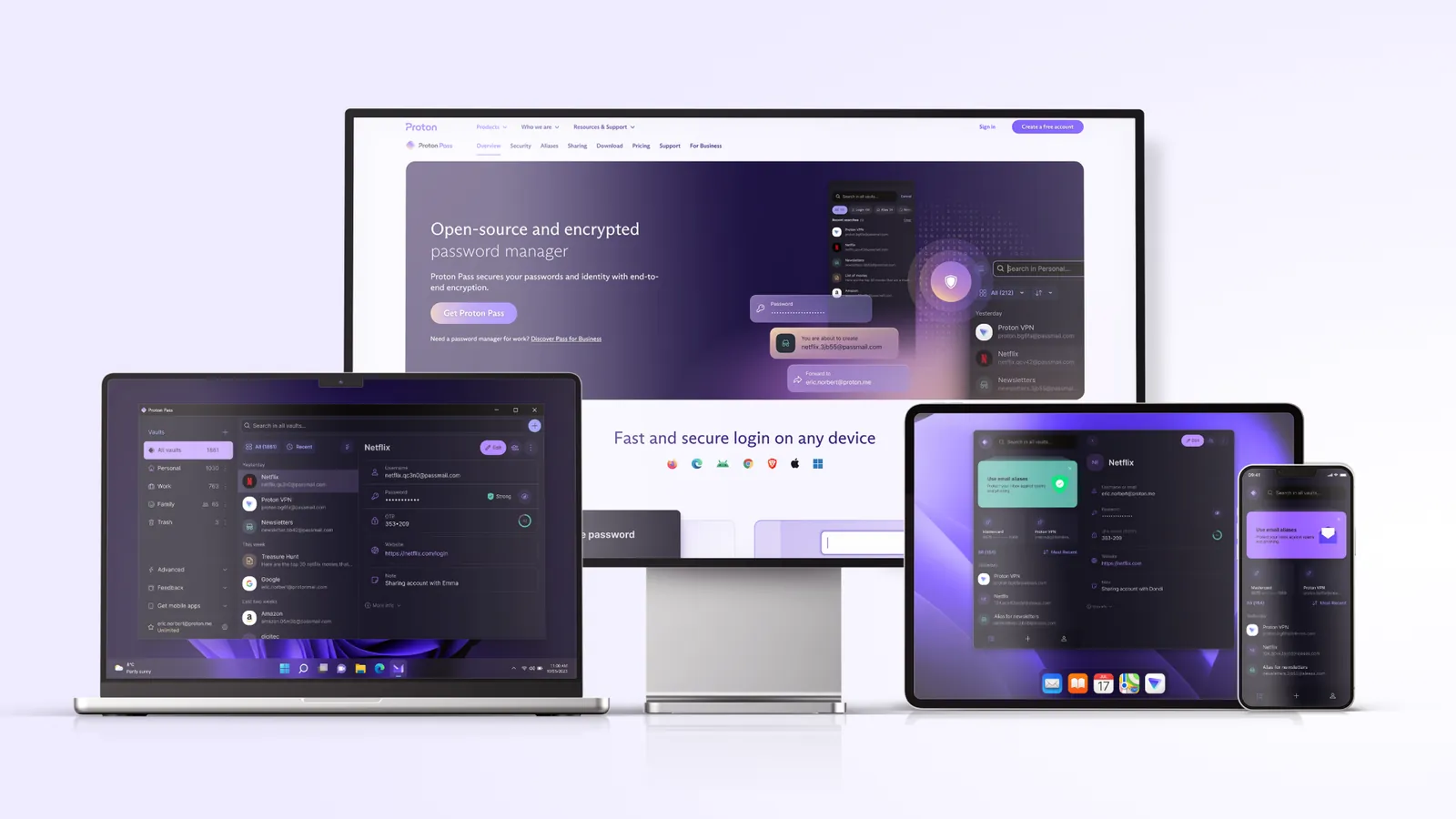
The rest of the security story is in line with what a careful buyer should expect. Proton says all Proton Pass apps are open source, that Pass has been audited by independent third parties with the reports public, and that it runs a public bug bounty program. Vault items are encrypted with 256-bit AES-GCM, and each vault gets a 32-byte random key. Paid plans add Proton Sentinel, which Proton describes as AI systems working with human security analysts around the clock to block suspicious logins even when an attacker has the right password.
The free plan is the most generous of the three. It covers unlimited logins, notes and credit cards on unlimited devices, browser, mobile and desktop apps, a password generator, alerts for weak and reused passwords, passkeys on all devices, two vaults, sharing a vault with two other people, and 10 hide-my-email aliases. That last feature is a direct answer to the phishing risk the breach created: each site gets its own forwarding address, so a leaked list of your accounts does not lead back to your real inbox.
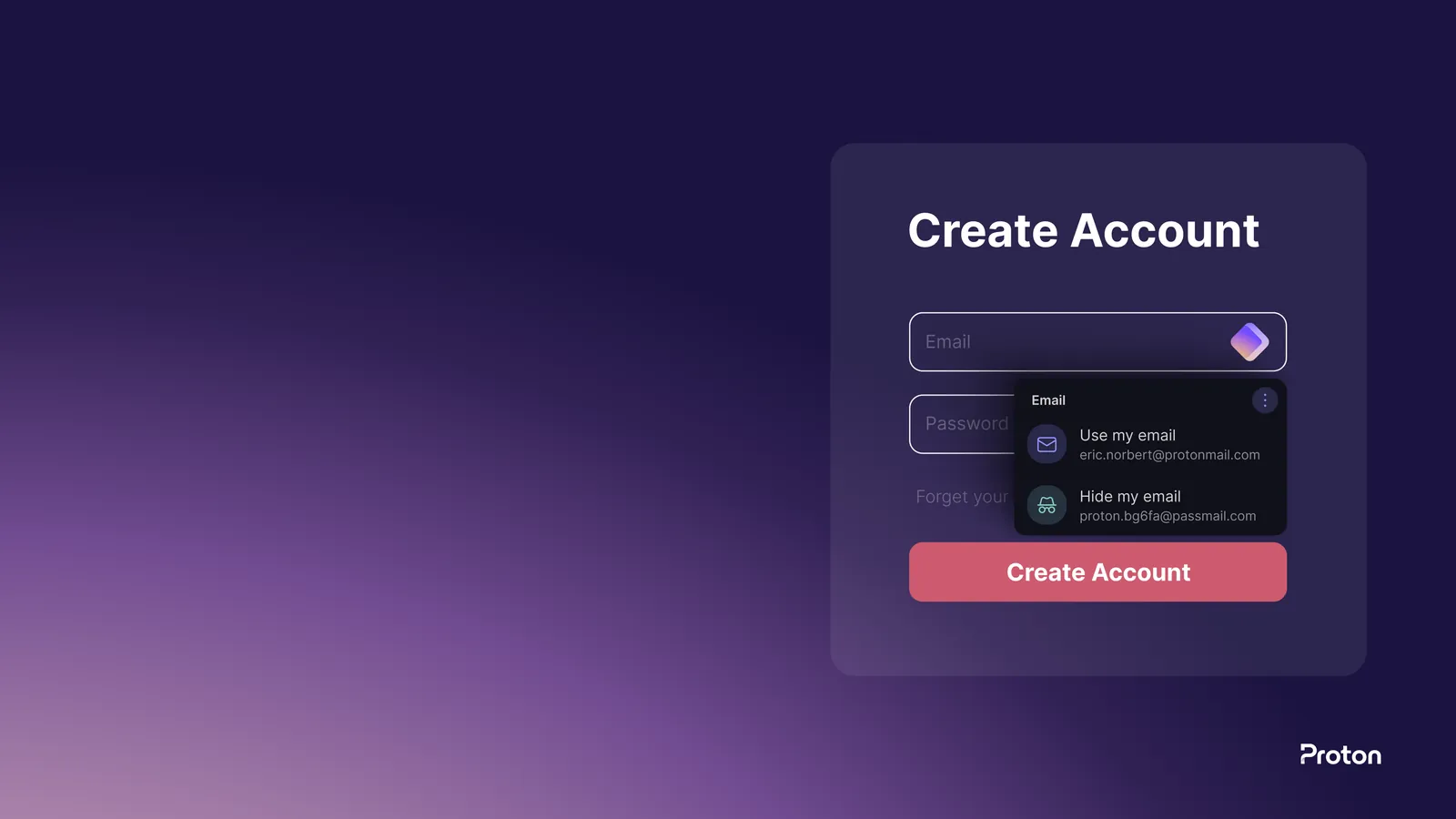
Pass Plus adds unlimited aliases, a built-in two-factor authenticator, Dark Web Monitoring, file attachments, item history, sharing with up to ten others, Emergency Access and Proton Sentinel. Pass Family gives six people their own Pass Plus accounts with an admin panel. If you also want Proton Mail, Drive and VPN, Proton Unlimited includes Pass and costs $119.88 a year; our analysis of whether Proton Unlimited is worth it runs the numbers.
Where Proton Pass is weaker: Pass Plus costs more than Bitwarden Premium, and Proton does not list a self-hosted version on its plans page, so your vault lives on Proton’s infrastructure. For a deeper head to head on those two, read our Proton Pass vs Bitwarden comparison.
2. Bitwarden: the cheapest audited paid plan
Bitwarden is the open-source password manager many security people recommend first, and for a LastPass refugee on a budget it is hard to beat. Its free plan includes unlimited passwords on unlimited devices, browser, mobile and desktop apps, passkey management, a username and password generator, encrypted export, Bitwarden Send for sharing encrypted text, and free sharing with one other user. Premium costs $19.80 a year, and Families covers six premium accounts for $47.88 a year.
On the breach questions, Bitwarden’s security white paper says all vault data, including logins, passkeys, cards, identities and notes, is protected with end-to-end encryption, and that data is encrypted on your device before it is sent to Bitwarden’s servers. For the master password, Bitwarden uses PBKDF2 with 600,000 iterations by default, and users can switch to Argon2id. That default is a much higher iteration count than the 100,100 LastPass described in its December 2022 notice, which makes offline guessing slower.
Bitwarden’s unique advantage is self-hosting. Its pricing page describes the option to run the Bitwarden server application on your own network or server, compatible with all Bitwarden clients. If the lesson you took from LastPass is that you do not want anyone else holding your vault, Bitwarden is the only option in this list that lets you act on it.
Where Bitwarden is weaker: email aliases need a separate account with an outside service, and Premium features such as the integrated authenticator, Emergency Access and vault health reports are not in the free plan. Its apps are functional rather than pretty, which matters more than it sounds when you are trying to get a reluctant partner to switch.
3. 1Password: the polished paid option
1Password is the choice for people who want the most refined apps and are happy to pay from the start. It has no free tier on its personal pricing page; both Individual and Families plans begin with a 14-day free trial. Its most important security idea is directly relevant to the LastPass story: your data is protected by your account password combined with a Secret Key that 1Password’s support pages describe as 34 letters and numbers with 128 bits of entropy, created on your own device and never known to 1Password.
That design changes the brute-force maths. 1Password says that someone attempting a brute-force attack on its servers would not be able to decrypt your data without the Secret Key. A weak master password, the main worry for LastPass customers, is much less exposed when the vault also depends on a long random key that never leaves your devices and your Emergency Kit. 1Password’s security page also says it publishes the results of independent audits and is SOC 2 type 2 certified.
1Password adds Travel Mode, a feature we did not find on the Proton Pass or Bitwarden plan pages. Included with every subscription, it removes vaults from your devices except those you mark as safe for travel, which is useful when crossing borders with a laptop. Watchtower alerts you to weak or compromised credentials. For aliases, 1Password offers Masked Email through an integration that requires a Fastmail account.
Where 1Password is weaker: there is no free plan, the yearly price rises after the first year for new customers, and unlike Proton and Bitwarden, it does not describe its apps as open source on the security and pricing pages we read. If you want something you can try indefinitely before paying, Proton Pass or Bitwarden suit you better.
What will each one cost you?
All three are reasonably priced next to what a breach can cost you, but the details differ, and one of them changes price after the first year. These are the US dollar prices on each vendor’s pricing page on October 11, 2026, with the renewal price next to every introductory figure.
| Plan | Monthly billing | Yearly billing | Renews at |
|---|---|---|---|
| Proton Pass Free | $0 | $0 | Free |
| Proton Pass Plus | $4.99/mo | $35.88 every 12 months ($2.99/mo) | $35.88/yr |
| Proton Pass Family (6 users) | $6.99/mo | $59.88 every 12 months ($4.99/mo) | $59.88/yr |
| Bitwarden Free | $0 | $0 | Free |
| Bitwarden Premium | Not offered | $19.80/yr ($1.65/mo) | $19.80/yr |
| Bitwarden Families (6 users) | Not offered | $47.88/yr ($3.99/mo) | $47.88/yr |
| 1Password Individual | $4.99/mo | $2.99/mo first year for new customers ($35.88) | $3.99/mo ($47.88/yr) |
| 1Password Families (5 users) | $7.99/mo | $4.49/mo first year for new customers ($53.88) | $5.99/mo ($71.88/yr) |
Over three years of yearly billing for one person, Bitwarden Premium totals $59.40, Proton Pass Plus $107.64, and 1Password Individual $131.64 ($35.88 in the first year, then $47.88 twice). For a family, Bitwarden Families totals $143.64, Pass Family $179.64 for six people, and 1Password Families $197.64 for five. Bitwarden wins on price at every size; Proton Pass costs more but includes built-in aliases and a free plan you can stay on indefinitely, and the monthly option on Proton suits anyone who wants to test the paid features for a few weeks without a yearly commitment.
LastPass itself still offers a free tier, but its own site describes it as limited to one device type, which means you choose between using it on computers or on mobile devices. Every alternative above has a free plan or trial that works across all your devices. If you want to try the top pick without committing, start on the Proton Pass free plan and upgrade only if you find yourself using aliases or sharing.
How do you move out of LastPass safely?
Moving takes a few minutes, but the order of steps matters, because the export is a plain text file of every password you own. Proton’s guide to importing from LastPass describes two ways to export and one way to import, and Bitwarden and 1Password accept a LastPass export in a similar way.
- Export from LastPass. In the LastPass web vault, open Advanced Options, then Manage your vault, then Export. LastPass emails you to confirm the request; click Continue export in that email, return to the vault and run Export again, then confirm your username and password. Alternatively, in the browser extension go to the Account tab, Fix a problem yourself, Export vault items, Export data for use anywhere, and enter your master password. Either route saves a .csv file.
- Import into the new manager. In the Proton Pass browser extension, open the menu, then Settings, then the Import tab. Choose LastPass as the provider, drag the .csv file into the File box or choose it from your computer, and click Import.
- Check the result. Open a few logins you use every day and confirm the username, password and website are all present. Look at secure notes and saved cards too, because these are the items most likely to need tidying.
- Delete the export file. The .csv file is unencrypted. Delete it, then empty the recycle bin or trash so it does not linger on the disk or in a synced folder.
- Change the passwords that matter. Start with your email account, then banking, then any site that stores payment details, then everything else as you log in to it. A new password manager makes this easier, because each new password is generated and saved in one step.
- Close or empty the LastPass account. Once you are confident everything moved across, remove your data from LastPass so there is no second copy of your newer passwords there.
One practical tip: do the import on a computer you trust and are physically using, not on a shared or work machine, and do not email the .csv file to yourself to move it between devices. The whole point of leaving is to reduce how many places your passwords exist.
If your move away from LastPass is part of a wider clean-up of the services that hold your data, our guide on how to de-Google your life covers email, cloud storage and passwords together.
Frequently asked questions
Is LastPass still safe to use?
LastPass still operates, and the ICO found no evidence that customer passwords were decrypted. The concern is the vault backup copied in 2022, which can be attacked offline indefinitely, and the unencrypted website addresses in it. If you had an account then, change your important passwords whichever manager you use from now on.
What was stolen in the LastPass breach?
According to LastPass, the attacker copied basic customer account information, including names, billing addresses, email addresses, phone numbers and IP addresses, and a backup of customer vault data. In that backup, website URLs were unencrypted, while usernames, passwords, secure notes and form data were encrypted.
What is the best free alternative to LastPass?
Proton Pass for most people. Its free plan covers unlimited logins on unlimited devices, passkeys, two vaults, sharing with two people and 10 email aliases. Bitwarden’s free plan is a strong second choice, with Send for encrypted sharing and free sharing with one other user.
Which LastPass replacement is cheapest?
Bitwarden. Premium costs $19.80 a year and Families $47.88 a year for six people, the lowest prices among the three alternatives covered here. Proton Pass Plus is $35.88 a year, and 1Password Individual is $35.88 in the first year for new customers and $47.88 a year after that.
Can I import my LastPass passwords into Proton Pass?
Yes. Export a .csv file from the LastPass web vault or browser extension, then open the Proton Pass browser extension, go to Settings, then Import, choose LastPass as the provider and upload the file. Delete the .csv file afterwards because it is not encrypted.
Do I need to change all my passwords after leaving LastPass?
Prioritise rather than panic. Change your email, banking and payment-related passwords first, along with any password that was short or reused. The rest can be updated gradually as you log in to each site, using the new manager’s generator so each replacement is long and unique.
Was 1Password or Bitwarden affected by the LastPass breach?
LastPass’s notices describe its own development environment and its own cloud backup storage, and nothing in them involves other password managers, which are separate companies running separate infrastructure. The same advice still applies whichever you pick: use a long, unique master password and turn on two-factor authentication.
Which should you choose?
Among the LastPass alternatives we compared, Proton Pass is the one we would hand to most people walking away from LastPass. It encrypts web addresses along with everything else, its free plan has no device limit, its code is open source and audited, and built-in aliases blunt the phishing risk that the stolen account list created. Bitwarden is the right answer if price or self-hosting comes first, and 1Password if you value its Secret Key design and polish enough to pay from day one.
Who should not pick Proton Pass: anyone who needs to host their own server, and anyone who only wants the cheapest paid plan, since Bitwarden Premium costs $16.08 a year less than Pass Plus. Everyone else can move their LastPass vault to Proton Pass in a few minutes, delete the export file, and start changing the passwords that matter most.
8.7 Score
Pros
- Encrypts every field, including web addresses, the data LastPass left unencrypted in its backups.
- Free plan covers unlimited logins on unlimited devices, passkeys and 10 email aliases.
- Built-in LastPass importer takes the .csv export in a few clicks.
- Open source apps, published independent audits and a public bug bounty.
Cons
- Pass Plus costs $35.88 a year against $19.80 for Bitwarden Premium.
- No self-hosted version listed, unlike Bitwarden.
- Emergency Access and Dark Web Monitoring require a paid plan.
Final Verdict
Proton Pass is the best place for most people to land after leaving LastPass. It encrypts web addresses along with passwords, its free plan has no device limit, and built-in aliases reduce the phishing risk the stolen account data created. Bitwarden is cheaper at $19.80 a year and can be self-hosted, and 1Password suits buyers who want its Secret Key design and will pay from the first day.