


Short answer: This WhatConverts review covers a lead tracking and reporting platform built for marketing agencies and the businesses they run campaigns for, capturing calls, form fills, chats and e-commerce transactions in one place and tying each one back to the ad, keyword or campaign that produced it. It rates 4.9 from over 200 reviews on its own site and markets itself as ranked number 1 for call tracking and marketing attribution. Pricing runs from $30 a month for a single business tracking calls only, up to $1,250 a month for an agency managing unlimited client accounts with its deepest attribution tools, plus per-unit charges for extra numbers, minutes and text messages on every tier.
- Pick Call Tracking at $30 a month if you only need to know which marketing source is generating phone calls for one business.
- Pick Plus or Pro at $60 to $100 a month if you also collect leads through web forms or chat, and want campaign and keyword level reporting.
- Pick an Agency plan starting at $500 a month if you manage lead tracking for more than one client under unlimited accounts.
- Look elsewhere if you need only basic call tracking with no attribution reporting; a cheaper single-purpose tool may cost less.
Individual Business: Call Tracking $30/mo, Plus $60/mo, Pro $100/mo, Elite $160/mo. Agency: Plus $500/mo, Pro $800/mo, Elite $1,250/mo. WhatConverts.com, checked September 13, 2026.
Table of contents
What is WhatConverts and who is it for?
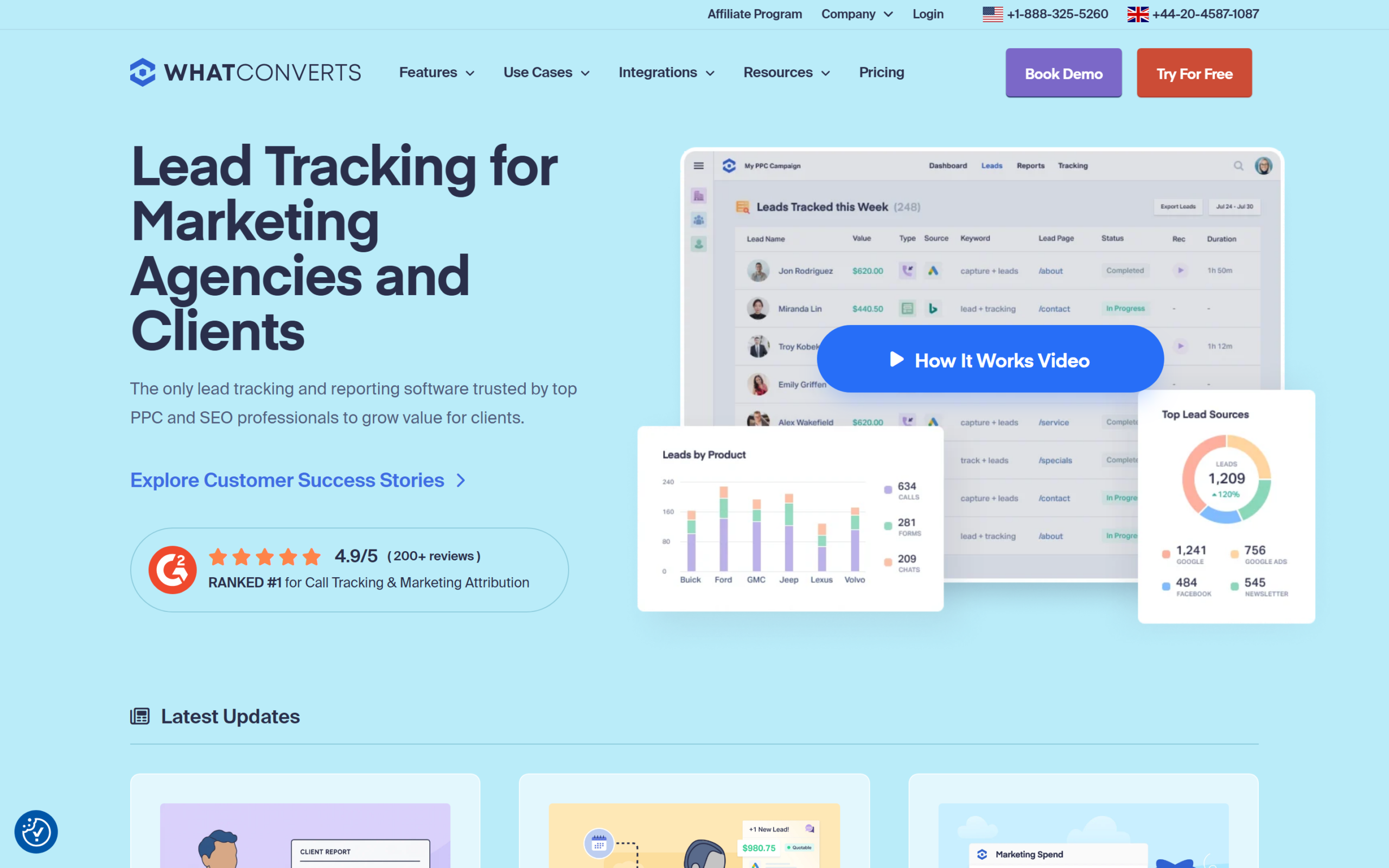
WhatConverts is a lead tracking and reporting platform built specifically for marketing agencies and the businesses that run PPC and SEO campaigns, with its own homepage describing it as trusted by “top PPC and SEO professionals to grow value for clients.” The core idea is straightforward: capture every lead, a phone call, a form submission, a live chat or an e-commerce transaction, and attribute it back to the specific marketing channel, campaign and keyword that produced it, so a marketer can show which spending actually converts rather than guessing from clicks alone.
The buyer this suits is an agency managing paid or organic campaigns for multiple clients, or an in-house marketer at a single business who needs to prove which channel is generating real leads rather than just traffic. WhatConverts displays “4.9/5 (200+ reviews)” and calls itself “RANKED #1 for Call Tracking & Marketing Attribution” on its own homepage. This WhatConverts review reads WhatConverts’ homepage, its full pricing pages for both individual businesses and agencies, and its help center, all on September 13, 2026, and checks its numbers against CallRail, the most widely known name in the same call tracking category.
WhatConverts pricing: individual business plans
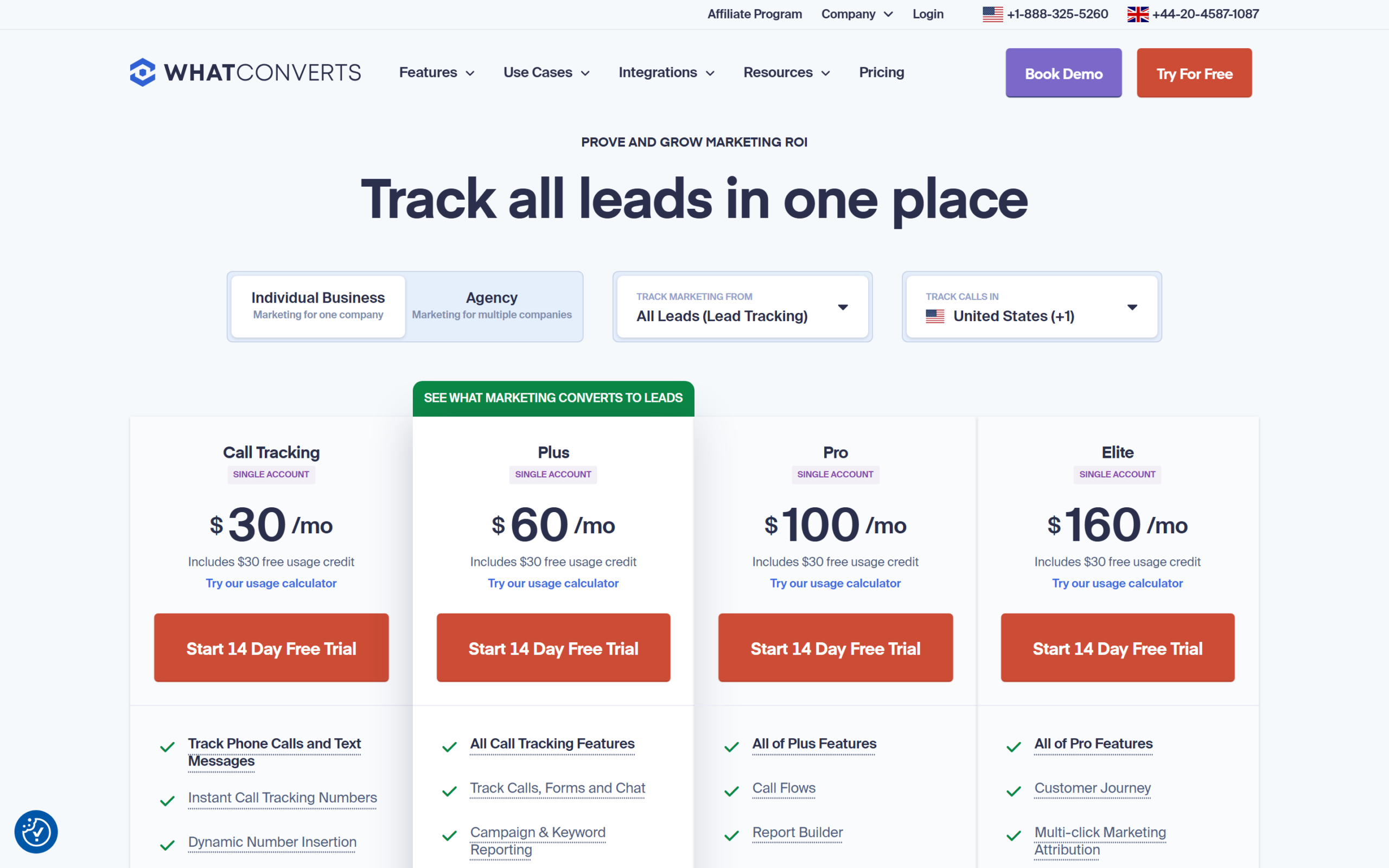
For a single business tracking its own marketing, WhatConverts sells four tiers, each covering one account.
| Plan | Price | Included calls | Included forms/chats |
|---|---|---|---|
| Call Tracking | $30/mo | Up to 148 | Not included |
| Plus | $60/mo | Up to 148 | Up to 300 |
| Pro | $100/mo | Up to 148 | Up to 300 |
| Elite | $160/mo | Up to 148 | Up to 300 |
From WhatConverts’ pricing page, individual business tab, checked September 13, 2026. Every tier includes a $30 free usage credit toward the per-unit charges below.
Call Tracking, the entry tier, covers phone calls and text messages only: instant tracking numbers, dynamic number insertion, call recording and API access, with no form or chat tracking. Plus adds form, chat and e-commerce tracking plus campaign and keyword reporting and Bing, Google Ads and Analytics integration. Pro adds call flows (voicemail, IVR, geo-routing), a custom report builder, scheduled reports and HIPAA compliance. Elite adds customer journey mapping, multi-click marketing attribution, pages-visited tracking and what WhatConverts calls lead intelligence. On top of the flat monthly fee, every tier charges per additional local number ($2.50), per additional local minute (4.5 cents), per toll-free number ($3.50), per toll-free minute (6.5 cents), per transcribed minute (2 cents) and per text message (3 cents); Plus, Pro and Elite also charge 10 cents per form, chat or transaction tracked beyond the included 300.
WhatConverts pricing for agencies
Agencies managing more than one client account move to a separate pricing track with unlimited accounts built in.
| Plan | Price | Included calls | Included forms/chats |
|---|---|---|---|
| Plus | $500/mo | Up to 1,908 | Up to 2,500 |
| Pro | $800/mo | Up to 2,325 | Up to 3,000 |
| Elite | $1,250/mo | Up to 3,158 | Up to 4,000 |
From WhatConverts’ pricing page, agency tab, checked September 13, 2026. Each tier includes a larger free usage credit than its individual-business equivalent, $250 to $400, and per-unit overage rates drop slightly at agency volume: $1.75 per local number instead of $2.50, and 4 cents per local minute instead of 4.5 cents. Unlimited accounts is the headline difference from the individual business track, meaning an agency is not paying per client account, only for the total call and lead volume across all of them combined, plus a flat $50 a month for white-label branding on any tier, individual or agency.
The practical break-even point matters here: an agency running five clients each of whom would otherwise need an individual Pro account at $100 a month is looking at $500 a month either way, so the agency Plus tier at $500 a month is roughly a wash on raw price at exactly five clients, and becomes the clearly better deal past that point since a sixth, seventh or eighth client account costs nothing extra on the agency track. An agency with only two or three small clients, by contrast, may find the individual-business tiers cheaper in total than committing to the $500 a month agency floor, and should add up its actual per-client needs before assuming the agency track is automatically the better value.
Lead tracking, lead management and reporting
WhatConverts groups its own feature set into three stages. Lead tracking captures the raw event: a call, a form fill, a chat or an e-commerce transaction, tagged with the marketing source. Lead management organizes what comes in, letting a user search and filter leads, qualify them as good or bad, assign a dollar value to each one, and export the results. Analytics and insights turns that data into reports: marketing reports, custom report builders, what WhatConverts calls marketing intelligence, and real-time reporting rather than a next-day batch.
Integrations are a stated strength: WhatConverts advertises “Over 1000 integrations available” on its homepage, connecting to the ad platforms, CRMs and analytics tools an agency already runs campaigns through, rather than requiring a switch away from existing tools. The homepage also splits its target users by role and by industry, naming agencies, marketers, franchises and general businesses as its four primary audiences, each with its own short pitch: agencies get a way to “show clients exactly how well your marketing works,” marketers get the exact count of qualified leads their department delivers, and franchises get one platform tracking every location rather than a separate tool per site.
The real-time reporting claim is worth testing directly during the free trial rather than taking on faith: a platform that only refreshes hourly or nightly is a materially different product from one that reflects a call the moment it ends, and the gap only shows up once you are watching your own live traffic rather than a demo account.
Setup, integrations and the free trial
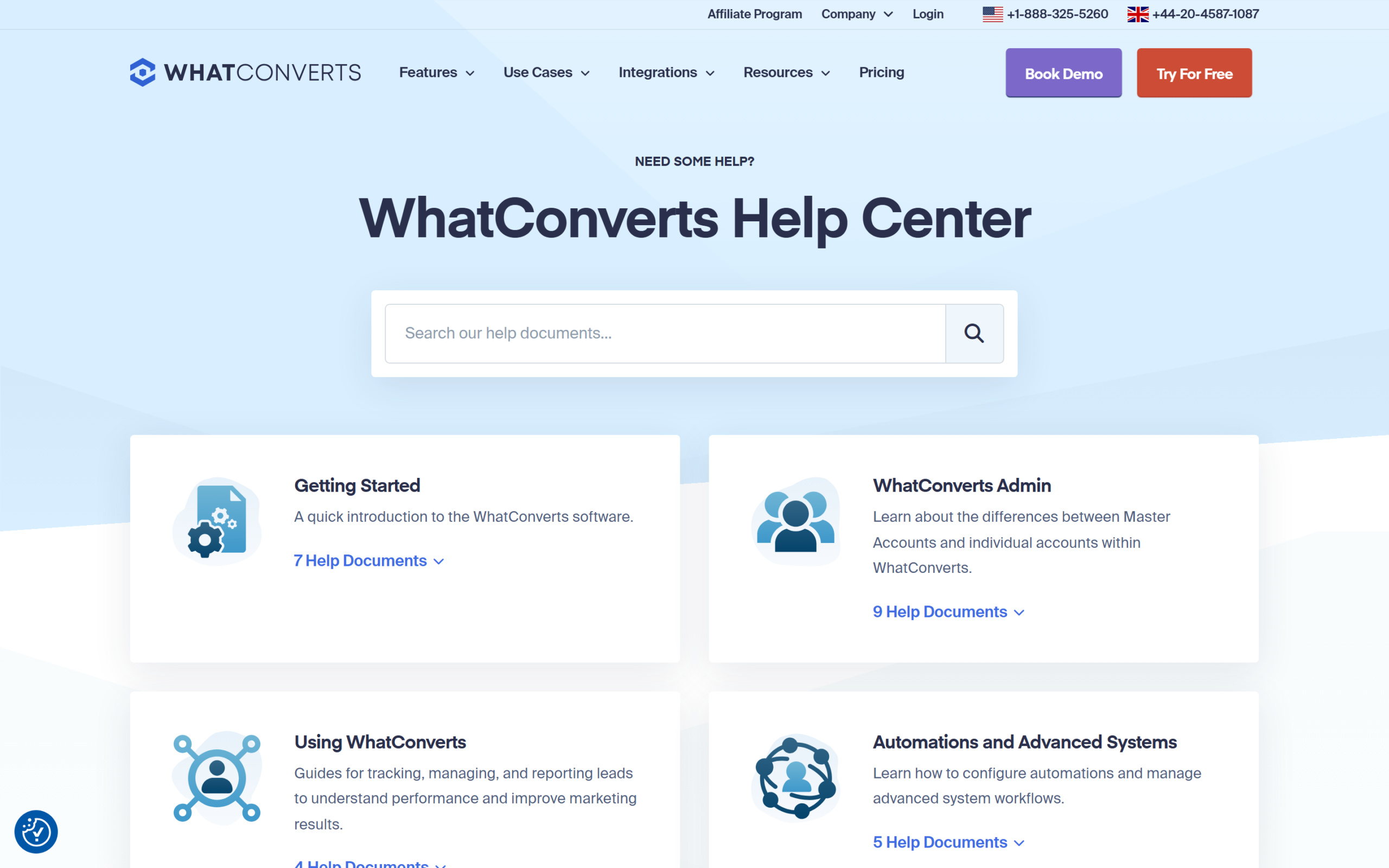
WhatConverts offers a 14 day free trial, described on its homepage as “cancel anytime,” with setup described in four steps: create an account with a name, email and password; add the tracking code to your website; select which web forms to track and connect them; and add phone numbers matched to marketing sources to start capturing calls. WhatConverts points new users to its help center for the tracking code and form steps specifically, rather than leaving them to figure out placement alone, with separate document sets for Getting Started, WhatConverts Admin, Using WhatConverts, Automations and Advanced Systems, Integrations, and Troubleshooting & FAQs.
The claimed “Over 1000 integrations” is worth putting in context: that figure covers everything from major ad platforms and analytics tools down to niche CRMs and reporting dashboards, not 1,000 equally deep, first-party connections. A marketer already running Google Ads, Google Analytics and a common CRM should expect a documented, direct integration; a marketer on a less common stack should check the specific integration’s documentation before assuming full feature parity with the headline platforms. Browse WhatConverts’ integrations or start the 14 day trial to confirm your own stack is covered before committing to a paid tier.
How WhatConverts compares with CallRail
CallRail is the best known name in call tracking, and its own pricing page lists four tiers under a “Lead Engagement Plans” banner: Lead Tracking at $50 a month (5 numbers, 250 minutes included), Lead Tracking Complete at $95 a month (adds form tracking), Lead Conversion at $150 a month (adds AI-powered conversation intelligence), and Lead Conversion Complete at $195 a month (everything combined).
| WhatConverts | CallRail | |
|---|---|---|
| Entry price (calls only) | $30/mo | $50/mo |
| Calls + forms/chat | $60/mo (Plus) | $95/mo (Lead Tracking Complete) |
| Agency / multi-account | From $500/mo, unlimited accounts | Not directly listed on the same page |
| Advanced attribution tier | $160/mo (Elite) | $195/mo (Lead Conversion Complete) |
From WhatConverts’ and CallRail’s own pricing pages, checked September 13, 2026.
At every comparable tier, WhatConverts’ listed price undercuts CallRail’s: $30 against $50 for calls-only entry, $60 against $95 once forms are added, and $160 against $195 at the top. CallRail leans more heavily into AI conversation analysis at its higher tiers, call summaries, sentiment analysis and coaching tools, features WhatConverts’ own comparison table does not list under the same names; a buyer specifically wanting AI-scored call quality, not just attribution, should read CallRail’s Lead Conversion tiers directly rather than assuming WhatConverts’ Elite tier is a like-for-like match.
Where WhatConverts is less clear
The “4.9/5 (200+ reviews)” figure and “RANKED #1” claim both come from WhatConverts’ own homepage, not from an independent, checkable source cited alongside them; this WhatConverts review treats them as marketing claims to note, not independently verified rankings, and a buyer who wants a third-party score should check an aggregator like Capterra or G2 directly rather than taking the homepage figure at face value. The per-unit overage structure, additional numbers, minutes, transcription and text messages all billed separately, makes the real monthly cost harder to predict from the headline price alone than a flat-rate competitor would be; a business with call volume well above the included 148 calls should run WhatConverts’ own usage calculator before committing to a tier, since a high-call-volume business could plausibly pay more in overage charges than in the base subscription itself.
HIPAA compliance is listed starting at the Pro tier and above, so a healthcare business evaluating WhatConverts specifically for that requirement needs at least the $100 a month individual-business tier, not the cheaper Call Tracking or Plus plans, and the equivalent agency tier for a healthcare-serving agency. Finally, the pricing page does not state a contract length or a cancellation-fee policy outside the 14-day trial itself; a buyer signing up for a paid tier straight from the trial should confirm month-to-month billing terms directly with WhatConverts before assuming there is no minimum commitment.
Who is WhatConverts for, and who is it not for?
Scenario one: a single business that only takes leads by phone
The $30 a month Call Tracking plan covers this without paying for form or chat tracking never used.
Scenario two: a business collecting leads through calls, forms and chat alike
Plus at $60 a month adds all three plus campaign and keyword reporting, the natural starting tier for most small and mid-size marketers.
Scenario three: an agency running campaigns for several clients
The agency track starting at $500 a month for unlimited accounts is built for exactly this, rather than paying per individual business account.
Who WhatConverts is not for
A solo business with very low call and lead volume that just wants a simple call tracking number, with no interest in campaign-level attribution reporting, may find WhatConverts’ feature depth and per-unit billing more than it needs. A business that already gets clean, reliable attribution from its ad platforms’ own reporting, and does not run enough distinct campaigns or channels to need a separate tool reconciling them, is also a weaker fit; WhatConverts earns its price specifically when a marketer cannot otherwise answer “which campaign generated this specific call or form fill” with confidence.
Common evaluation mistakes
Comparing WhatConverts’ base price against a competitor’s base price without adding either platform’s per-unit overage charges, which can move the real monthly cost meaningfully once call or lead volume grows. Choosing an individual-business tier for what is actually a two or three client agency setup, missing the point where the agency track’s flat unlimited-account pricing becomes the better deal. Skipping the free trial and committing straight to a paid tier without confirming the specific integrations your existing stack needs actually exist and behave as expected.
WhatConverts pros and cons
WhatConverts
- Entry price undercuts CallRail at every comparable tier checked in this overview.
- Unlimited client accounts on agency plans rather than per-account pricing.
- Over 1,000 stated integrations with existing ad platforms and CRMs.
- Calls, forms, chat and e-commerce tracked under one lead record with a dollar value attached.
- Per-unit overage charges on numbers, minutes, transcription and texts make total cost harder to predict upfront.
- HIPAA compliance requires at least the Pro tier, not the two cheaper plans.
- The 4.9 rating and number 1 ranking claim both come from WhatConverts’ own site.
- AI-driven conversation scoring, a CallRail higher-tier feature, is not listed under a matching name here.
Frequently asked questions
How much does WhatConverts cost?
For one business: Call Tracking $30/mo, Plus $60/mo, Pro $100/mo, Elite $160/mo. For agencies with unlimited accounts: Plus $500/mo, Pro $800/mo, Elite $1,250/mo.
Does WhatConverts track form submissions, not just calls?
Only from the Plus tier up, on both the individual business and agency tracks; the entry Call Tracking tier covers phone calls and text messages only.
Is there a free trial?
Yes, 14 days, described on WhatConverts’ homepage as cancel anytime.
How is WhatConverts priced for agencies differently from single businesses?
Agencies get unlimited client accounts on one plan rather than paying per account, at $500 to $1,250 a month depending on tier, against $30 to $160 a month for a single account.
How does WhatConverts compare with CallRail on price?
WhatConverts undercuts CallRail at every tier checked in this overview: $30 against $50 for calls-only entry, $60 against $95 for calls plus forms, and $160 against $195 at the top comparable tier.
Does WhatConverts support HIPAA compliance?
Yes, listed as included from the Pro tier and above on both the individual business and agency pricing tracks.
At what point does the agency plan become cheaper than individual accounts?
Roughly five clients: five individual Pro accounts at $100 a month each equal $500 a month, the same as the agency Plus tier’s flat rate, and every client past five is effectively free on the agency track.
How many integrations does WhatConverts have?
WhatConverts states “Over 1000 integrations available” on its homepage, spanning major ad platforms, CRMs and analytics tools; check the specific tool you use in WhatConverts’ own integrations directory rather than assuming every one of the 1,000 is an equally deep connection.
Is this WhatConverts review based on hands-on testing?
No. It is built from WhatConverts’ own homepage and pricing pages for both individual businesses and agencies, its help center, and CallRail’s own pricing page for comparison, all checked on September 13, 2026.
Is WhatConverts worth it?
This WhatConverts review finds a lead tracking platform priced below its best known rival at every comparable tier, with a feature set, calls, forms, chat, e-commerce and reporting, built specifically for agencies proving marketing ROI to clients. The per-unit overage structure means the real monthly bill takes a moment to calculate rather than reading straight off the plan price, and the headline 4.9 rating is a vendor claim to note rather than an independently verified score.
For an agency managing multiple client accounts, the unlimited-account agency pricing is the more efficient structure than paying per business; for a single business, Plus at $60 a month is the realistic starting tier once forms and chat matter alongside calls. Check WhatConverts’ current plans and run its usage calculator against your own call and lead volume before choosing a tier.
8.0 Score
Pros
- Entry price undercuts CallRail at every comparable tier checked in this overview.
- Unlimited client accounts on agency plans rather than per-account pricing.
- Over 1,000 stated integrations with existing ad platforms and CRMs.
- Calls, forms, chat and e-commerce tracked under one lead record with a dollar value attached.
Cons
- Per-unit overage charges on numbers, minutes, transcription and texts make total cost harder to predict upfront.
- HIPAA compliance requires at least the Pro tier, not the two cheaper plans.
- The 4.9 rating and number 1 ranking claim both come from WhatConverts' own site.
- AI-driven conversation scoring, a CallRail higher-tier feature, is not listed under a matching name here.
Final Verdict
WhatConverts prices below CallRail at every tier this overview checked, from $30 calls-only entry to $160 at the top individual tier, and its agency track charges for unlimited accounts rather than per client, a real efficiency for agencies. The per-unit overage structure on numbers, minutes and texts means the real bill takes a moment to calculate rather than reading off the headline price, and its 4.9 rating is a vendor claim rather than an independently verified score. Worth strong consideration for any agency or business that has outgrown a simple call tracking number.