


Short answer: This MailerLite review is a general overview of an email marketing platform that bundles newsletters, automations, landing pages, signup forms, websites and digital product sales into one account, built around a clean drag and drop editor and a free plan for small lists. MailerLite has been around since 2010, says more than a million creators and businesses use it, and prices on subscriber count and send volume rather than by locking features behind one expensive tier, so a solo creator and a small ecommerce team can start on the same product.
- Pick MailerLite if you want one tool for newsletters, automations, forms and simple landing pages without hiring a specialist to run it.
- Pick it for the free plan if your list is under 250 subscribers and 2,500 emails a month is enough while you validate an idea.
- Pick it for automations if your funnel is welcome emails, abandoned carts and post-purchase follow-ups, not a complex multi-branch sales machine.
- Look elsewhere if you need a large free list, a built-in CRM with deal pipelines, or SMS as a first-class channel.
Free: $0, up to 250 subscribers. Comfort: from $12/mo ($10.80/mo billed yearly), up to 500 subscribers. Power: from $25/mo ($22.50/mo billed yearly). MailerLite.com, checked September 21, 2026.
Table of contents
What is MailerLite and who is it for?
MailerLite is an all-in-one email marketing service. Its own homepage describes the job as creating email marketing, automations, landing pages, signup forms and websites “your audience will love,” with digital marketing tools “to grow your audience faster and drive revenue smarter.” The company’s About page tells the origin story plainly: it started in 2005 as a web design agency, then “discovered email marketing and fell in love with it,” and MailerLite itself was born in 2010. Today it describes a 100 percent remote team of 167 people working from more than 40 countries.
That design heritage shows up in the product. The pitch is not the deepest feature list in the category, it is that a non-technical owner can get a newsletter, a signup form and a welcome automation live in an afternoon. This MailerLite review reads the vendor’s own homepage, its email and automation feature pages, the integrations directory, the pricing page, the About page and the knowledge base, all on September 21, 2026, and checks every number it quotes against what those pages actually say. Pricing detail is covered separately in our MailerLite pricing breakdown, and the head-to-head with the biggest rival lives in MailerLite vs Mailchimp, so this piece stays on what the product is and who it suits.
The natural buyers are creators and newsletter writers, small ecommerce shops, consultants and small agencies, and any small business that wants to email its customers without learning a marketing platform first. The homepage quotes one such customer, the founder of a Notion community list, who says MailerLite is “truly distinguished by its simple, beautiful UI and attentive customer service.” That is a vendor-selected testimonial, so treat it as a description of the intended experience rather than an independent measurement.
What MailerLite includes: editor, forms, pages and products
The centre of the product is the newsletter builder. MailerLite offers three ways to build an email: a drag and drop editor, a simpler editor, and a custom HTML editor, and all three are listed on the free plan. The email features page says the drag and drop canvas ships with “over 70 content blocks” you can drop into newsletters and landing pages, including surveys, image carousels, countdown timers, coupons, galleries, event RSVP buttons and signatures. Quizzes and surveys sit inside the email itself, which removes the need for a separate survey tool for simple feedback.
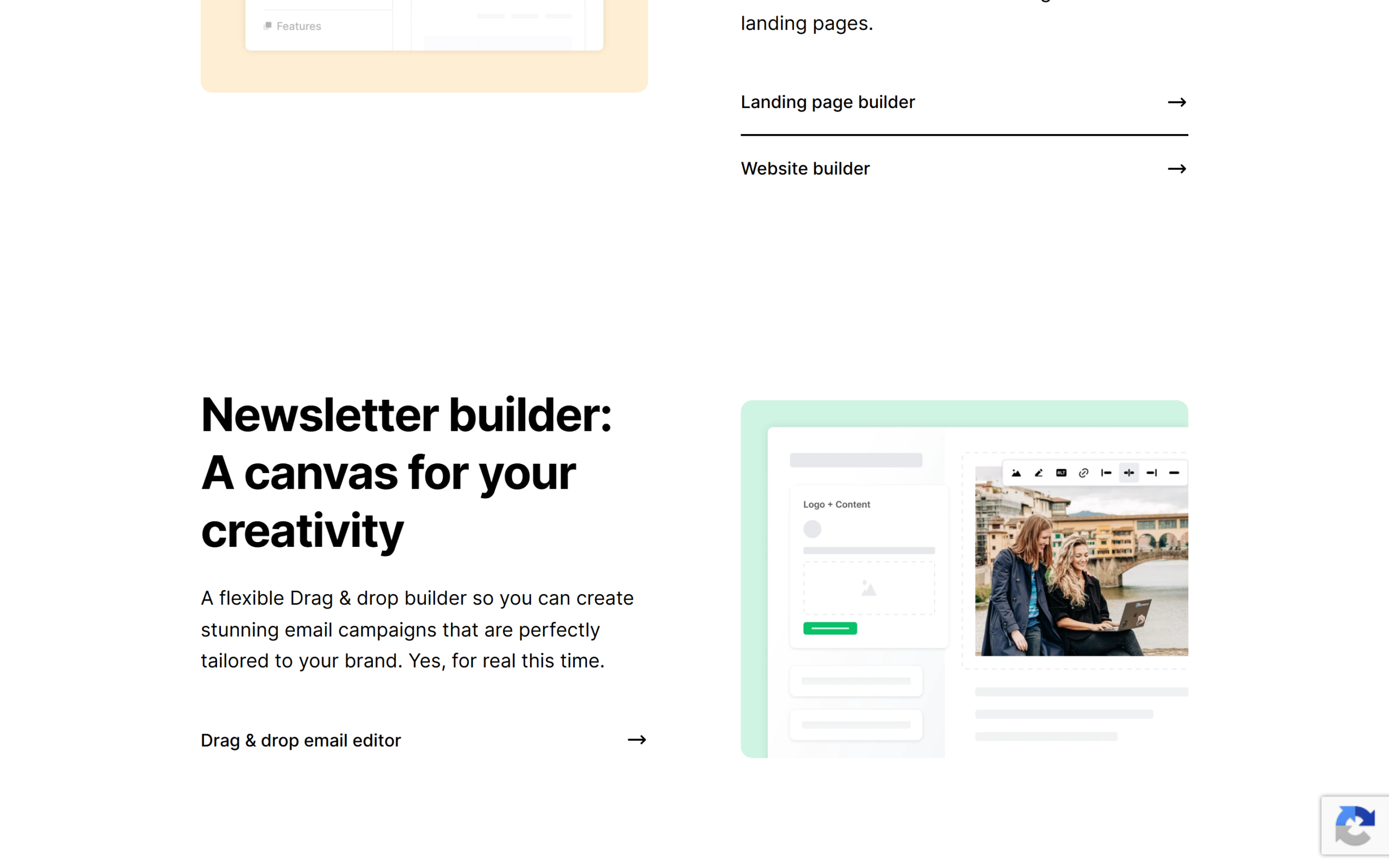
Around the editor sit the tools that feed it subscribers. MailerLite includes embedded signup forms and three kinds of pop-up, teaser pop-ups, promotion pop-ups and spin-the-wheel, plus a landing page builder and a website builder in the same account, so a lead magnet page and the email that delivers it live in one dashboard. Templates cover newsletters, landing pages, websites and pop-ups, and the company says it was “founded by designers,” which is a fair description of how the templates look.
The monetisation side is the part many people overlook. The features page lists digital product sales, paid newsletter subscriptions and ecommerce integrations under the banner “more ways to monetize, without paying us a commission.” In plain terms, you can sell an ebook or run a paid newsletter from the same tool that sends the emails, and MailerLite says it does not charge a commission on that income. Personalisation goes beyond first-name merge tags: dynamic content blocks can be shown or hidden for specific audiences, and a Smart Sending feature uses machine learning to time delivery for individual subscribers, alongside an AI email generator for drafts.
Reporting covers the basics that matter to a small team: link clicks, geolocation, signup sources and, for stores, ecommerce revenue attributed to campaigns. A/B testing is available on every plan, and the features page is explicit that this includes the free plan, which is unusual enough to be worth noting.
Automations, triggers and segments
MailerLite’s automation builder is a visual, drag and drop workflow editor. The automation page lists nine trigger types to start a workflow: abandons cart, buys a specific product, buys any product, buys from a category, joins a group, clicks a link, completes a form, updates a field and date-based triggers for anniversaries and renewals. Those cover the flows most small businesses actually run, welcome sequences, abandoned cart reminders, post-purchase review requests and birthday or renewal messages.
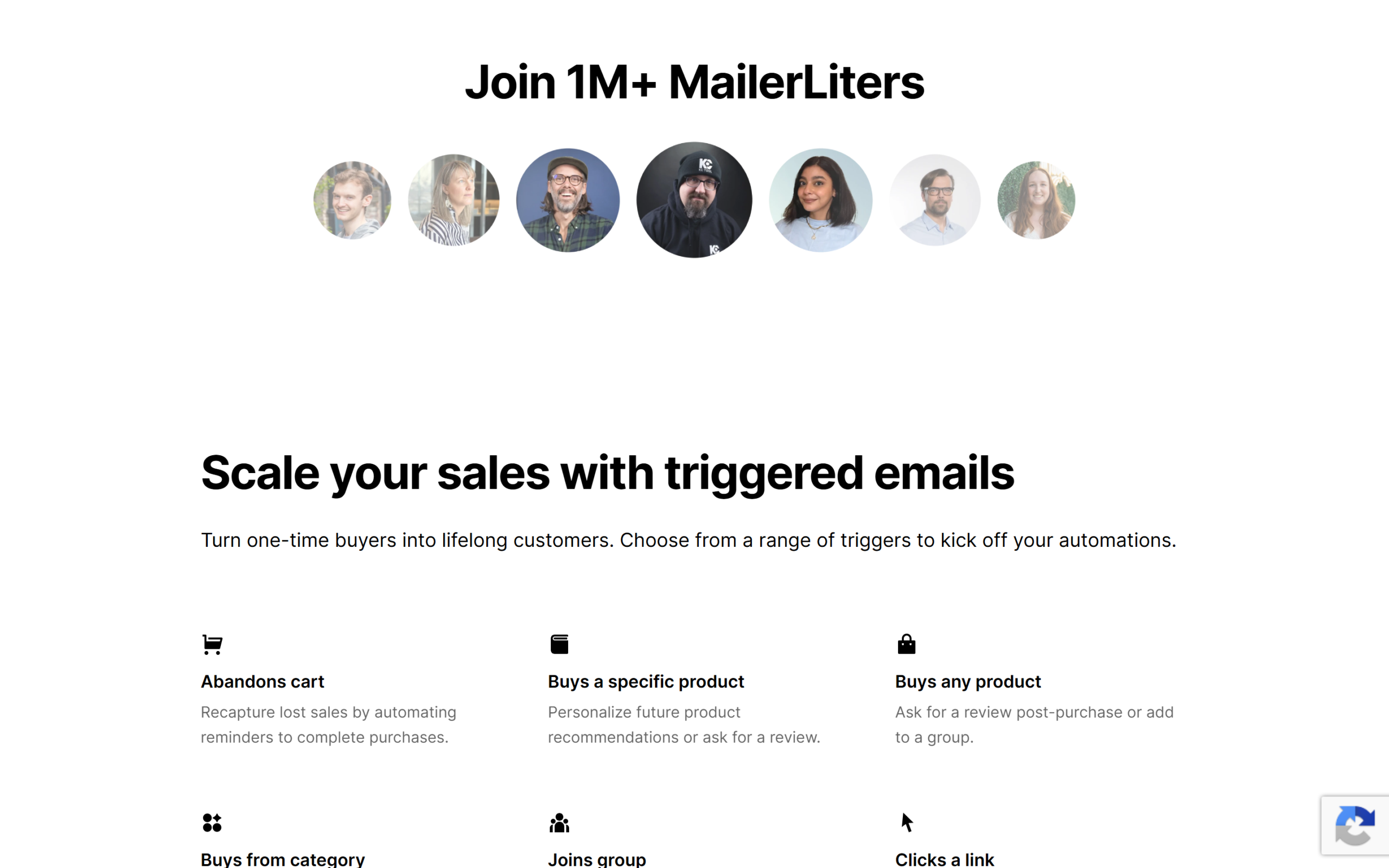
| Trigger | Typical use, per MailerLite |
|---|---|
| Abandons cart | Reminders to complete a purchase |
| Buys a specific product | Personalised follow-ups or a review request |
| Buys from a category | Add subscribers to a group to personalise later emails |
| Joins group | Welcome emails, lead magnets, webinar or event emails |
| Clicks a link | Send an automated email or add the subscriber to a group by interest |
| Completes a form | Instant follow-up with new leads |
| Date based | Anniversaries and subscription renewal reminders |
Segmentation is where the ecommerce focus shows. Beyond groups you build yourself, the page names pre-defined segments such as high-spend repeat customers, repeat customers, high-spending customers, zero-purchase subscribers and first-time customers, and an automation can start the moment a subscriber joins one. Ready-made automation templates include welcome sequences, abandoned carts and webinar invitations, and you can send every email in a workflow to your own inbox to test it before you activate anything.
Two more details are worth knowing. First, the page says you can add up to three triggers to one automation, giving several entry points into a single flow, but the pricing page lists “multiple automation triggers” as one of the extras that come with the top Power plan, so confirm which plan you need before you design around it. Second, A/B testing inside automations can compare up to three variations of subject line, content or send time. The page also promotes a new way to build your own automation assistant using MailerLite’s MCP server, which lets an AI tool read performance and suggest improvements. The vendor’s own case study, ProShot and Tidal Sports, claims a 58 percent rise in orders and a 48 percent rise in revenue after building post-purchase flows, a self-reported result from a company that sells to MailerLite’s ideal customer, so read it as an illustration rather than a benchmark.
Integrations, API and the AI connections
The integrations directory is broad rather than deep. Featured connections include Shopify, WooCommerce, WordPress, Wix, Squarespace ecommerce, Stripe, Zapier, Calendly, Pipedrive and Facebook Lead Ads, and each is labelled by who built it: MailerLite itself, a partner or a third party. Zapier alone is described as connecting MailerLite with more than 5,000 apps without code, and Bit Integrations is listed for more than 320 WordPress-side platforms, so the long tail is covered even where a native connector does not exist.
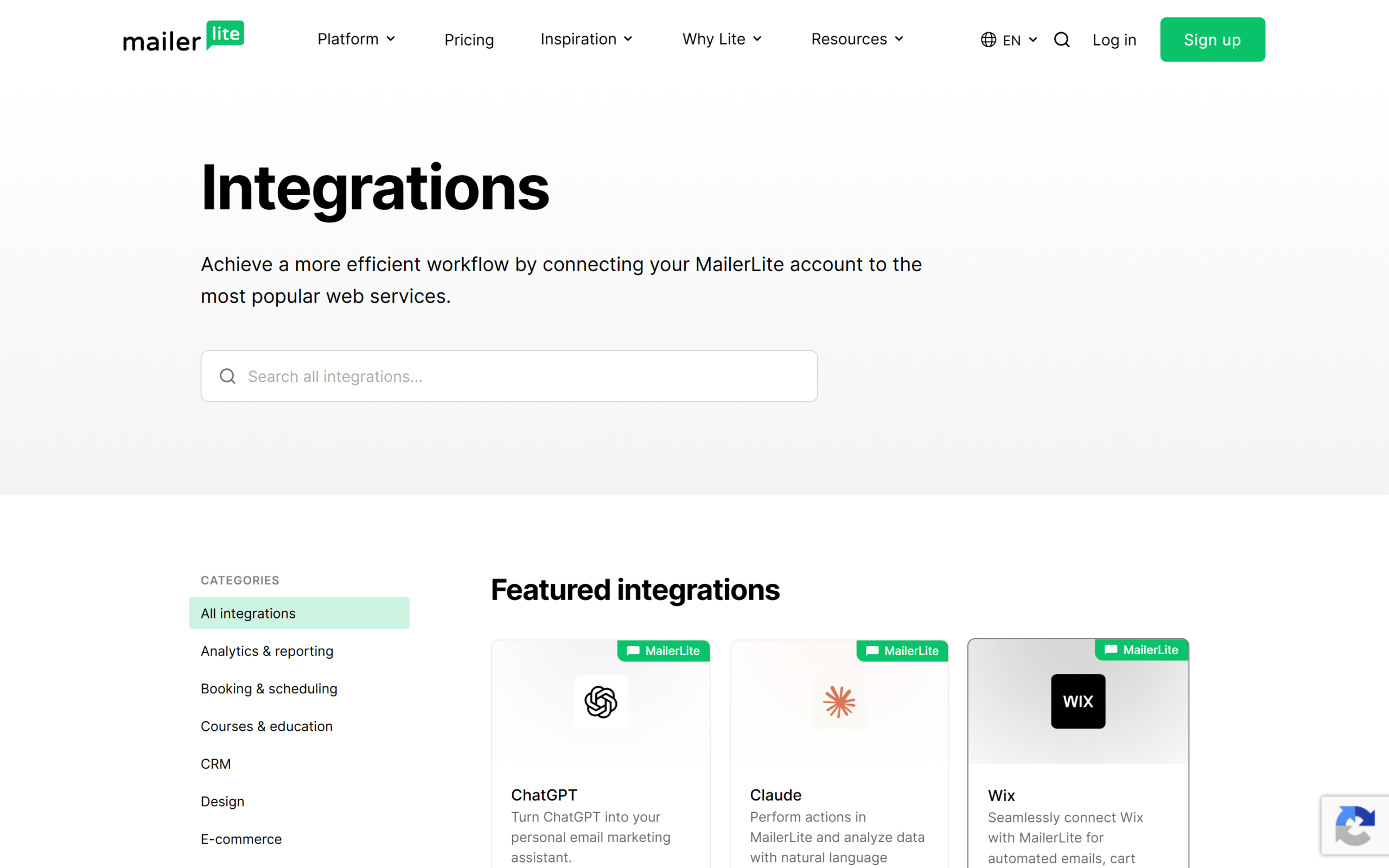
The vendor is inconsistent about the headline number. The homepage-adjacent feature pages say “150+ integrations available,” while the pricing page’s plan comparison says “100+ integrations.” Both pages were current on September 21, 2026, and the difference probably reflects how partner and third-party connections are counted, but it is a reminder to check the specific app you need in the directory rather than trusting either total.
The newer story is AI. MailerLite lists ChatGPT and Claude as featured integrations, plus Cursor, VS Code and Lovable, and offers a Model Context Protocol server so an assistant can read account data and perform actions in natural language. There is a developer API too, and the pricing FAQ draws a useful line: sending email through the API or the MCP server is available on paid plans, while on Free, API and MCP access is limited and does not include sending.
Support, security and track record
MailerLite leans hard on support. The homepage promises 24/7 support and quotes a 97 percent satisfaction rate and a five-minute average response time on live chat. Those are the company’s own numbers and this MailerLite review has no independent way to audit them, but the plan structure does back the intent: the top Power plan includes 24/7 live chat and email support, and Comfort includes 24/7 email support. The catch is at the bottom of the ladder. The pricing page lists community support for the Free plan, while the email features page describes “24/7 support for up to 14 days,” which appears to refer to the trial window, so a free-plan user should expect self-service help rather than a person on chat once the trial ends.
On security, the site footer shows an ISO 27001 certification issued through Bureau Veritas and a GDPR compliance badge, and the pricing FAQ has entries on where customer data is stored and how it is protected. The homepage also displays a row of 2026 badges, Leader, High Performer, Fastest Implementation, Buyer’s Choice and Ease of Use, and the automation page cites “6,879+ reviews.” The page text does not name the review site behind those badges, so this piece treats them as vendor-displayed recognition rather than a verified ranking. The help side is solid: the MailerLite knowledge base is organised by task, with sections for getting started, campaigns, automation, landing pages and websites, signup forms, deliverability, domain authentication, reports, integrations and migration, plus an AI section it calls HeyLite Intelligence.
The plans in brief
The pricing logic is simple to state. The page’s own line is that “every paid plan gets our full feature set” and that you “only pay more for a bigger list or more sending.” Read the comparison table before you accept that at face value, because some limits still differ between the two lower tiers.
| Plan | Price | Subscribers and sends | Seats and support | Automations and pages |
|---|---|---|---|---|
| Free | $0 | Up to 250 subscribers, 2,500 emails a month | 2 seats, community support | 3 automations, 1 website and 1 landing page |
| Comfort | $12/mo, or $10.80/mo billed yearly | Up to 500 subscribers, 5,000 emails a month | 3 seats, 24/7 email support | 50 automations, 10 websites and landing pages |
| Power | $25/mo, or $22.50/mo billed yearly | Up to 500 subscribers, unlimited emails | Unlimited seats, 24/7 live chat and email | Unlimited automations, unlimited pages |
| Enterprise | Custom | 200,000+ subscribers | Priority support, dedicated success manager | Custom, with dedicated IP and deliverability help |
Prices shown are the entry point for a list of up to 500 subscribers and rise as the list grows, using the pricing page’s own slider. Two rules from the pricing FAQ matter for budgeting. A “send” counts as one email to one subscriber, so a campaign to 500 people uses 500 of your monthly emails. And every account gets a 14 day trial of premium features with no credit card, after which those features switch off unless you upgrade, although the FAQ says none of your subscribers, automations, forms or sites are deleted. If the plans fit what you need, start a MailerLite account and use the trial to test the premium features on your own list before you pay anything.
Where MailerLite is less strong
The free plan is real but small. At 250 subscribers and 2,500 emails a month, with three automations and one landing page, it is enough to test an idea and not much more. Growth pushes you onto a paid plan quickly, and the price then scales with the list.
Support depth depends on the plan. Community-only support on Free, email-only on Comfort and live chat only on Power means a small business on the middle tier cannot chat with a person, which matters most at the moment something breaks before a launch. The feature story is also slightly uneven: multi-trigger automations are marketed on the automation page but listed as a Power extra on the pricing page, and the integration count changes between pages.
The product is deliberately focused. MailerLite is an email-first platform with landing pages and simple websites attached, not a full CRM with deal pipelines, and the marketing plans on the pricing page do not list SMS campaigns. The page’s separate Transactional tab, which lists email, SMS and inbound routing, points to a different product called MailerSend. A team that wants marketing, sales pipeline and messaging in one system will outgrow the model.
Who MailerLite is for, and who should look elsewhere
MailerLite is at its best for a creator, writer or small brand whose main channel is email and whose main constraint is time. If your plan is a weekly newsletter, a welcome sequence and a couple of signup forms, the editor and the pre-built automation templates get you there quickly, and the digital product and paid newsletter tools let the same account earn money. Small online stores fit too, because the abandoned cart and post-purchase triggers and the ready-made customer segments cover the flows that pay for themselves first.
Agencies and freelancers who manage several small clients also get value from the unlimited seats on Power, and the pricing FAQ has a dedicated question about reseller and referral programs for agencies. It also asks about discounts for nonprofits and for organisations running multiple accounts, so ask before you assume you pay list price.
It is a weaker fit for a business that needs complex lead scoring, deep CRM features or SMS as a core channel, and for anyone who wants a large permanent free tier, where other tools offer more room. If you are already comparing tools head to head, read the MailerLite vs Mailchimp comparison before you commit to either.
MailerLite pros and cons
In this MailerLite review the clearest advantages are ease of use, breadth for the price and a free plan that keeps A/B testing, three editors and the MCP connection. A single account covers newsletters, automations, forms, pop-ups, landing pages, websites and digital product sales, and the automation builder ships with sensible triggers and templates. Support is a stated priority, the company has a 16-year history, and the integration directory plus Zapier reach most stacks.
Set against that, the free tier is small, support quality depends on which plan you are on, some feature claims differ between pages, and the platform is not a CRM or an SMS tool. None of these rule MailerLite out. They are the reasons to check the plan comparison before you migrate a large list.
Frequently asked questions
What is MailerLite used for?
Sending email newsletters and automated email sequences, capturing subscribers with forms and pop-ups, building landing pages and simple websites, and selling digital products or paid newsletters from one account.
Is MailerLite free?
There is a free plan for up to 250 subscribers and 2,500 emails a month, with 2 user seats, 3 automations and 1 landing page. Every account also gets a 14 day trial of premium features with no credit card required.
What happens when the MailerLite trial ends?
Premium features stop working unless you upgrade, but the vendor says your subscribers, automations, forms and sites are not removed from the account.
Does MailerLite have automations?
Yes, a visual drag and drop builder with nine trigger types, including abandoned cart and purchase triggers, date-based triggers and form completions. The Free plan includes 3 automations, Comfort includes 50 and Power is unlimited.
Does MailerLite work with Shopify and WordPress?
Yes, both appear as featured integrations, alongside WooCommerce, Wix, Squarespace ecommerce and Stripe, and Zapier connects thousands more apps.
Is MailerLite good for beginners?
That is its main selling point, and it is the conclusion of this MailerLite review as well. The vendor markets simplicity and hands-on support, and the knowledge base is organised by task from getting started through migration, though a beginner on the Free plan should expect self-service help.
Is MailerLite worth it?
This MailerLite review finds a focused, well-rounded email platform: a clean editor, sensible automations, forms, landing pages and simple product sales in one account, a free plan that includes A/B testing, and a pricing model that scales with your list rather than fencing off features. The trade-offs are a small free tier, support that depends on your plan, some inconsistent feature claims across the vendor’s own pages, and a product that stays email-first rather than becoming a CRM.
For a creator, small store or small team that wants to send better email without learning a complicated tool, check MailerLite’s current plans against your list size and the automations you actually plan to run before you pick a tier.
8.1 Score
Pros
- One account covers newsletters, automations, forms, pop-ups, landing pages, websites and digital product sales.
- The free plan keeps A/B testing, three editors and the MCP connection, though it caps at 250 subscribers.
- Nine automation trigger types and ready-made templates cover the flows small businesses actually run.
- Around since 2010, with a broad integration directory and Zapier reaching thousands more apps.
Cons
- The free plan is small: 250 subscribers, 2,500 emails a month, 3 automations and 1 landing page.
- Support depth depends on the plan, with community-only help on Free and live chat only on Power.
- Some claims differ across the vendor's own pages, such as 100+ versus 150+ integrations and multi-trigger automations.
- Email-first by design, so no CRM deal pipeline and no SMS as a core channel.
Final Verdict
MailerLite is a focused, easy-to-use email platform that puts newsletters, automations, forms, landing pages and digital product sales in one account, with a free plan that includes A/B testing and a pricing model that scales with the list. The trade-offs are a small free tier, support that depends on your plan and a few inconsistent claims across its own pages. For a creator, small store or small team that wants better email without a steep learning curve, it is a strong default to test first.