

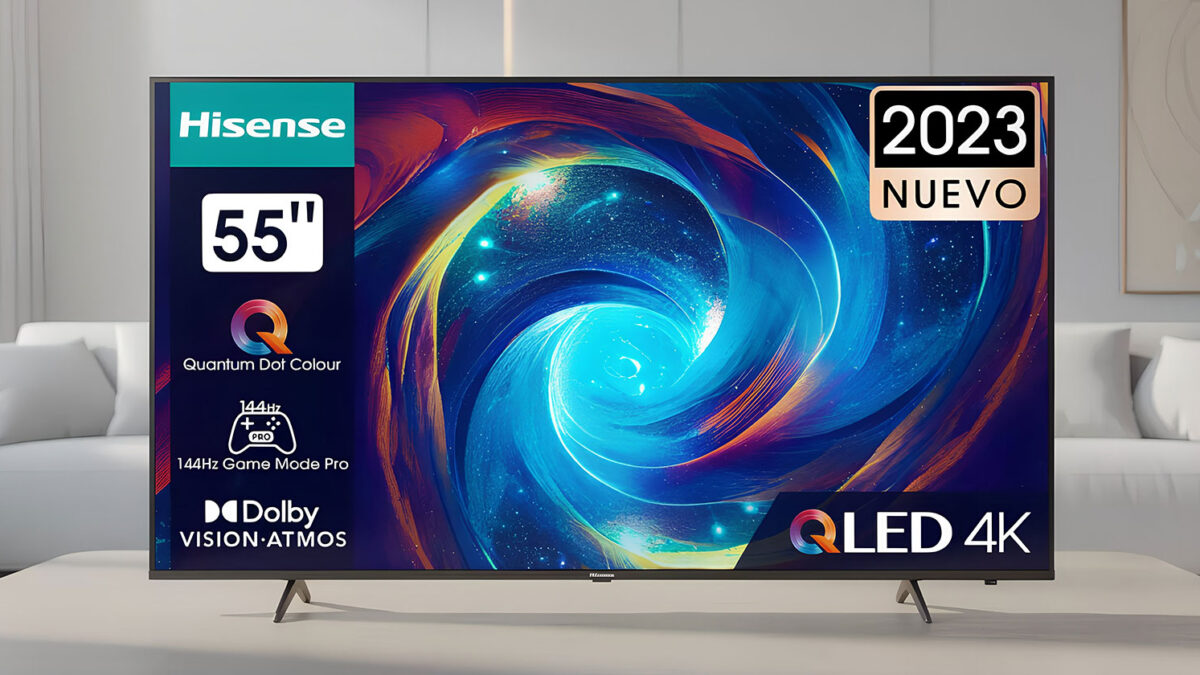
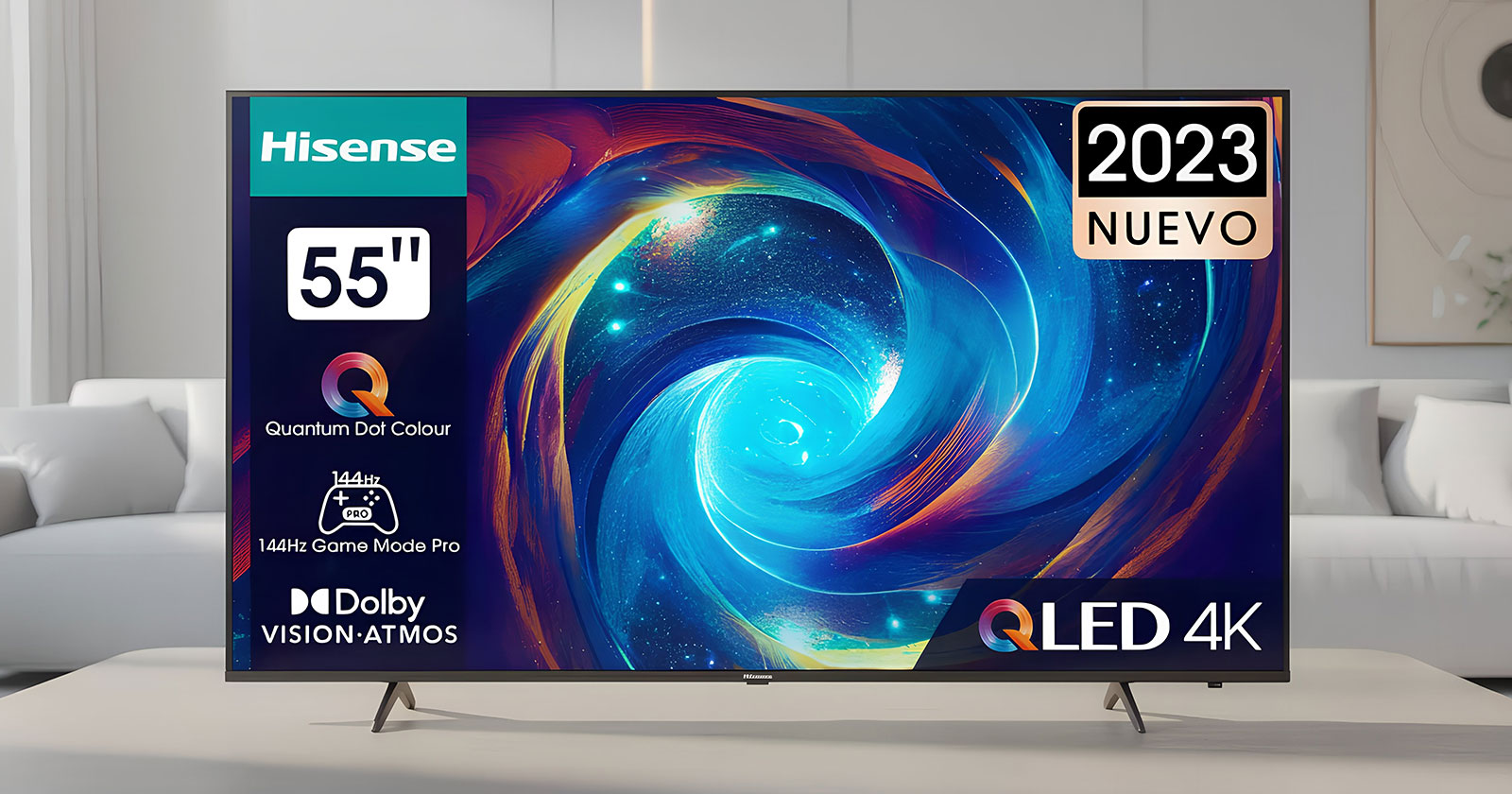
Hisense 65E7KQ PRO Review (65-inch): A 144Hz QLED TV That Nails Gaming Value, With a Few Real Limits
As an Amazon Associate, TruePick earns from qualifying purchases.
If you’ve been shopping for a “do-it-all” 65-inch TV, you’ve probably noticed an awkward truth: the TVs that look truly cinematic in HDR often cost a lot more than most people want to spend, while the affordable sets often cut corners that become obvious the moment you watch a dark movie scene or try to push a console at 120fps. The Hisense 65E7KQ PRO tries to live in the sweet spot between those two worlds. It’s a 4K QLED LCD TV that leans hard into gaming features, high refresh (up to 144Hz), VRR, HDMI 2.1 support, and low-latency modes, while also checking modern streaming boxes like Dolby Vision IQ and a smart platform that’s quick to live with.
This Hisense 65E7KQ PRO review is written for real buyers: people who want a big, modern screen for mixed use, gaming, streaming, sports, and casual movie nights, without paying flagship money. The best-fit buyer is a console or PC gamer who values smooth motion and low input lag, plus families who want vivid color and a simple smart TV experience. The wrong buyer is someone building a dedicated “dark room cinema” and expecting premium HDR brightness, or someone who is extremely sensitive to uniformity quirks on LCD panels.
Here’s the short verdict before we go deep: the 65E7KQ PRO is a smart purchase if your priority is gaming responsiveness and punchy color in everyday viewing, and you’re realistic about HDR brightness and the fact that it’s not a high-end local-dimming monster. If you want to check the current price and availability for the Hisense 65E7KQ PRO 65-inch on Amazon, do that first, because value is a big part of why this TV makes sense.
The 65E7KQ PRO is a European model sold on Amazon.de; readers in the US can look at the closest Hisense model sold there, the Hisense 65QD7N (QD7 series, native 144Hz QLED, Google TV).
Table of Contents
- Specs, positioning, and what the 65E7KQ PRO is really trying to be
- Quick specs overview (table)
- Who should buy it (and who shouldn’t)
- Deep-dive review: picture, gaming, sound, smart features, reliability
- Real-world usage scenarios (3 detailed setups)
- Common buying mistakes (and how to avoid them)
- Alternatives, buyer guidance, and FAQ
- Conclusion and soft CTA
Hisense 65E7KQ PRO review: specs, positioning, and what this TV is built to do
Quick specs overview
| Spec | What it means in practice |
|---|---|
| Size / resolution | 65-inch (164cm), 4K UHD (3840×2160) for sharp streaming and detailed console output. |
| Panel type | QLED LCD with Direct LED backlight (great color volume for the money; blacks depend heavily on room and content). |
| Refresh / gaming | Up to 144Hz with VRR support, designed for smooth motion and reduced tearing on consoles/PC. |
| HDR formats | Supports major HDR formats including Dolby Vision IQ and HDR10+ (format coverage is a real advantage at this price). |
| HDMI features | HDMI 2.1-class features like ALLM and eARC matter for console play and clean soundbar/AVR hookup. |
| Smart TV | VIDAA Smart OS (fast, simple, and generally less cluttered than some alternatives, depending on region). |
| Audio | Dolby Atmos decoding support (built-in audio is workable; most buyers will benefit from a soundbar). |
| Mounting | VESA compatible, practical for wall mounting in a living room or gaming setup. |
The 65E7KQ PRO is essentially Hisense saying: “Give buyers the features they actually notice daily.” That means high refresh, VRR, low-latency game modes, and wide HDR format support so your TV doesn’t silently downgrade content. It also means leaning into QLED color, because color pop is one of the easiest wins in a bright living room. The compromise, compared with more expensive models, is usually not “can it do the thing?” but “how well does it do the thing in hard scenes?” Hard scenes are dark movies with subtle shadow detail, very bright HDR highlights, and wide seating arrangements where viewing angles matter.
To keep this review grounded: a TV like this can look genuinely excellent in normal rooms with normal content, especially streaming series, YouTube, sports, and gaming. But if you’re expecting premium HDR “sun glint” brightness and near-OLED black levels, you’ll want to look at higher-tier models (including some from Hisense itself). Knowing that distinction is the key to buying happily.
Who should buy it (and who shouldn’t)
- Buy it if you want a 65-inch TV that prioritizes gaming smoothness (VRR/high refresh), you watch a lot of streaming, and you want vivid QLED color without paying premium pricing.
- Buy it if your room has some ambient light and you want an image that looks lively, not dim, in everyday conditions.
- Buy it if you like the idea of broad HDR format support (Dolby Vision IQ + HDR10+) so you’re not locked into one ecosystem.
- Skip it if you’re building a dark-room “movie-first” setup and you’re extremely sensitive to LCD blooming or black uniformity.
- Skip it if you demand the highest HDR peak brightness and the cleanest highlight control, this is where mini-LED and higher tiers separate themselves.
- Skip it if you need ultra-wide seating with consistent color/contrast from sharp angles (some LCD panels lose contrast off-axis).
What owners tend to notice first
Across budget-friendly “gaming QLED” TVs, buyers typically notice three things quickly: motion smoothness, color punch, and whether the smart system feels snappy or sluggish. The Hisense E7KQ PRO line is positioned to win those first impressions. The bigger questions, the ones that matter after a few weeks, are: does it stay consistent, does the picture hold up in challenging scenes, does the OS stay stable, and do the HDMI gaming features behave reliably with your specific console or GPU?
Official resources worth checking
If you like reading straight from the source, Hisense publishes product pages and technical details for the model family in different regions. For deeper context from reputable reviewers, you can also look at professional write-ups that discuss strengths and limits of the E7K Pro series. Here are two useful starting points:
Hisense’s official 65E7KQ PRO technical sheet and What Hi-Fi’s E7K Pro review (series perspective).
Deep-dive review: picture quality, build, usability, gaming, and long-term reality
Picture quality: the “everyday wow” vs the “hard-scene truth”
Let’s separate what this TV does well from what it can’t do at flagship level, because that’s where buyer expectations usually go wrong.
Color and saturation (QLED’s core strength): QLED sets like the 65E7KQ PRO tend to look vibrant with streaming content and games. Bright animated content, sports jerseys, and colorful open-world games can look legitimately impressive. For many households, this is the type of “quality” that’s most visible day-to-day: the picture feels lively rather than flat.
Detail and sharpness: With 4K resolution at 65 inches, the TV has plenty of pixel density for typical living room distances. Upscaling matters more than raw resolution once you stream a lot of HD content. Hisense processing has improved over the years, and with the right settings (avoiding aggressive sharpening), you can get a clean, detailed image without the “halo” effect some TVs create around edges.
Black levels and shadow detail: This is where you need realistic expectations. A Direct LED LCD with QLED color can still struggle in very dark scenes with small bright objects (think: subtitles on a black background, streetlights at night, starfields). Depending on the exact panel characteristics and processing, you may see some blooming or elevated blacks in those scenarios. In normal content, it’s often fine. In challenging content, you’ll notice it more.
HDR impact: HDR isn’t just “supported or not.” HDR impact depends on brightness headroom and local dimming control. The 65E7KQ PRO supports modern HDR formats (including Dolby Vision IQ), which is great for compatibility. The limitation is typically that HDR highlights won’t have the same “flash” or separation as brighter, higher-tier TVs. The picture can still look excellent, just not “premium HDR wow” in the most demanding scenes.
Motion handling: why 144Hz matters even if you don’t use 144fps
High refresh panels can improve motion clarity and reduce judder when paired with good processing. For gaming, it’s obvious: smoother camera pans and less blur, especially when VRR is working correctly. For sports, it can mean cleaner motion on fast plays. But there’s a nuance: motion interpolation features (the “soap opera effect”) can make films look unnatural if turned up. The best practice is to keep film motion processing modest (or off) for movies, while using game mode for gaming and a balanced motion setting for sports.
Even if you never feed the TV a 144Hz signal, a panel that can run at high refresh rates can still handle 24p/50p/60p content more flexibly. The win is typically most noticeable to gamers and sports viewers.
Gaming performance: the real reason this TV exists
This is the section most buyers care about, so let’s get specific about what “gaming ready” means in day-to-day use.
Low input lag: In a proper game mode, the TV should feel responsive. That’s the baseline for any gaming-friendly set. The “snappy” feel is what makes aiming, timing, and camera control feel natural.
VRR (variable refresh rate): VRR helps when frame rates fluctuate, common in many console titles that hover between performance targets. VRR reduces tearing and can make performance dips feel less harsh.
ALLM (auto low-latency mode): This is a quality-of-life feature: your console can trigger game mode automatically, so you don’t have to dig into settings every time you play.
HDMI 2.1-class features and bandwidth reality: Many TVs advertise “HDMI 2.1,” but the real question is which features are supported and how reliably they work with your devices. For the 65E7KQ PRO, the practical buyer advice is simple: once you set it up, confirm that your console is outputting the mode you want (4K 120Hz where available, VRR on, HDR on). Then test a few games to ensure there are no odd handshake issues. Most buyers will have a smooth experience, but this is exactly the kind of TV where spending 15 minutes on setup pays off for years.
PC gaming note: If you plan to use a PC at high refresh, check your GPU, cable quality, and input settings. High refresh + HDR + VRR is a lot of data, and “cheap HDMI cable” problems are very real. Buy a certified cable and you eliminate most headaches.
Sound quality: “fine for news,” but a soundbar makes it feel like a new TV
Modern ultra-thin TVs rarely have room for truly rich speakers. The 65E7KQ PRO supports Dolby Atmos decoding, but built-in audio will still be limited by physics: smaller drivers, less bass extension, and less dynamic punch. Dialogue is typically acceptable, but action scenes can sound compressed. If you watch movies, play story-driven games, or simply want clearer dialogue at lower volume, a basic soundbar can be the single best upgrade.
If you already own a soundbar or AVR, pay attention to eARC: it’s the cleanest way to pass higher-quality audio formats from TV apps and HDMI devices to your sound system.
Build quality, design, and living-room practicality
Hisense generally keeps designs simple in this category: thin bezels, modern look, and a stand approach that works on most TV benches. The practical questions you should consider are:
- Footprint: Will the stand fit your furniture width and depth without overhang?
- Wall mounting: If you mount it, do you have a plan for cable routing and power placement?
- Glare control: If your room has windows opposite the TV, placement matters more than a spec sheet.
For many buyers, a 65-inch TV is the centerpiece of a room, so you’re not just buying specs, you’re buying a piece of furniture you stare at daily. This model looks modern enough that it won’t feel dated quickly.
Smart TV experience (VIDAA): fast, simple, and “good enough” for most homes
VIDAA is Hisense’s smart platform in many regions. The best compliment you can give a smart OS is: it doesn’t get in your way. You want quick app loading, reliable streaming, and a remote that doesn’t feel like a puzzle.
Two realistic notes:
- App availability varies by region. Most mainstream services are covered, but if you have a niche app you must use, confirm it exists in your country.
- Updates matter. TVs can improve over time with firmware updates, but you don’t want an OS that becomes unstable. Keeping firmware current and rebooting occasionally can prevent weird issues.
If you’re picky about smart platforms, an external streamer (Apple TV, Fire TV, Chromecast, etc.) can make any TV “smart the way you like.” But many households won’t need it here.
Compatibility and connectivity: what to plug in (and what to expect)
This TV is designed for exactly the modern living room stack: console, maybe a second console, a soundbar, and occasional laptop use.
- Console gaming: Use the best HDMI input for your primary console. Enable game features in the console settings and TV settings.
- Soundbar: Use the eARC HDMI port if your soundbar supports it. This keeps audio handling simple and reliable.
- Streaming: Built-in apps are convenient, but if you want the most consistent experience across multiple TVs in a home, consider a dedicated streamer.
Once set up properly, this TV is the kind of product you can “set and forget.” The goal is consistent, predictable behavior, especially with gaming features.
Long-term use and reliability: what to do in week one to prevent future frustration
Reliability isn’t only “does it break?” It’s also “does it behave the same way every time?” Here are practical steps to make long-term ownership smoother:
- Update firmware early (after initial setup) to benefit from HDMI handshake fixes and app stability improvements.
- Choose one picture mode per use case (Movie for films, Standard for daytime TV, Game for gaming) and avoid constant tweaking.
- Disable overly aggressive processing if you see artifacts: extreme noise reduction, strong sharpening, or heavy motion smoothing.
- Use quality HDMI cables for 4K high refresh signals to avoid flicker or dropouts.
Hisense sits in that value-focused part of the market where you get a lot for your money, but you also benefit from a slightly more careful setup than you would with a top-tier flagship that brute-forces its way through everything.
Value for money: where the 65E7KQ PRO can be a great deal (and where it’s not)
This TV is a “value” purchase when it’s priced like a midrange set but offers near-premium gaming features. The moment the price climbs too close to brighter mini-LED models (or you find a sale on a higher tier), the decision gets harder. That’s why you should treat price as part of the spec sheet.
When it’s competitively priced, the 65E7KQ PRO makes sense for buyers who care about:
- Gaming smoothness (VRR/high refresh) more than absolute HDR brightness
- QLED color pop for sports, streaming, and general TV
- A modern HDR format list (Dolby Vision IQ + HDR10+ coverage)
If you want to see whether it’s currently sitting in that “sweet spot,” you can check live pricing and stock here: current deals on the Hisense 65E7KQ PRO. If the price is close to mini-LED alternatives, those alternatives may offer more HDR punch and better highlight control.
Pros and cons (honest, buyer-focused)
Pros
- Excellent gaming-friendly feature set for the price (high refresh + VRR + low-latency behavior)
- Vivid QLED color that looks great in everyday streaming and sports
- Broad HDR format support, useful across Netflix/Disney+/Prime and modern content libraries
- Simple smart TV experience that most households can use without fuss
Cons
- HDR “wow” brightness is limited compared to brighter mini-LED and premium models
- Dark-scene performance can reveal typical LCD limitations (blooming/elevated blacks in hard content)
- Viewing angle performance may not be ideal for very wide seating arrangements
- Built-in sound is serviceable but not cinematic; a soundbar is strongly recommended
Real-world usage scenarios: three setups where this TV makes (or breaks) the experience
Scenario 1: The console gamer’s living room (PS5 / Xbox Series X) with mixed daytime and night viewing
This is arguably the best-case use for the 65E7KQ PRO. In a normal living room with some daylight, QLED color helps content look lively. Game Mode and VRR support do the heavy lifting for responsiveness. The right setup looks like this:
- Picture mode: Game mode for gaming, Movie/Cinema mode for films
- Console settings: Enable 4K, HDR, 120Hz where available, and VRR
- Audio: Add a midrange soundbar via eARC for clearer dialogue and impact
What you’ll likely love: fast response, smooth motion, and a bright, colorful image that makes games feel “bigger.” What you’ll want to manage: if you watch a lot of dark movies at night, dial in the backlight and black level settings carefully to avoid washed shadows or distracting blooming.
Scenario 2: Sports + streaming for a family (wide mix of content, lots of casual watching)
For family usage, convenience is king. The 65-inch size is big enough to feel like an upgrade from a smaller set, and QLED color helps with sports and bright content. The trick for sports is motion settings: too much processing can create artifacts around fast-moving objects, but too little can look juddery depending on the broadcast quality.
Recommended approach:
- Use a balanced motion setting for sports (avoid maxed-out interpolation)
- Keep sharpness moderate to avoid edge halos on lower-quality broadcasts
- Use a “daytime” picture mode for bright rooms, and a separate “movie night” mode
In this scenario, the 65E7KQ PRO’s strengths, color pop, size, and everyday usability, carry the experience more than peak HDR brightness specs ever will.
Scenario 3: PC gaming + desk/couch hybrid (one screen for gaming, YouTube, and occasional work)
This is where feature checklists meet real-life ergonomics. A 65-inch TV can work as a PC display, but only if you plan for distance and text clarity. The 4K resolution helps, but you still need to be far enough away to avoid constant head movement.
What makes it work:
- Distance: Use it more like a “couch monitor” than a desk monitor
- Signal stability: Use a certified high-speed HDMI cable
- Settings: Turn off heavy processing for desktop use, keep scaling comfortable
In gaming, high refresh and VRR support are the win. In productivity, it’s usable for casual tasks, but don’t buy this TV primarily for office work, buy it for gaming and entertainment, and treat desktop use as a bonus.
Common buying mistakes (and how to avoid them)
- Mistake: Buying based on “HDR supported” alone.
Fix: HDR impact depends on brightness and control. If your main goal is premium HDR movies, compare with mini-LED models in the same sale window. - Mistake: Assuming any HDMI cable is fine for 4K high refresh.
Fix: Use certified cables for high-bandwidth signals to avoid flicker, dropouts, or handshake issues. - Mistake: Leaving motion smoothing cranked up.
Fix: Use modest motion settings for sports, and minimal/none for movies to avoid the soap opera effect. - Mistake: Expecting built-in speakers to match the picture.
Fix: Budget for a soundbar. Audio is the most cost-effective way to “upgrade” your whole experience. - Mistake: Not testing game features in the first week.
Fix: Confirm 4K 120Hz/VRR/HDR behavior early while you’re still in the easy return/exchange window.
Alternatives, buyer guidance, and FAQ
Alternatives worth considering (depending on what you care about most)
The smart way to shop this category is to decide what you’re optimizing for: pure HDR brightness, gaming smoothness, or the best overall balance under a certain budget. Here are realistic alternatives that often come up in the same decision set:
Alternative 1: TCL C745 / C805 family (region-dependent naming)
If you’re comparing “gaming-first value TVs,” TCL models in this family often compete directly. Depending on the exact model and region, TCL may offer stronger HDR brightness or different local dimming behavior. If HDR impact is your top priority and pricing is close, it’s worth a side-by-side look.
Alternative 2: Hisense U7K (or regional U7 variants)
If you like Hisense’s value approach but want a step up in overall picture punch, especially in HDR, the U7 tier is often the “stretch” recommendation. It typically aims to deliver more brightness and better control, which matters for movie nights and HDR highlights.
Alternative 3: Samsung Q80C/Q80D tier (when found on sale)
Samsung’s mid-high QLED tiers can be attractive for buyers who prioritize a polished smart platform experience and strong overall processing. However, value depends heavily on sale pricing, sometimes it’s a great buy, sometimes it’s expensive for what you get.
Alternative 4: LG QNED midrange models (for wide seating and brand ecosystem)
LG’s QNED lineup can be appealing if you want LG’s platform and a certain style of processing. Just be mindful that model-to-model performance varies; compare based on the specific model year and tier, not the logo.
Buyer guidance: how to choose in 3 questions
- 1) Is gaming smoothness a top priority?
If yes, the 65E7KQ PRO is strong value, especially if priced aggressively. - 2) Do you watch a lot of HDR movies at night?
If yes, consider stretching to a brighter mini-LED or higher tier if the budget allows. - 3) Is your room bright in the daytime?
If yes, QLED color and a punchy “day mode” matter more than perfect blacks.
FAQ
Is the Hisense 65E7KQ PRO actually good for PS5 and Xbox Series X?
Yes, this is one of the main reasons to buy it. With a proper game mode, VRR support, and high refresh capability, it’s designed to feel responsive and smooth. The key is to confirm your console settings (4K, HDR, 120Hz where supported, VRR on) and test a few games early.
Will I get “true HDR” on this TV, or is it just a label?
You get real HDR format support and improved dynamic range compared to SDR, but the intensity of HDR highlights depends on brightness and panel/backlight control. Expect an upgrade over basic TVs, but not the same highlight pop you’ll see on brighter mini-LED or premium models.
Does Dolby Vision IQ matter?
It can. Dolby Vision IQ is designed to adapt HDR presentation based on ambient light conditions. In a living room where lighting changes throughout the day, it can help keep content looking balanced without constant manual adjustments.
Is VIDAA a good smart TV platform?
For most people, yes, it’s fast and straightforward. The only real caution is app availability in your region. If one must-have app isn’t supported, adding an external streamer solves the problem instantly.
Do I need a soundbar right away?
You don’t need one to use the TV, but if you watch movies or play cinematic games, a soundbar is the quickest way to make the whole experience feel more premium. Dialogue clarity and bass impact are the biggest improvements.
Is wall-mounting recommended for a 65-inch like this?
It’s a great option if you have the right wall mount and can manage cable routing. Wall mounting can also reduce glare if you can position the screen more carefully relative to windows and lights.
What settings should I change first?
Start by selecting the correct picture mode for your use (Movie for films, Game for gaming), then reduce overly strong sharpening and motion smoothing if you notice artifacts. Finally, update firmware and confirm your console outputs the modes you want.
Conclusion: should you buy the Hisense 65E7KQ PRO?
The Hisense 65E7KQ PRO is best understood as a “high-value gaming and everyday TV” rather than a budget home cinema masterpiece. It succeeds when you want smooth, responsive gameplay, vivid QLED color, and modern HDR format support in a big 65-inch size, especially when it’s priced aggressively. Its limitations are the ones you’d expect from an affordable QLED LCD: HDR highlight intensity and dark-scene perfection won’t match higher-tier mini-LED or premium models, and wide-angle performance can be a factor depending on your room.
If your TV life is a mix of gaming, streaming series, sports, and general entertainment, this model can be a satisfying long-term buy, particularly if you add a soundbar and spend a little time on setup. If you want to check whether the current deal keeps it in the “no-brainer value” zone, you can view the latest pricing for the Hisense 65E7KQ PRO here and compare it against any mini-LED alternatives you’re also considering.
8.3 Score
Pros
- Smooth VRR gaming experience
- Punchy QLED color in daylight
- Strong HDR format support
- Snappy, simple smart interface
- Good size-to-price ratio
Cons
- Limited HDR highlight brightness
- Dark scenes can show blooming
- Off-angle contrast drops in wide seating
- Built-in audio lacks depth
- Needs careful motion settings for films
Final Verdict
The Hisense 65E7KQ PRO is a smart pick for buyers who want a big 65-inch screen with genuinely strong gaming features and lively QLED color without paying premium prices. It’s best for mixed living-room use—streaming, sports, and console play—while movie-first viewers chasing intense HDR highlights or near-perfect dark-scene performance should consider brighter mini-LED options. Set it up carefully, pair it with a soundbar, and it delivers excellent everyday value.